Responsive TUIKit is a suite of reactive component libraries built on the Chat SDK, providing a comprehensive solution for instant messaging features including conversations, chat messages, and contact management. These UI components allow you to rapidly assemble custom business logic using modular building blocks.
TUIKit Feature Overview
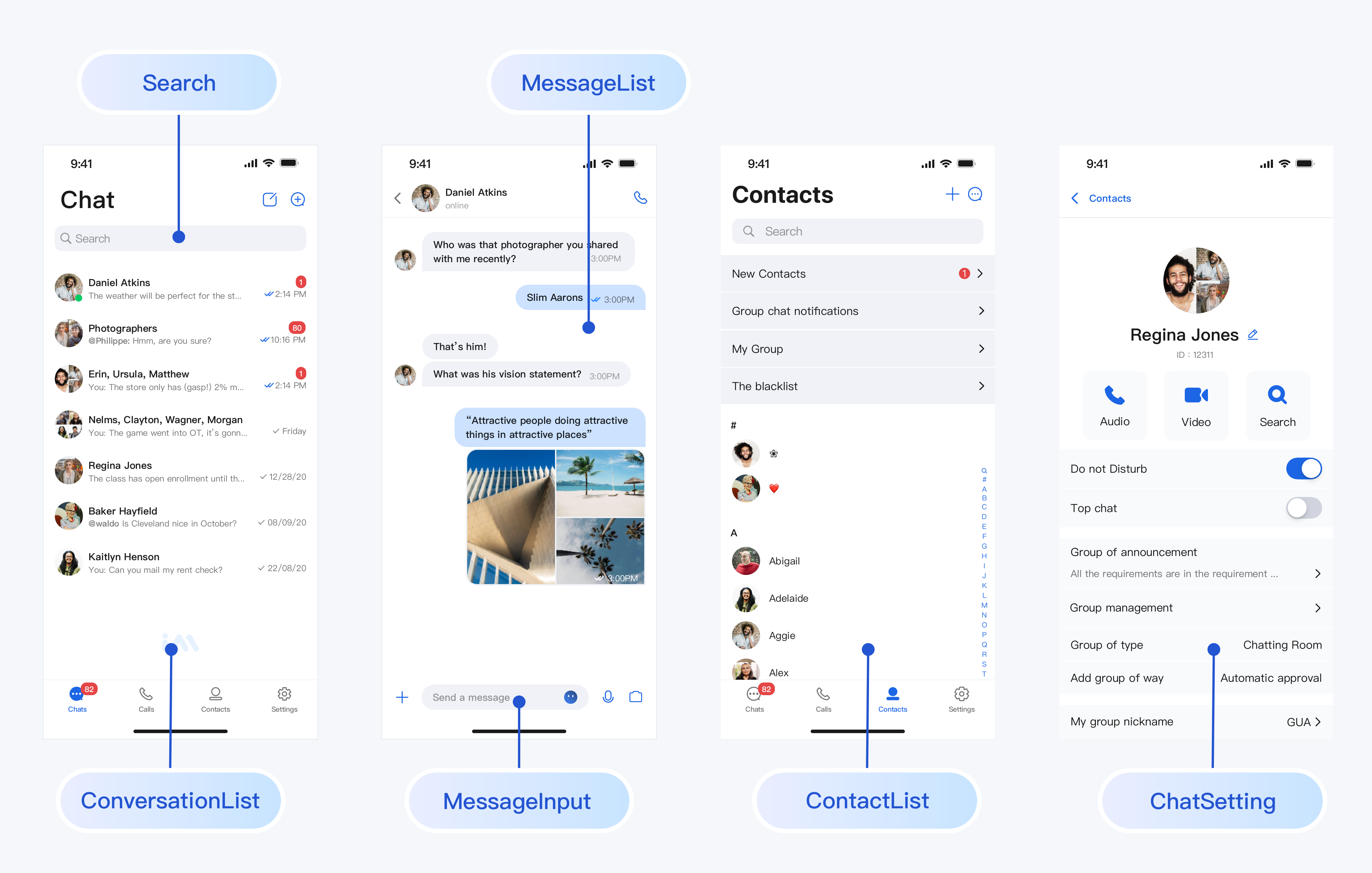
Responsive TUIKit is organized into several UI subcomponents: ConversationList, MessageList, MessageInput, ContactList, ChatSetting, and Search. Each component is designed to present distinct content and functionality.
The interface appears as follows:
MessageList Features
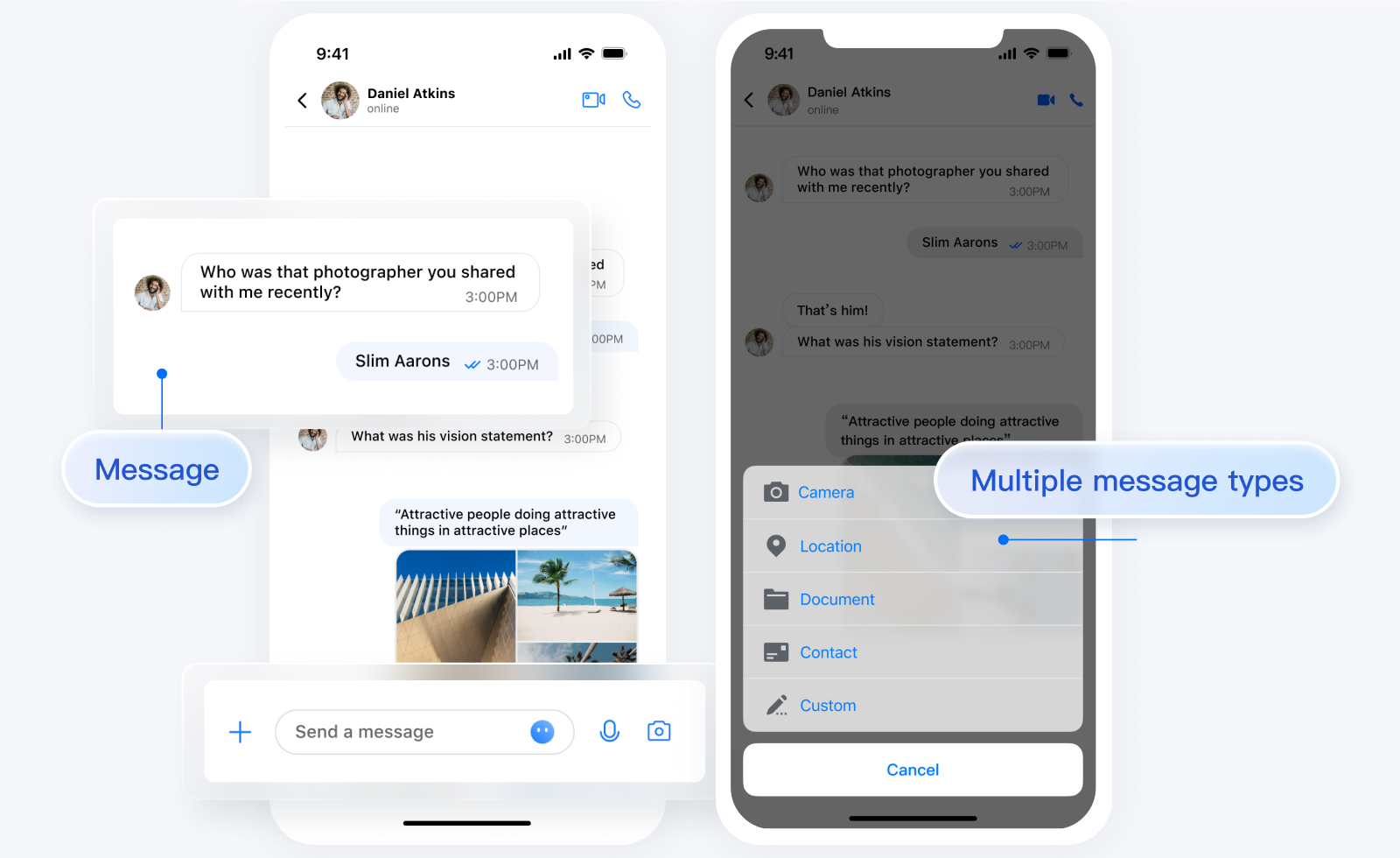
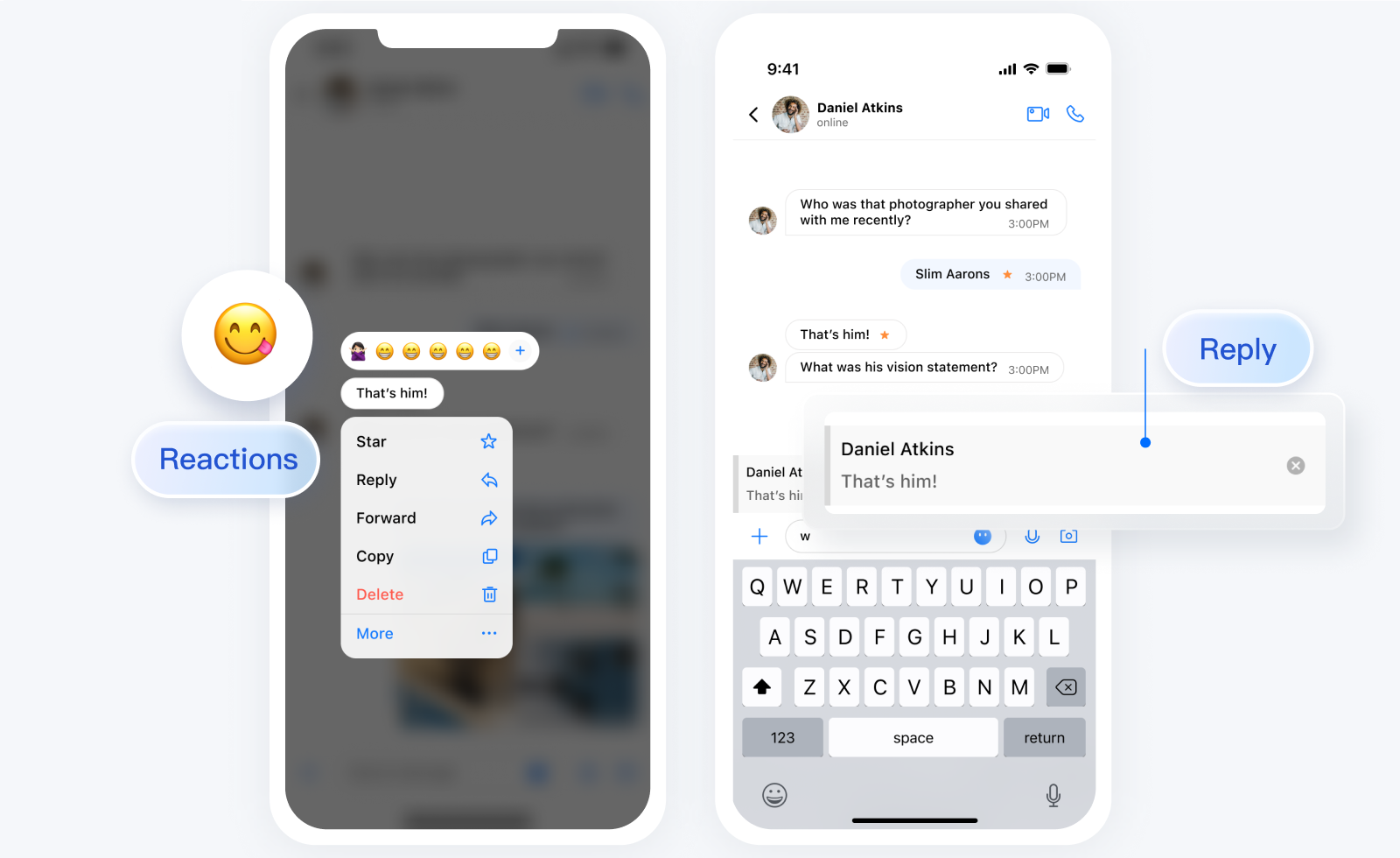
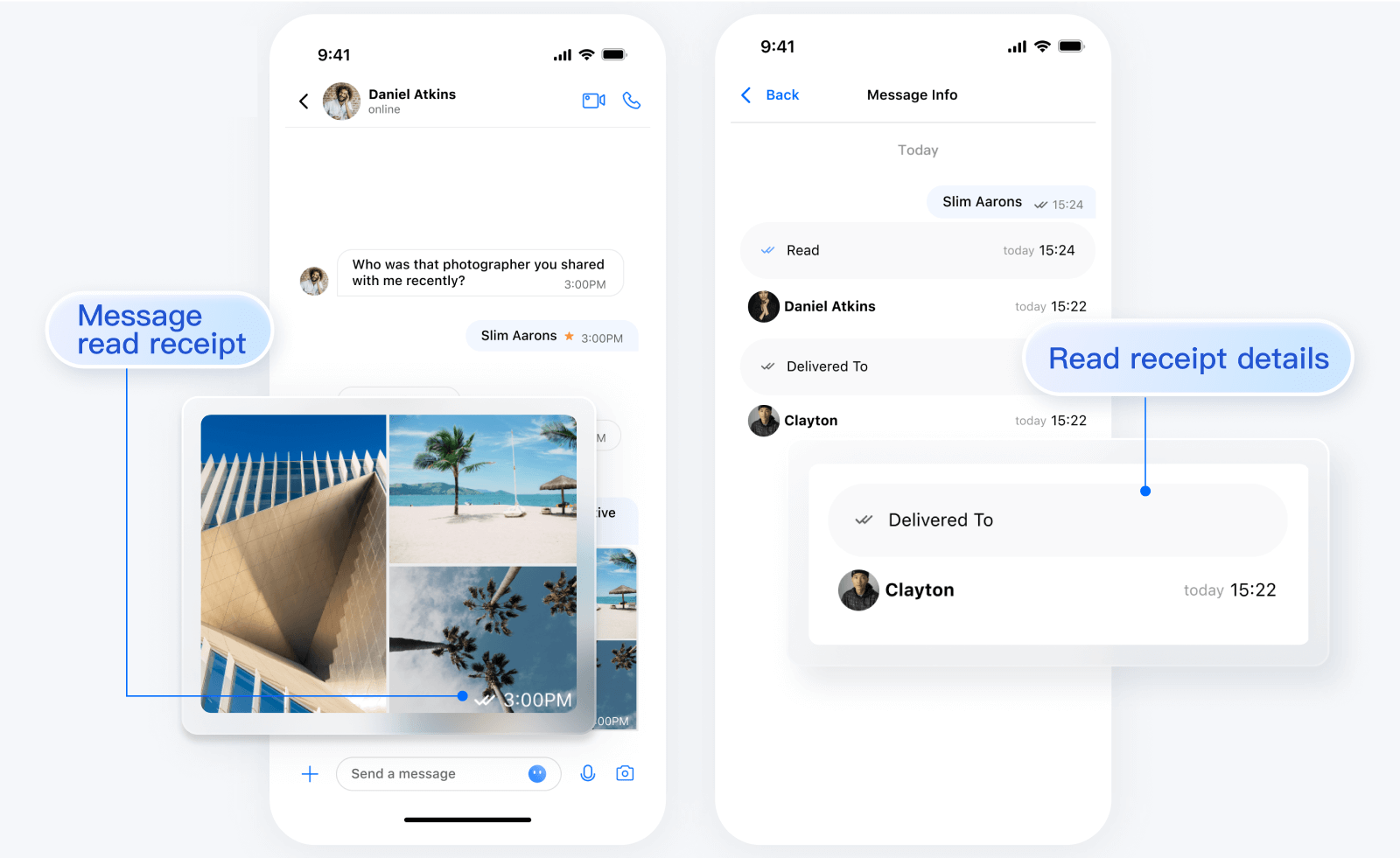
MessageList renders the chat interface and supports sending multiple message types. It enables actions such as liking, replying, and quoting messages via long-press gestures, and allows you to view Message Read Receipt details.
The interface is illustrated below:
Message Interface & Multiple Message Types
Message Like & Reply
Message Read Receipt & Details
ContactList Features
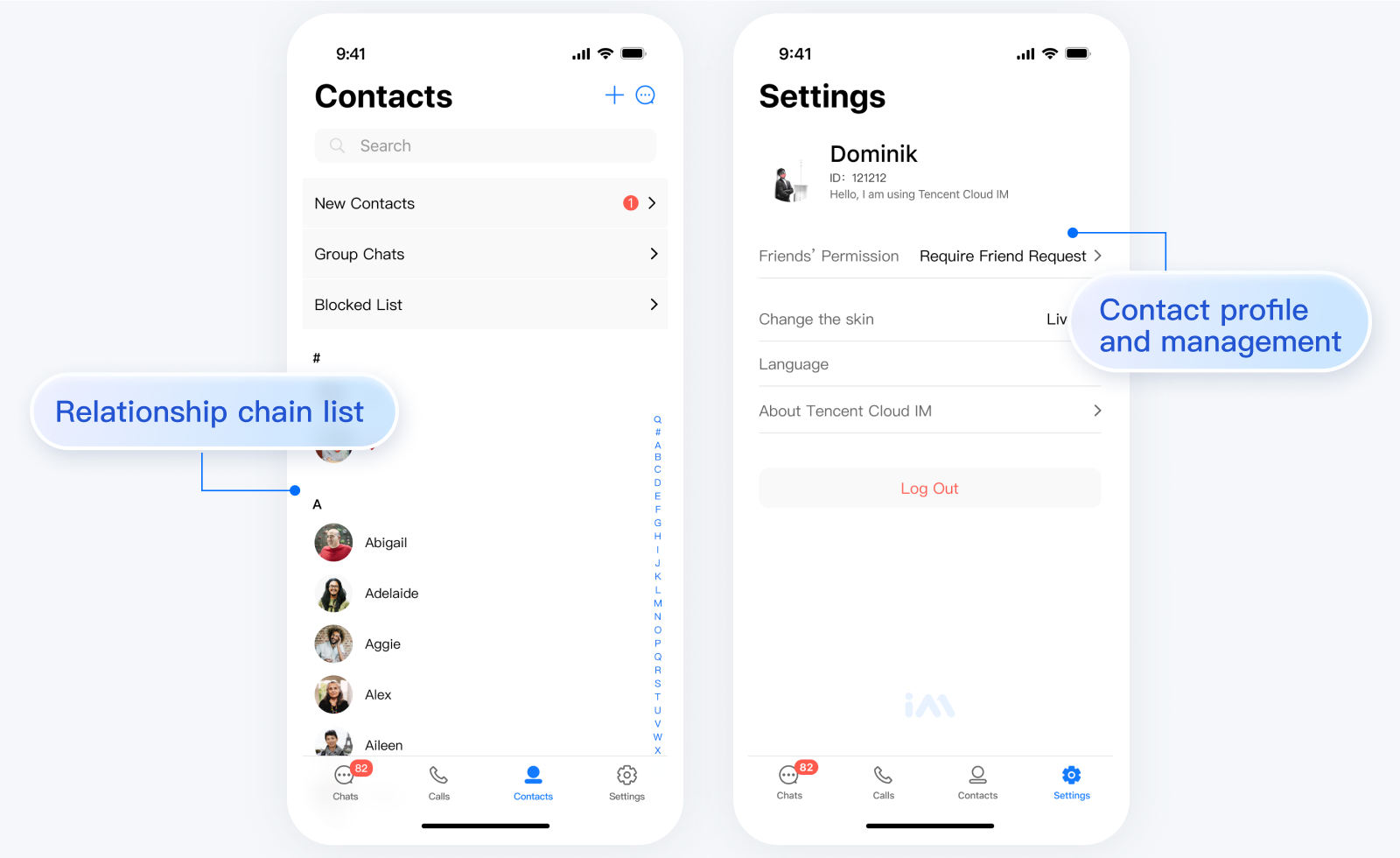
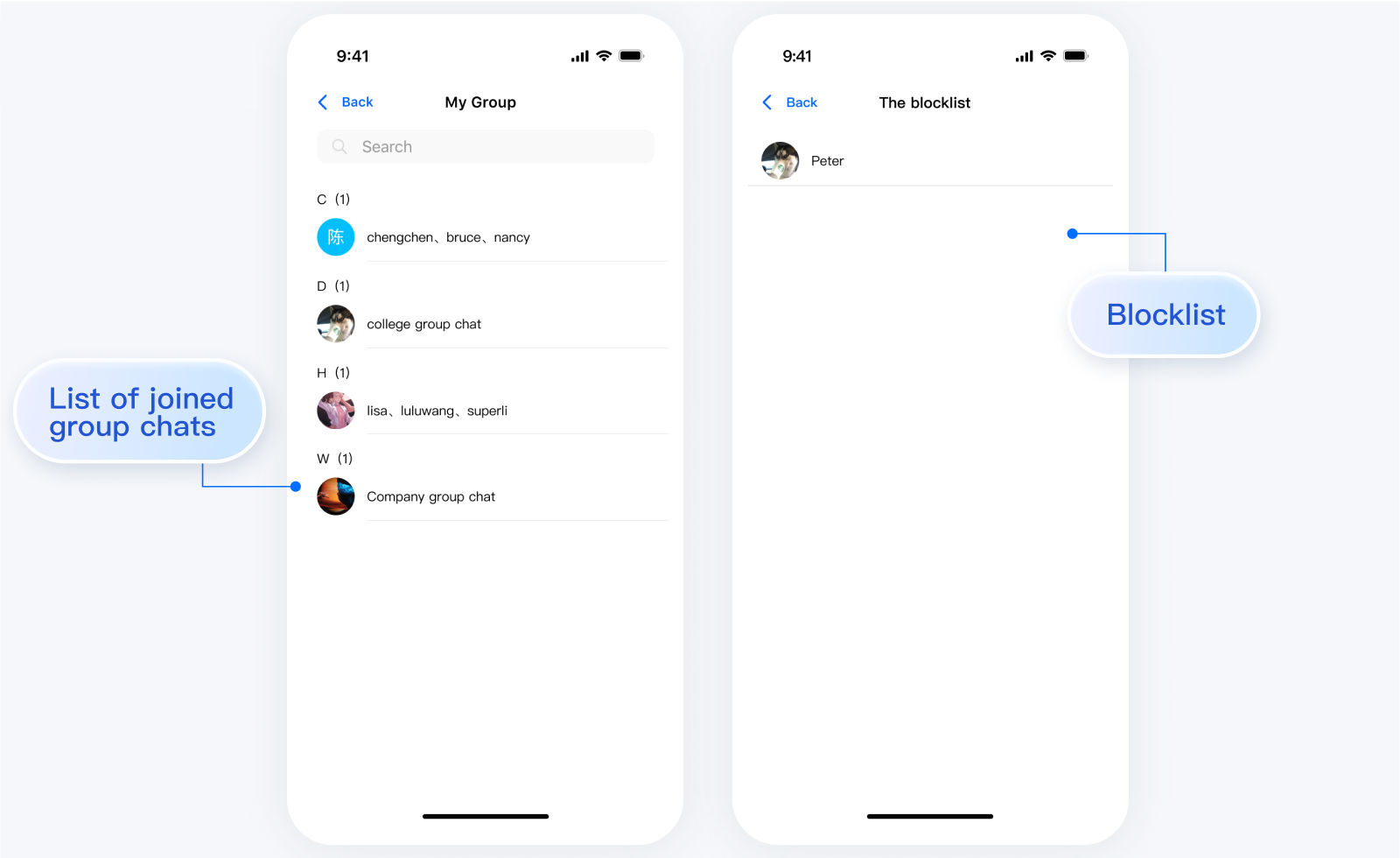
ContactList displays contacts and manages permissions.
Interface examples:
Relationship Chain List & Contact Profile Management
Group Chat Participation List & Blocklist
ConversationList Features
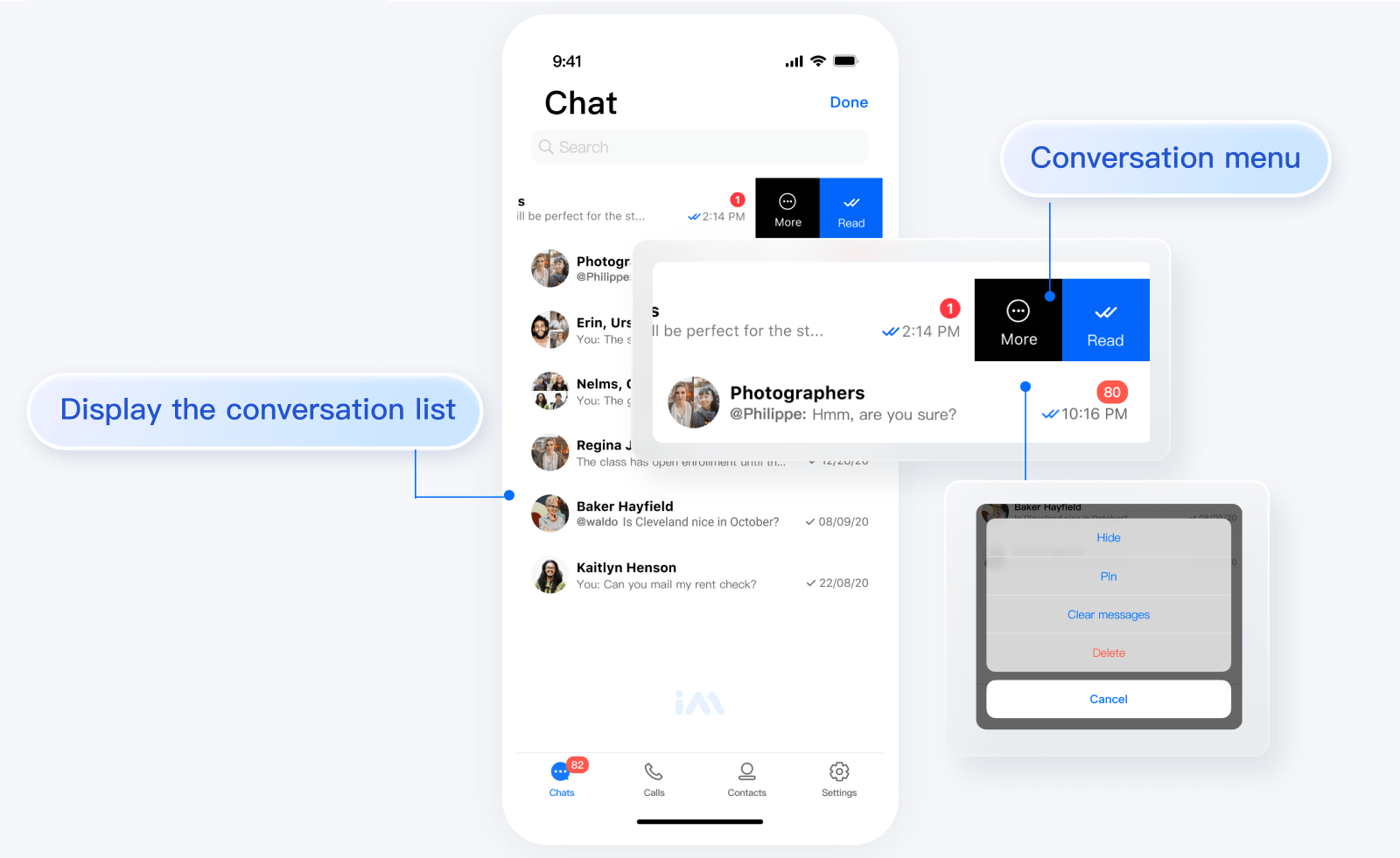
ConversationList is used to display and edit conversation lists.
The interface example:
ChatSetting Features
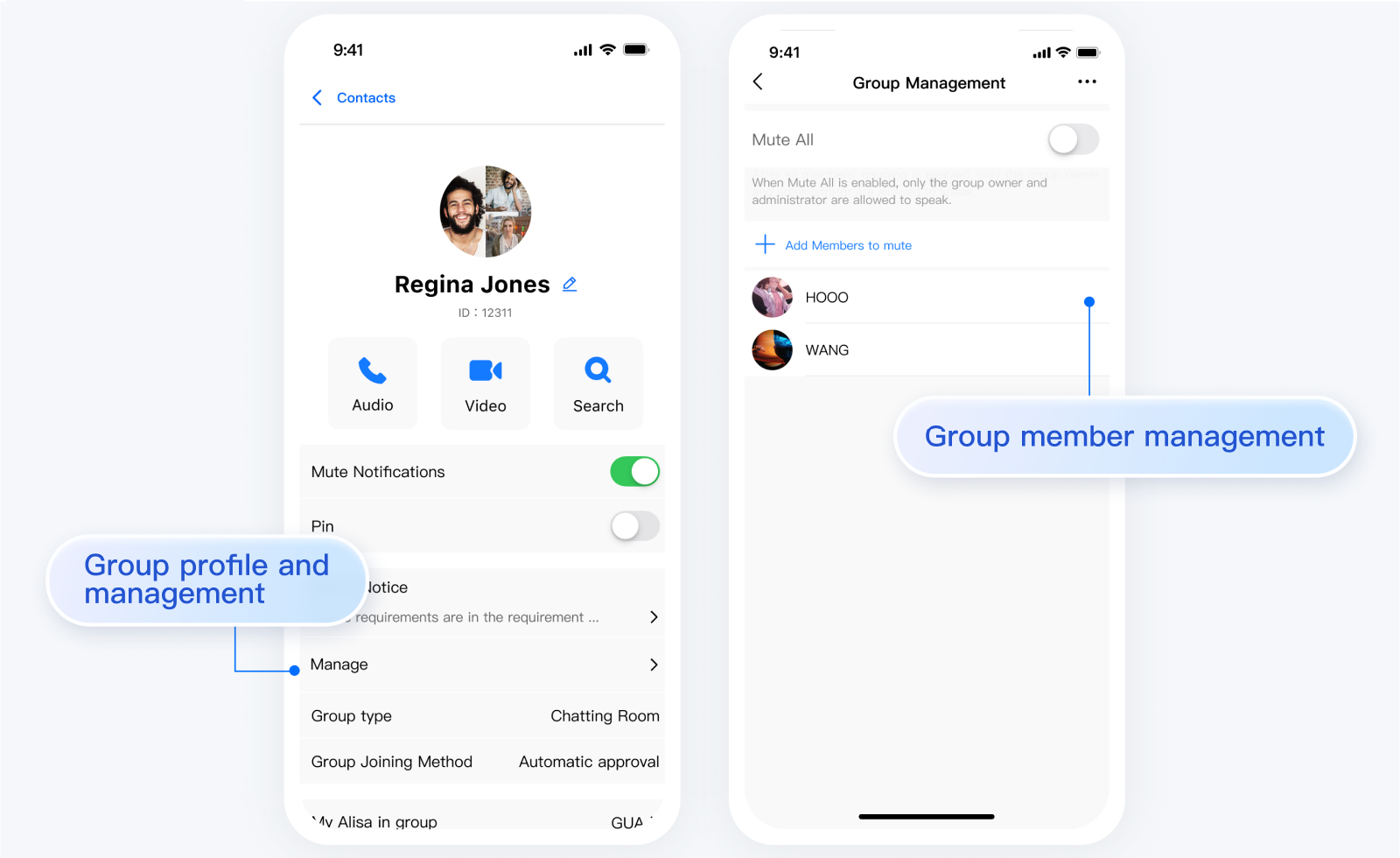
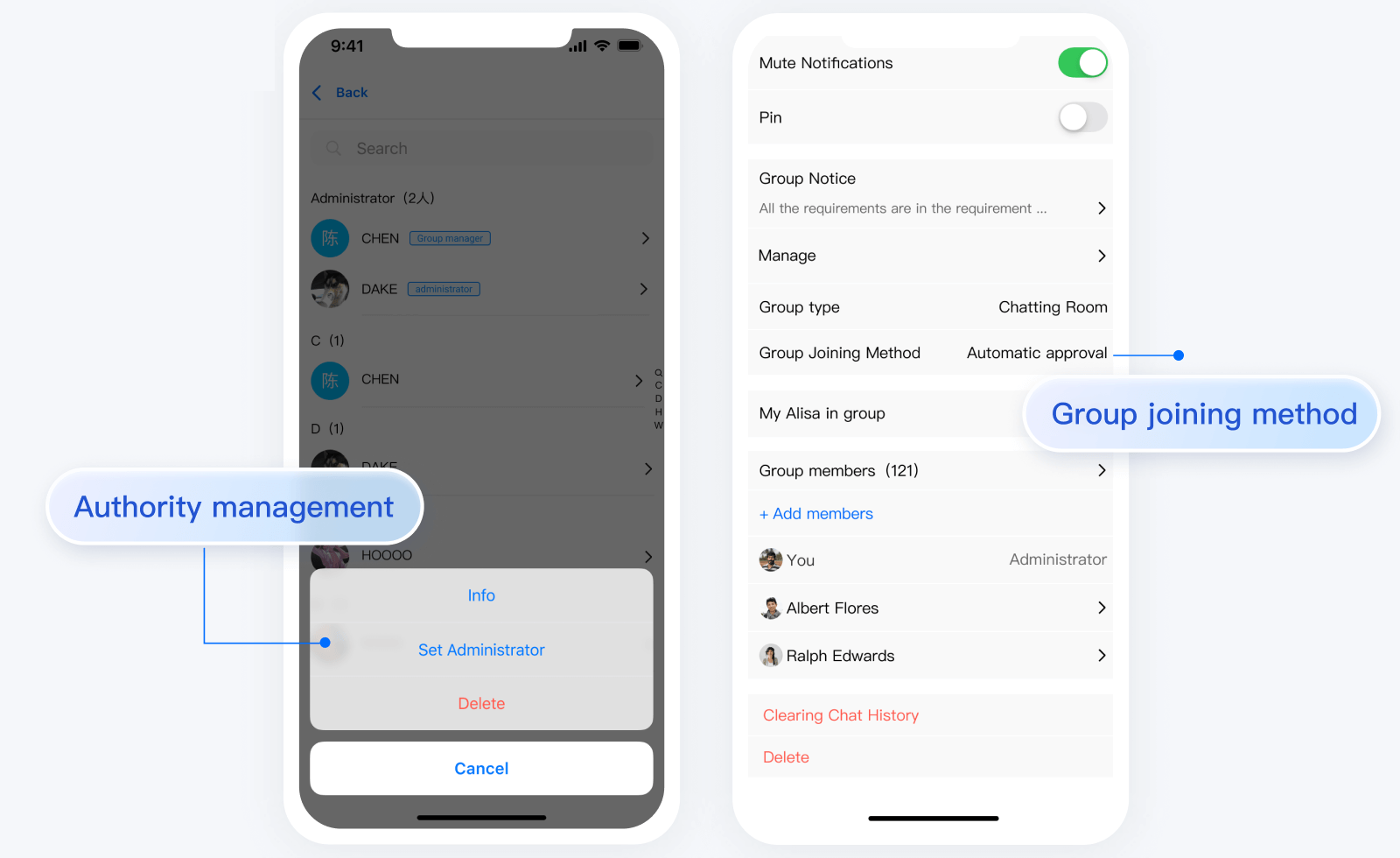
ChatSetting provides tools for managing Group Profile, group members, and group permissions.
Interface examples:
Group Profile & Management / Group Member Management
Group Join Methods Management / Permission Management
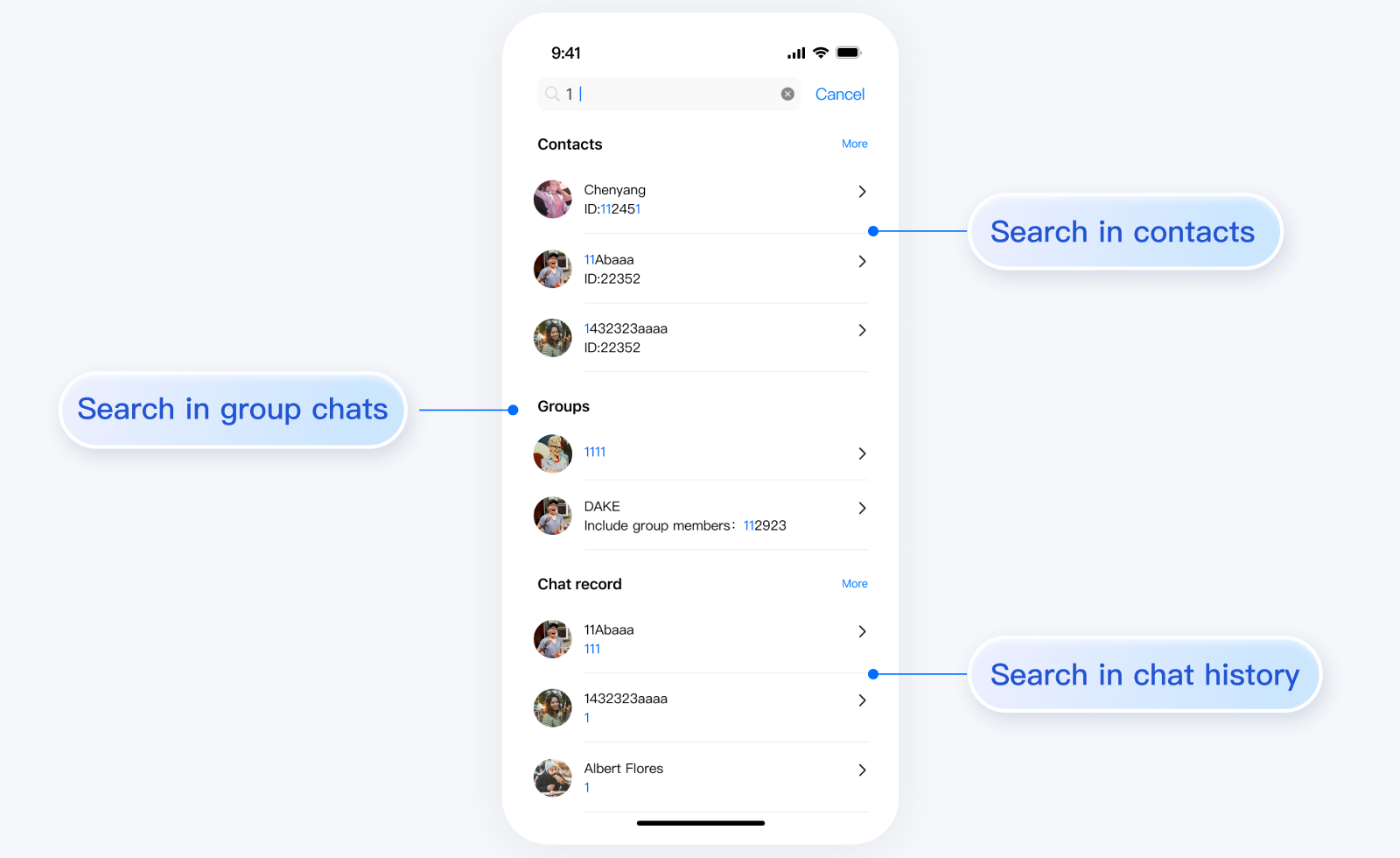
Search Features
Search supports local search across contacts, group chats, and chat history.