Using Tag
Baixar
Modo Foco
Tamanho da Fonte
This document describes how to filter instance resources by tags in the TMP console.
Directions
1. Log in to the TMP console.
2. Select the region at the top of the instance list page.
3. In the search box in the top-right corner of the instance list, click the blank space and select Tag.
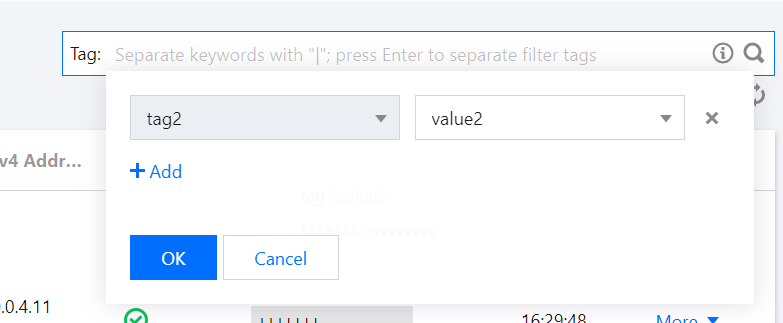
4. Select the corresponding conditions in the tag filter selection box and click OK.
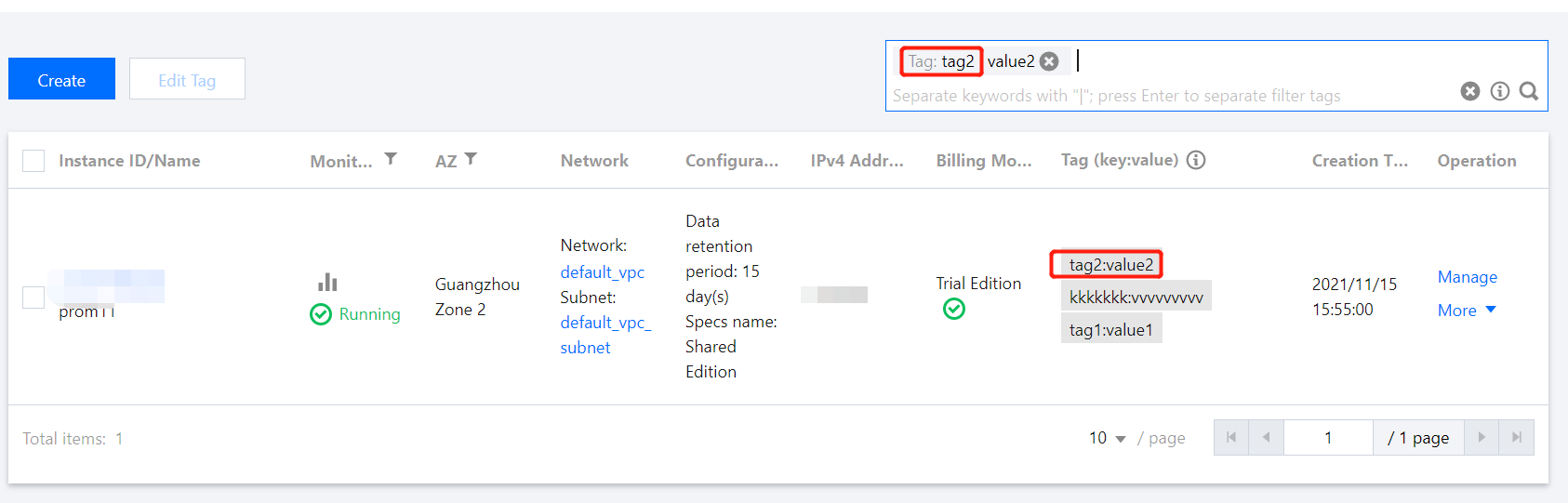
5. If you need to adjust the tag conditions, click the tag content after Tag: in the search box to edit it.
6. You can also directly click the corresponding tag value in the instance list to filter instances as shown below:
Ajuda e Suporte
Esta página foi útil?
Você também pode entrar em contato com a Equipe de vendas ou Enviar um tíquete em caso de ajuda.
comentários