Delete Audio/Video Files
Unduh
Mode fokus
Ukuran font
Overview
This document describes how to delete audio/video files in the VOD console.
Note:
Deleted videos can no longer be accessed from CDN nodes. The deletion cannot be undone.
Directions
1. Log in to the VOD console and select Application Management on the left sidebar.
2. Select the target application.
3. Go to Media Assets > Video/Audio Management > Uploaded.
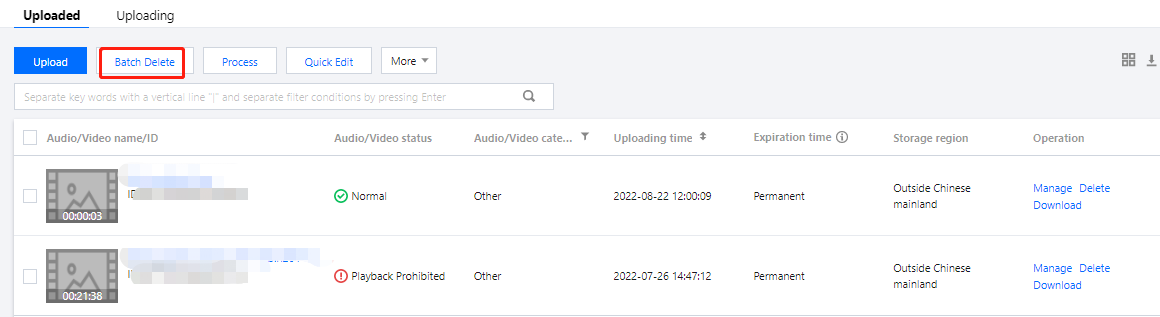
4. Find the target audio/video file and click Delete in the Operation column. In the pop-up window, click Confirm. You can also select multiple files, click Batch Delete, and then click Confirm in the pop-up window.
Bantuan dan Dukungan
Apakah halaman ini membantu?
Anda juga dapat Menghubungi Penjualan atau Mengirimkan Tiket untuk meminta bantuan.
masukan