Viewing the SSL VPN Server
Unduh
Mode fokus
Ukuran font
This document describes how to view the basic information and configuration of an SSL server in the console.
Operation Steps
1. Log in to the VPC console.
2. In the left sidebar, click VPN Connections > SSL server to go to the management page.
3. This page displays the SSL server ID, name, status, associated VPN gateway, local CIDR block, client CIDR block, and maximum number of connections.
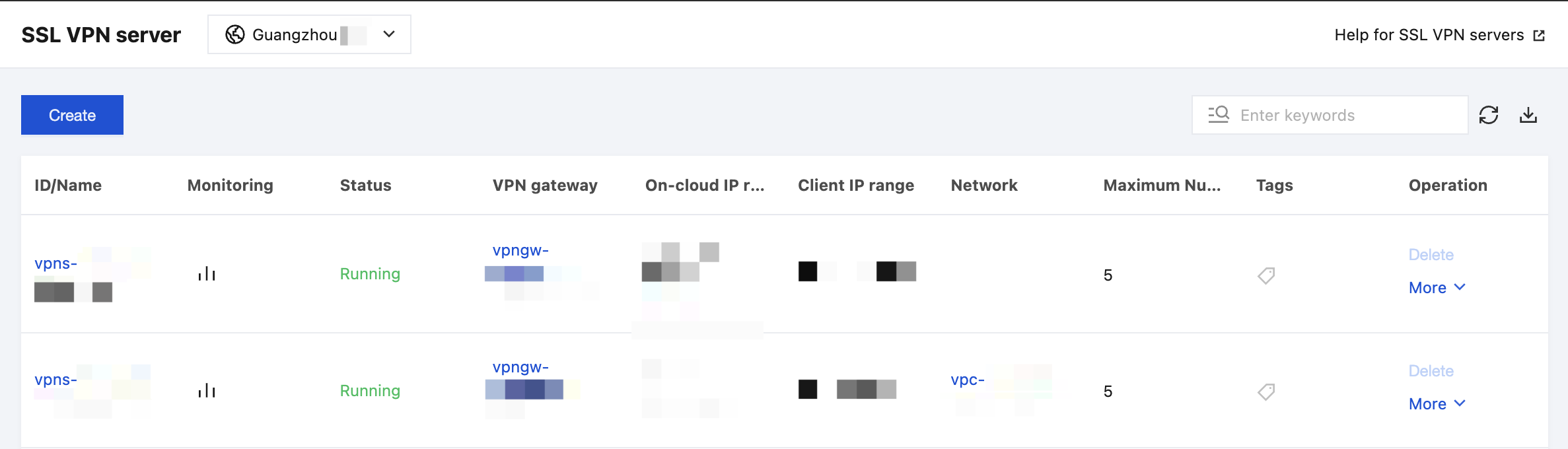
4. Click the SSL VPN server ID to enter the details page.
View the basic information and configurations of the target SSL VPN server.
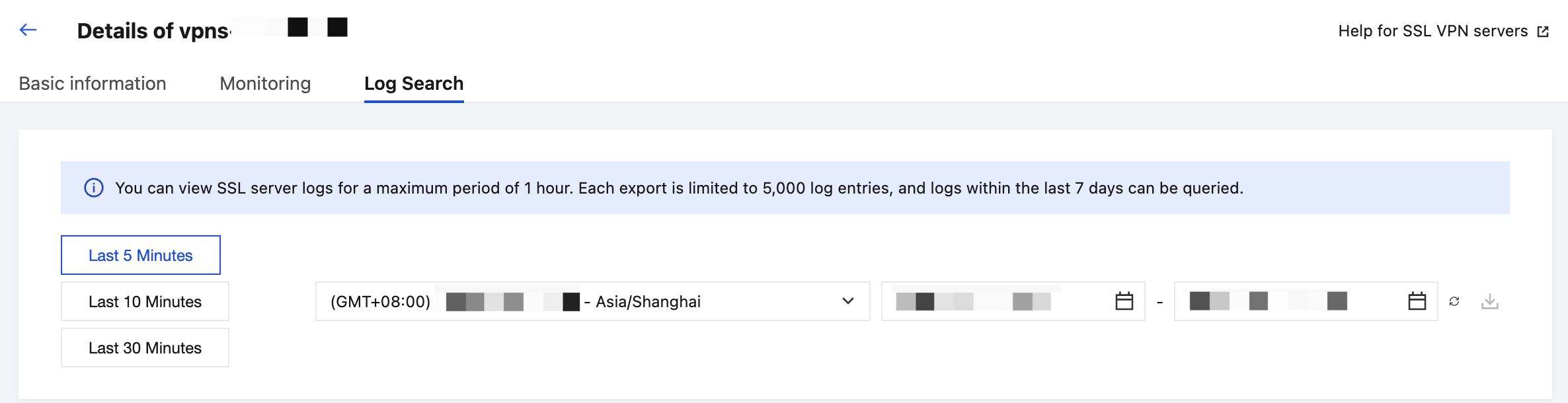
5. Click Log Search to view SSL server access logs. You can select a time zone and export the logs.
Bantuan dan Dukungan
Apakah halaman ini membantu?
Anda juga dapat Menghubungi Penjualan atau Mengirimkan Tiket untuk meminta bantuan.
masukan