Audience Watching (Android)
Unduh
Mode fokus
Ukuran font
TUILiveKit Audience Watch Page delivers a seamless live streaming experience, offering rich viewing and interactive features for your audience. You can quickly integrate it into your application to support a wide range of audience engagement scenarios.
Feature Overview
Live Preview: View the host's real-time video before joining the room. Tap Enter Room to join and start interacting.
Live Watching: Watch the host's live stream in high quality. See the stream title, host details, and the number of online viewers.
Live Interaction: Send gifts (with animation and host notifications), like (with animation and real-time stats), post live comments, and request to join the host for audio/video co-hosting.
Live Preview | Live Viewing | Live Interaction |
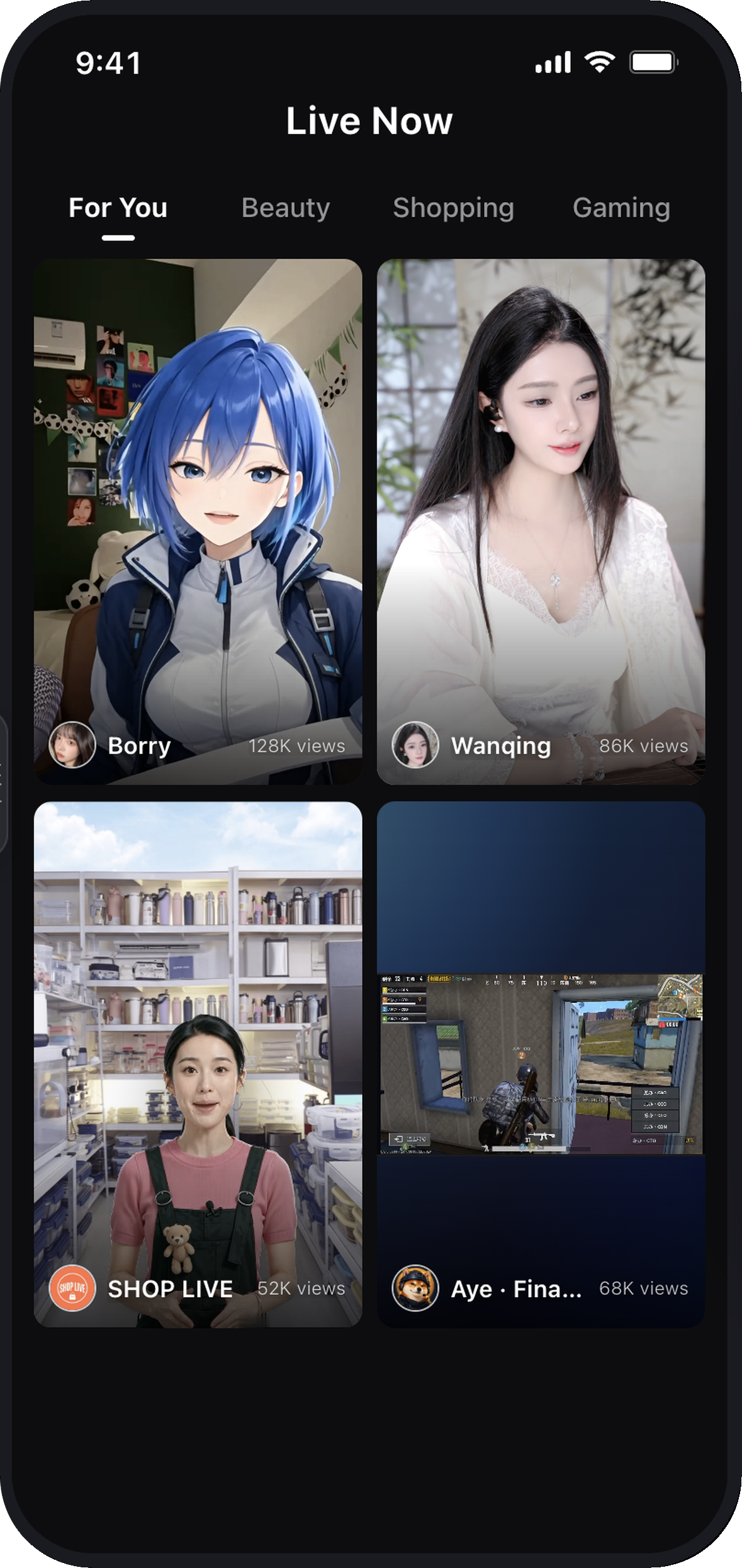 |
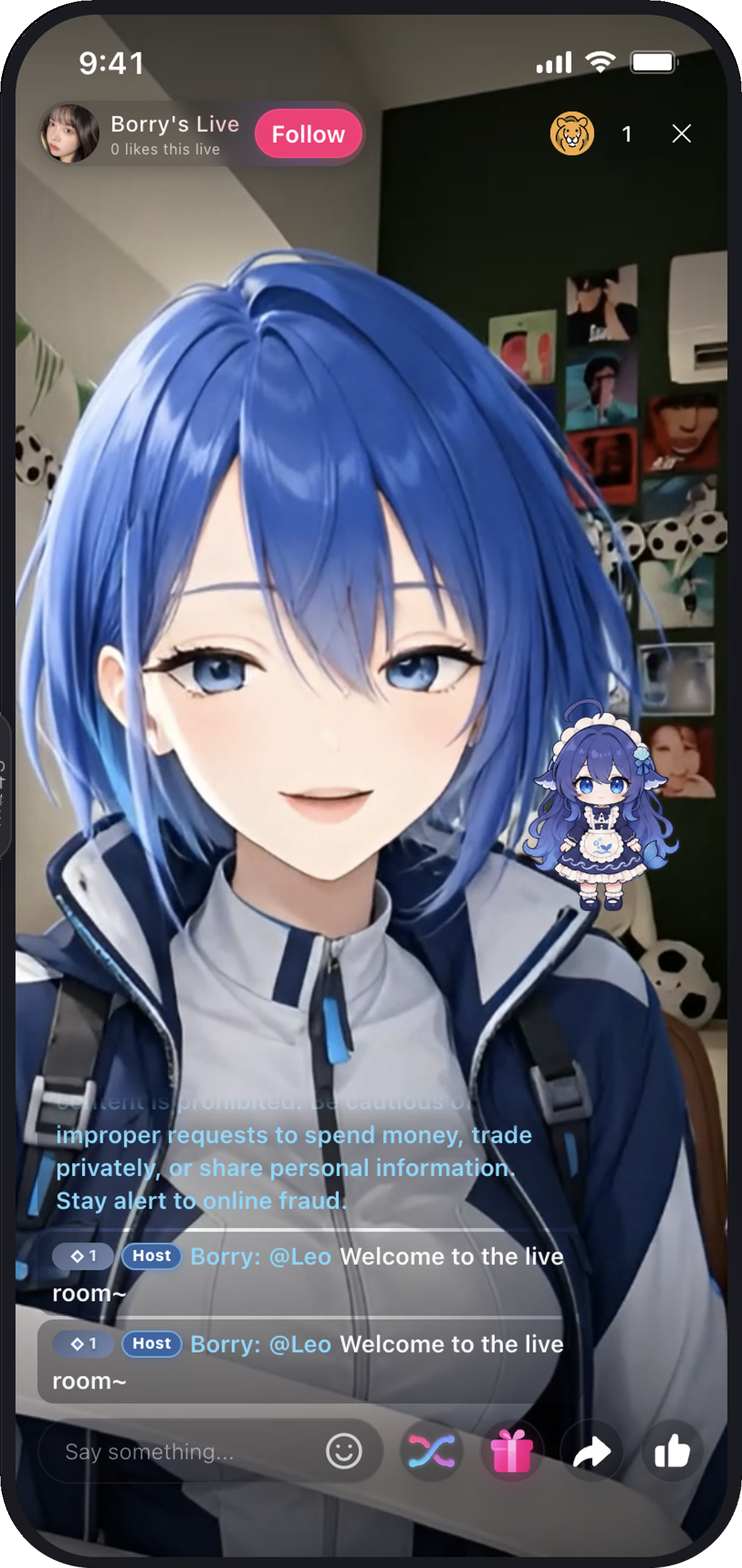 | 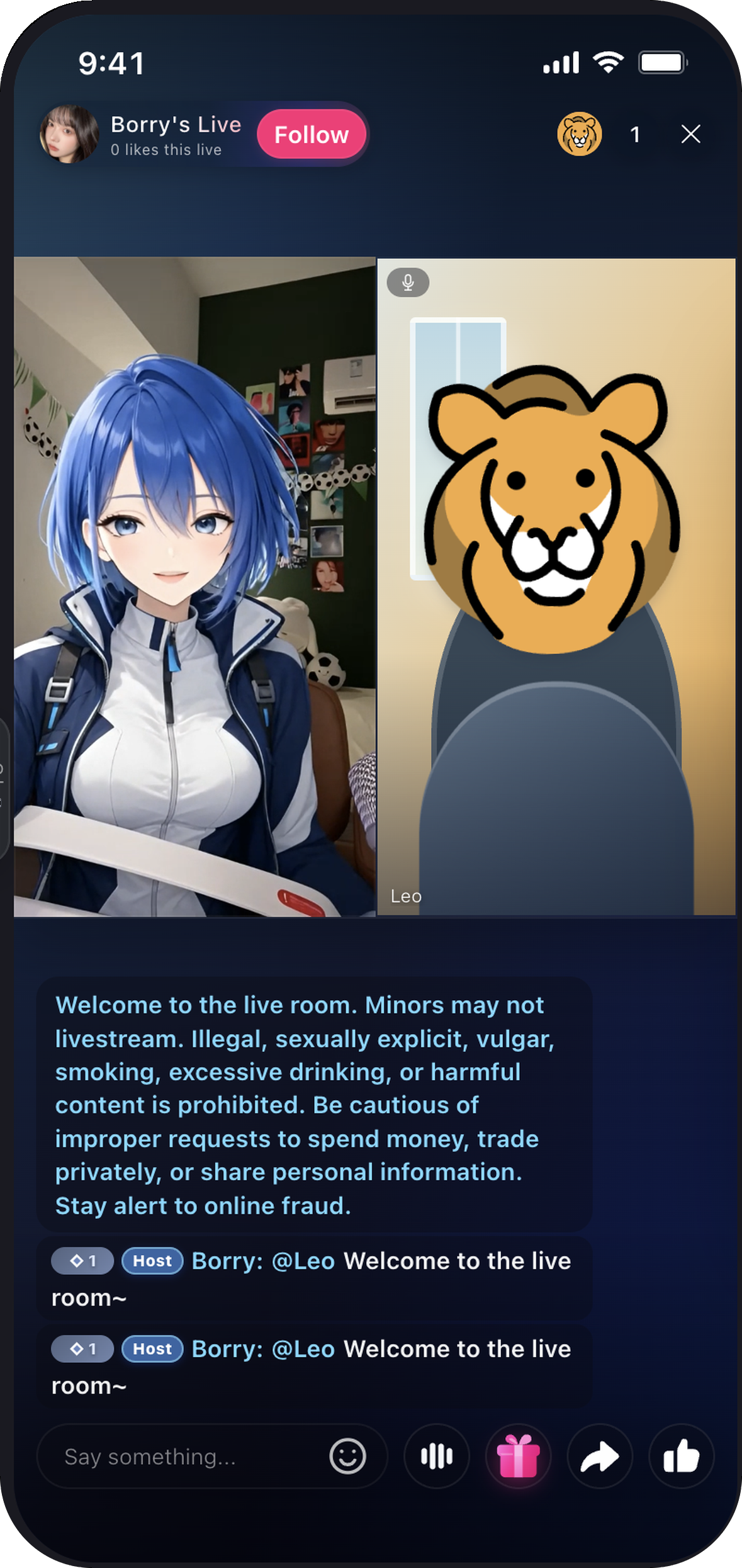 |
Component Description
PlayerView is designed for viewing a single live stream room, ideal for scenarios where users join a specific stream directly (such as via a shared link or host start notification). The component provides a full interactive UI for stream playback, room entry, co-hosting, live comments, gifts, and likes.
Quick Start
Step 1. Activate the Service
Refer to the Activate Service document to get the
TUILiveKit trial version or activate the paid version.Step 2. Code Integration
Note:
Before creating a PlayerView, please ensure that you have logged in; otherwise, the flow pulling and room entry will fail.
Step 3. Watch a Single Live Stream with PlayerView
Create and initialize PlayerView in your audience watch page Activity:
import android.os.Bundleimport android.util.Logimport androidx.appcompat.app.AppCompatActivityimport androidx.lifecycle.Lifecycleimport androidx.lifecycle.lifecycleScopeimport androidx.lifecycle.repeatOnLifecycleimport com.trtc.uikit.livekit.player.PlayerStatusimport com.trtc.uikit.livekit.player.PlayerViewimport io.trtc.tuikit.atomicxcore.api.live.LiveInfoimport io.trtc.tuikit.atomicxcore.api.live.LiveInfoCompletionHandlerimport kotlinx.coroutines.launchclass AudiencePlayerActivity : AppCompatActivity() {companion object {private const val TAG = "AudiencePlayerActivity"const val EXTRA_LIVE_ID = "liveID"}private var playerView: PlayerView? = nulloverride fun onCreate(savedInstanceState: Bundle?) {super.onCreate(savedInstanceState)val liveID = intent.getStringExtra(EXTRA_LIVE_ID).orEmpty()// 1. Create PlayerView and override callbacks for close and enter room eventsval view = object : PlayerView(this, liveID = liveID) {override fun onCloseClicked() {finish()}override fun onJoinLiveClicked() {Log.i(TAG, "onJoinLiveClicked, liveID:$liveID")}}playerView = view// 2. Set live stream info (must be called before startPlay / joinChannel)view.setLiveInfo(LiveInfo(liveID))// 3. Add PlayerView to the UIsetContentView(view)// 4. Start stream playbackview.startPlay()// 5. Enter the live stream room. Only after entering can the audience send live comments, likes, gifts, and co-host requests.view.joinChannel(object : LiveInfoCompletionHandler {override fun onSuccess(liveInfo: LiveInfo) {Log.i(TAG, "joinChannel success, liveID:${liveInfo.liveID}")}override fun onFailure(code: Int, desc: String) {Log.e(TAG, "joinChannel failed, code:$code, desc:$desc")}})// 6. (Optional) Listen for playback status changeslifecycleScope.launch {repeatOnLifecycle(Lifecycle.State.STARTED) {view.status.collect { status ->Log.i(TAG, "player status:$status")}}}}override fun onDestroy() {// 7. Stop playback and leave the live stream room when the page is destroyedplayerView?.stopPlay()playerView?.leaveChannel()playerView = nullsuper.onDestroy()}}
Step 4. Navigate to the Audience Viewing view
To navigate to the audience watch page, use the following code example:
// Navigate to the "Single Live Stream Room" watch pagefun enterPlayerPage(context: Context, liveID: String) {val intent = Intent(context, AudiencePlayerActivity::class.java)intent.putExtra(AudiencePlayerActivity.EXTRA_LIVE_ID, liveID)context.startActivity(intent)}
Component API Description
PlayerView
PlayerView extends FrameLayout and is used to watch a single live stream room.
Method / Property | Description |
PlayerView(context, liveID) | Constructor. liveID is the ID of the live stream room to watch. |
setLiveInfo(liveInfo: LiveInfo) | Set live stream room info. Must be called before startPlay and joinChannel; otherwise, these APIs will return immediately due to missing info. |
startPlay() | Start stream playback (video only, not yet entered the room). |
stopPlay() | Stop stream playback. |
joinChannel(callback: LiveInfoCompletionHandler?) | Enter the live stream room. Only after entering can the audience send live comments, likes, gifts, and co-host requests. |
leaveChannel() | Leave the live stream room. |
setVolume(volume: Int) | Set playback volume. Range: 0 ~ 100. |
setJoinLiveEntranceEnabled(enabled: Boolean) | Show or hide the Enter Room entrance. If disabled, audience can watch directly; tapping Entrance enters the room. |
status | StateFlow, used to observe current playback status. |
onCloseClicked() | Overridable method. Callback when the audience clicks the close button (component will leave the room before callback). |
onJoinLiveClicked() | Overridable method. Callback when the audience successfully enters the room via the Enter Room entrance. |
PlayerStatus
Playback status for PlayerView.status:
Status | Description |
IDLE | Idle, not playing and not entered the room. |
PLAYING | Stream playback in progress, audience not yet entered the room (shows Enter Room entrance). |
IN_ROOM | Entered the room; audience can participate in live comments, likes, gifts, co-hosting, etc. |
CO_GUEST | Co-hosting (applying or already on mic seat). |
END | Live stream ended or audience was removed; component shows the end page. |
Next Steps
Congratulations! You have successfully integrated Audience Viewing. Next, you can implement features such as host streaming, live stream list and gift system. Please refer to the table below:
Feature | Description | Integration Guide |
Host Streaming | The complete workflow for a host to start a stream, including pre-stream setup and various in-stream interactions. | |
Live Stream List | Display the live stream list interface and features, including the live stream list and room information display. | |
Gift System | Support custom gift asset configuration, billing system integration, and gift-sending in PK scenarios. |
FAQs
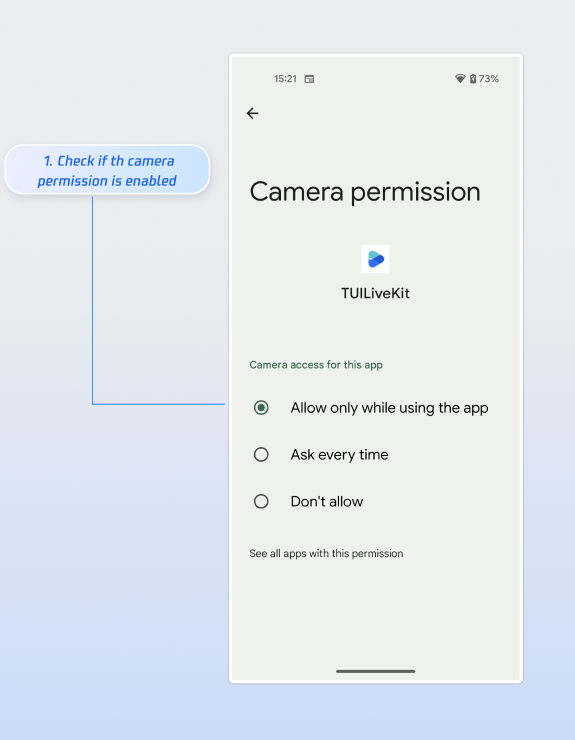
Why is the video screen black when a viewer selects video co-hosting?
Please go to App Info > Permissions > Camera and check if the camera permission is enabled. Refer to the image below:
Why can't other viewers in the live room see the barrage content sent by a viewer?
Reason 1: First check the network connection to ensure the viewer's device network is normal.
Reason 2: The viewer has been muted (banned) by the host and cannot send barrage.
Reason 3: The viewer's barrage content involves keyword blocking. Please confirm whether the content sent by the viewer complies with the live room rules.
Bantuan dan Dukungan
Apakah halaman ini membantu?
Anda juga dapat Menghubungi Penjualan atau Mengirimkan Tiket untuk meminta bantuan.
masukan