Purchasing in the Console
下载
聚焦模式
字号
This document describes how to purchase the Tencent Cloud DC service.
Purchasing a Connection
1. Log in to the Direct Connect console.
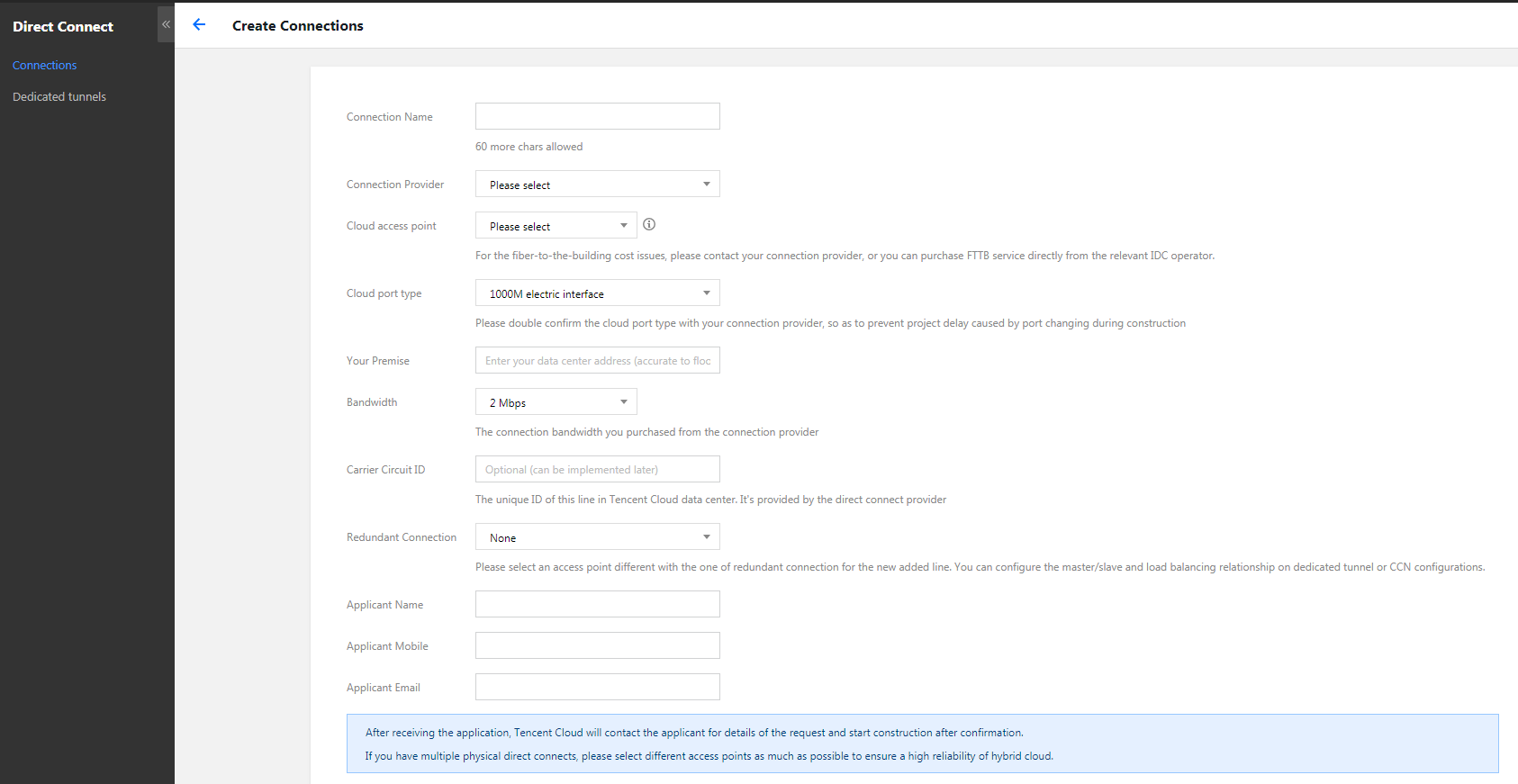
2. Click +New on the Connections page.
3. On the New connection page, complete the fields and click OK to submit the application. Make the payment when the application is approved.
Note:
Purchasing a Dedicated Tunnel
1. Log in to the Direct Connect console.
2. Select Dedicated Tunnels from the left sidebar.
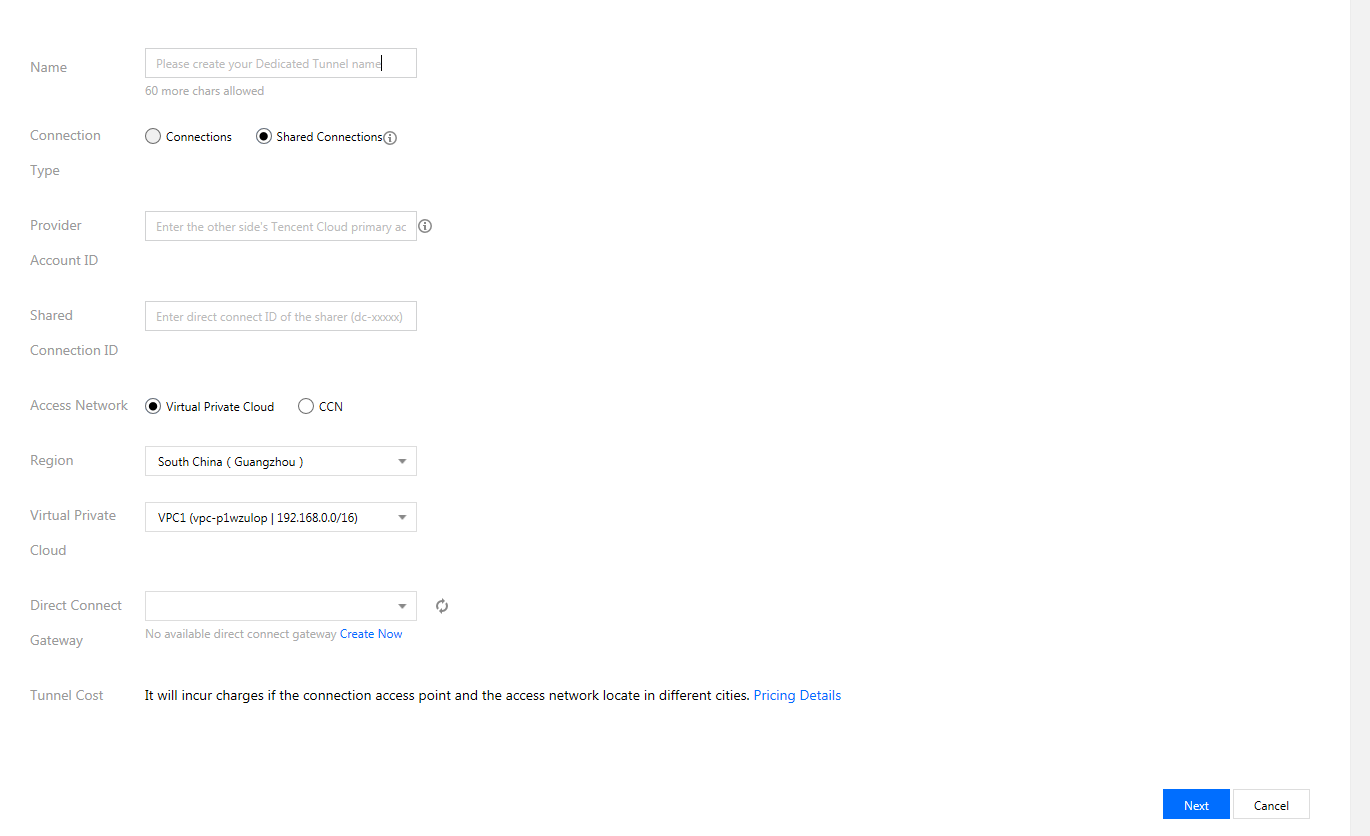
3. Click +New on the Dedicated Tunnels page.
4. Complete fields in the pop-up and click Next.
5. Complete advanced settings and IDC device configuration.
Note:
文档反馈