Disabling or Enabling an Account
ダウンロード
フォーカスモード
フォントサイズ
This document describes how to disable or enable an account for a TencentDB for SQL Server instance in the console.
Overview
In enterprise account governance, some accounts may no longer be used due to employee departure, service termination, or system restructuring, and need to be cleaned up. Directly deleting accounts may cause the following issues:
If the account still has missed scheduled tasks or is being used by legacy applications, errors will be reported immediately after deletion.
After an account is deleted, its permission information is lost. To restore it, you need to reconfigure permissions and notify the business team again, which results in high Ops costs.
To prevent account cleanup from affecting the normal operation of other business systems, TencentDB for SQL Server provides the account disabling/enabling feature. When you need to retire an account, you can first disable (lock) it, observe it for a period of time to confirm that there is no business impact, and then permanently delete it. This approach allows you to safely verify whether the account is still in use and quickly restore it if any issues are found, reducing the risk of accidental deletion.
Prerequisites
You have purchased and created a TencentDB for SQL Server instance, and the instance is running normally.
You have logged in to the Tencent Cloud console, and your account has the account management permissions for the target instance.
The account to be disabled/enabled must be in a normal state (not being deleted or in an abnormal state).
Note
Disabling only closes the login entry: after an account is disabled, its existing database permissions, table permissions, Owner relationships, and password remain unchanged. If the account is re-enabled during the disabling period, no re-authorization is required.
After being disabled, the account cannot establish new connections: once the account is disabled, it can no longer create new connections, and an error is reported when the account logs in.
Existing connections are not affected: disabling an account only limits its subsequent logins, and established database connections (sessions) are not killed.
Disabled accounts can still be deleted: accounts in the disabled state can be deleted directly, and their permission information cannot be recovered after deletion. Perform the deletion only after confirming that there is no business impact.
After the account is enabled, the account status returns to normal: once the account is enabled, it regains normal login capabilities. Enabling does not involve permission changes, and the account permissions remain exactly the same as before disabling.
Feature Limitations
Disabling/enabling operations must be completed in the TencentDB for SQL Server console. Direct database operations in the Microsoft SQL Server Management Studio (SSMS) client are not supported.
Operation Steps
Disabling an Account
1. Log in to the TencentDB for SQL Server console, click the Instance ID or Manage in the Operation column, and go to the instance management page.
2. On the instance management page, choose Account Management > Account List.
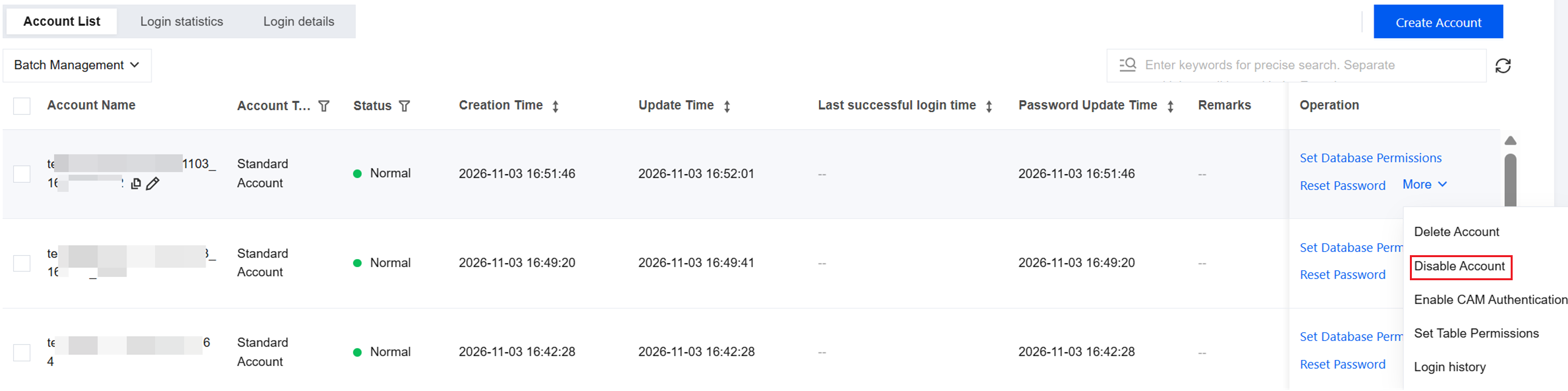
3. Locate the target account, and click More > Disable Account in its operation column.
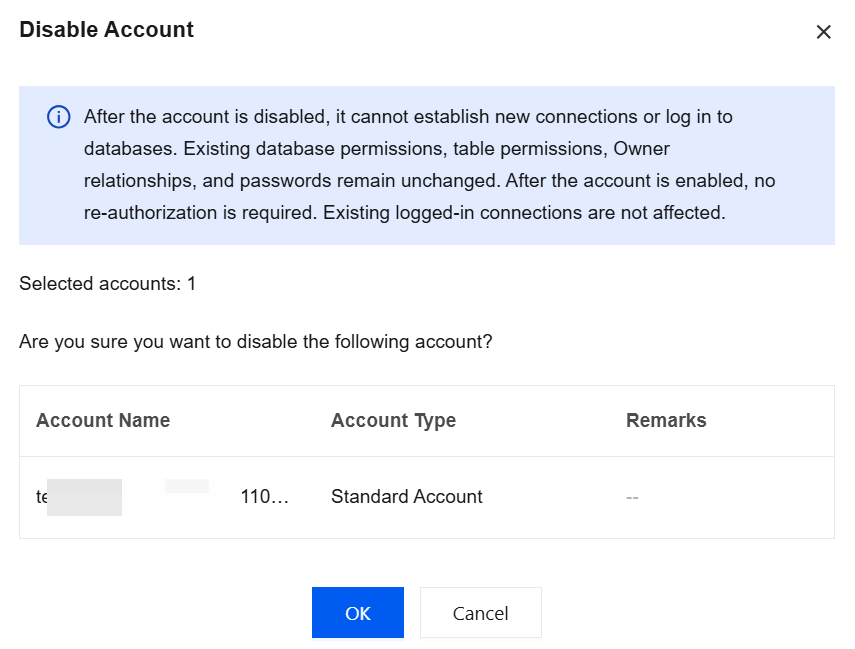
4. In the pop-up window, read the notes, check the account, and click OK.
Enabling an Account
1. Log in to the TencentDB for SQL Server console, click the Instance ID or Manage in the Operation column, and go to the instance management page.
2. On the instance management page, choose Account Management > Account List.
3. Locate the disabled account, and click More > Enable Account in its operation column.

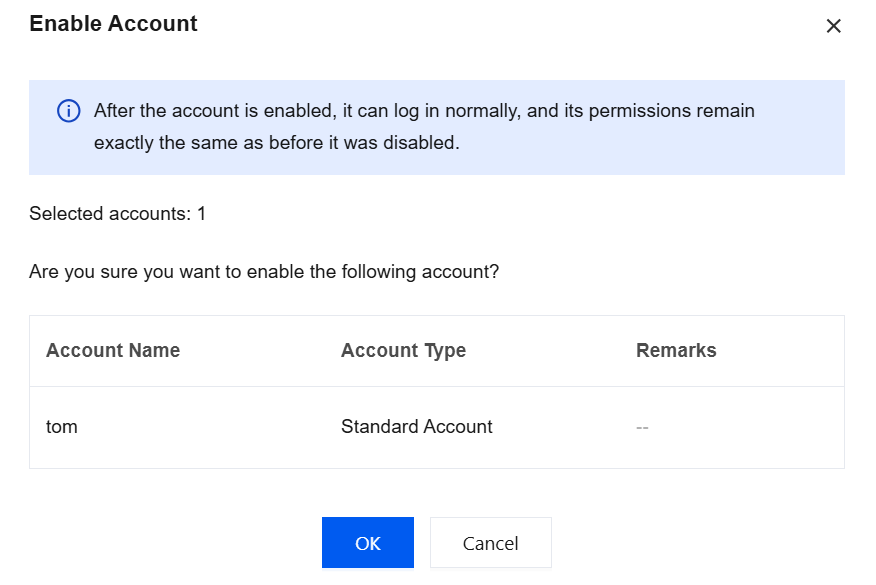
4. In the pop-up window, read the notes, check the account, and click OK.
フィードバック