FAQs
ダウンロード
フォーカスモード
フォントサイズ
This document describes common questions about CWPP.
Purchase related
How to Purchase CWPP Pro and Ultimate Editions?
Is CWP Compatible with Other Security Products?
CWP does not conflict with other security products. They take different protection approaches and ensure user safety by providing security capabilities at different levels.
How to Disable CWPP Pro or Ultimate Protection?
Log in to the CWPP console, select License Management in the left sidebar, search for the servers for which you want to disable Pro or Ultimate, and click Unbind in the operation column to disable the Pro or Ultimate service. See License Management.
How to Uninstall the CWPP Client from a Tencent Cloud Server?
Log in to the CWPP console, select Server List in the left sidebar, find the server you want to uninstall, and click Uninstall in the operation column. The latest status will be synced in about 10 minutes.
Feature
What Is the Update Cycle for the Virus Database and Vulnerability Database?
Virus database: updated daily at midnight.
Vulnerability database: updated irregularly.
Why Do Scan Results for Jar Package Vulnerabilities Vary Between Scans?
Detection of Jar package vulnerabilities, such as Struts2 vulnerabilities, depends on whether the Jar package is loaded at runtime. Vulnerabilities cannot be detected when the service is not running. When the service is running, the Webserver loads Jar packages either dynamically or statically. In dynamic loading mode, Struts2 vulnerabilities can be detected only when the Jar package is running, so detection results may vary at different times. We recommend that you perform multiple detections for high-risk Jar package vulnerabilities to improve detection accuracy.
What Is the File Scan Frequency in the File Scan Feature?
How Does the Security Score Mechanism Work?
How Long Does It Take for Security Baseline Settings to Take Effect?
After the security baseline is set in the product, it takes effect immediately.
What Should I Do If a CWP Baseline Detection Fails?
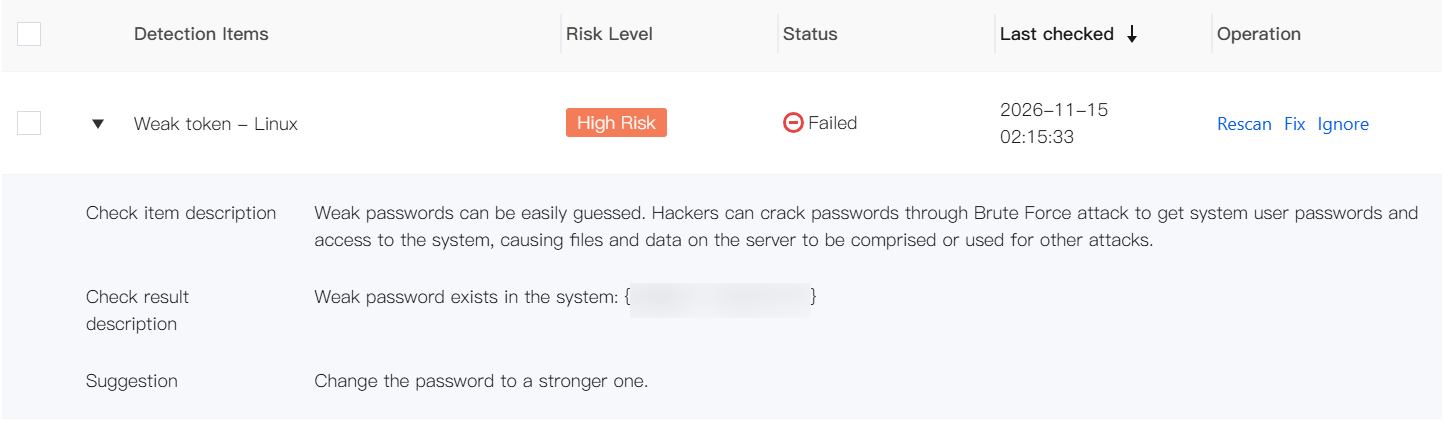
1. Go to Baseline Management, filter the failed check items, and click View Details to open the check item details pop-up.

2. In the check item details pop-up, you can view the affected servers. Click Details in the operation column of a server to open the check result pop-up.

3. In the check result pop-up, you can view the baseline remediation suggestions.
Will I Receive Alarms If CWP Detects Vulnerabilities or Trojans?
Yes. If CWPP detects trojans, emergency vulnerabilities, or other attacks, it sends alarm notifications through in-app messages, SMS, email, or WeCom. You can configure this in Alarm Settings.
Does CWPP Support Covert Channel Detection?
CWPP supports detection of DNS-Tunneling covert communication channels. When a related risk is detected, an alarm record is generated and you are notified. You can view the alarm details on the Malicious Requests page in the console.
フィードバック