Host Streaming (Android)
ダウンロード
フォーカスモード
フォントサイズ
TUILiveKit host streaming is powered by PusherView, a ready-to-use, fully featured interface designed for live streaming applications. It supports pre-stream preview, live video broadcasting, real-time audience interaction, and post-stream settlement, enabling rapid integration into your app.Feature Overview
Pre-Stream Preview: Provides camera preview, live stream title and cover setup, beauty and audio effect adjustments, and a countdown before going live.
Live Video Streaming: Manages live room creation and streaming internally. During the broadcast, you can monitor stream duration, online audience count, network status, and device performance.
Live Interaction and Management: Enables live comments, gifts, audience co-hosting, and offers online user lists and live room management tools.
Host Preview Before Going Live | Host Live Streaming | Host and Audience Co-hosting |
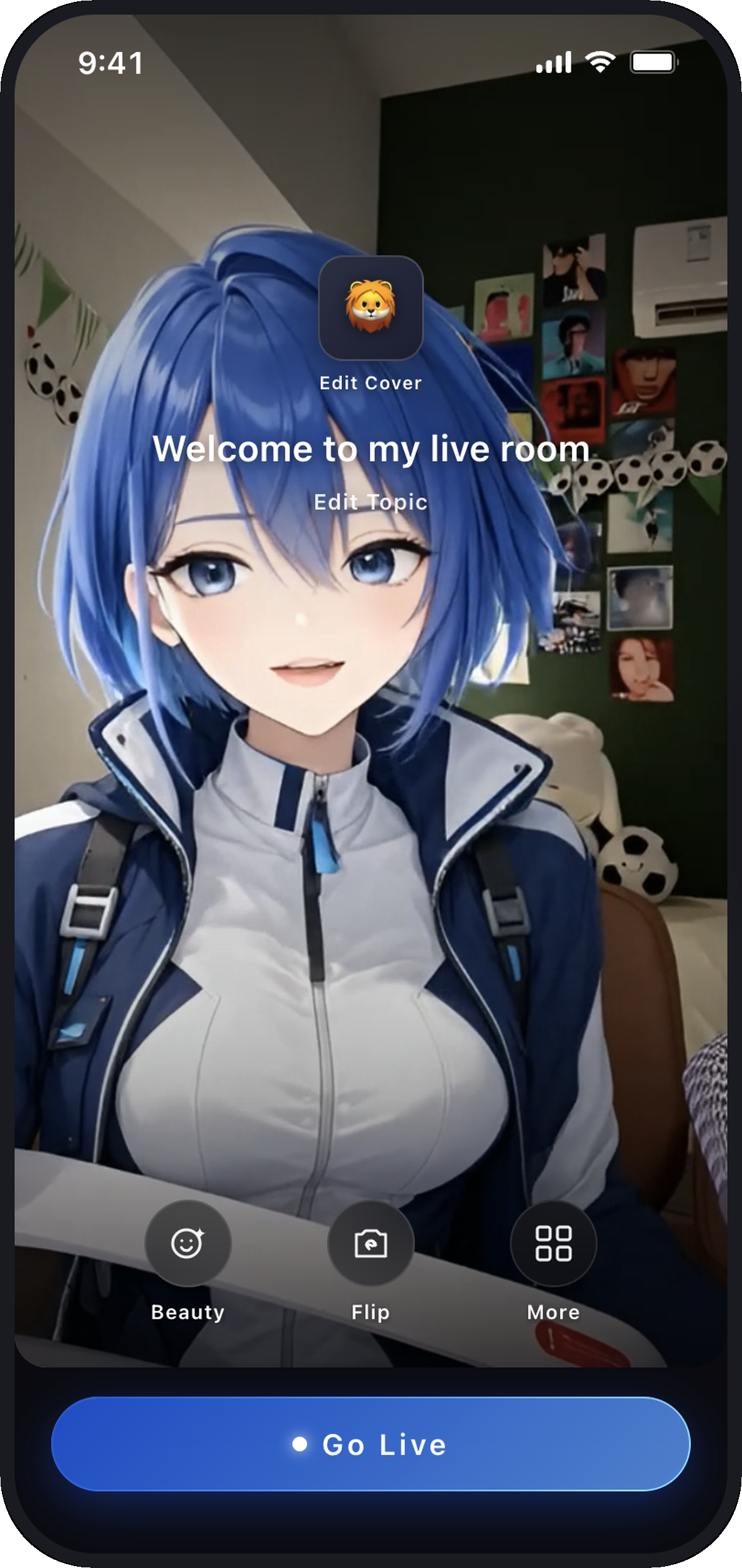 | 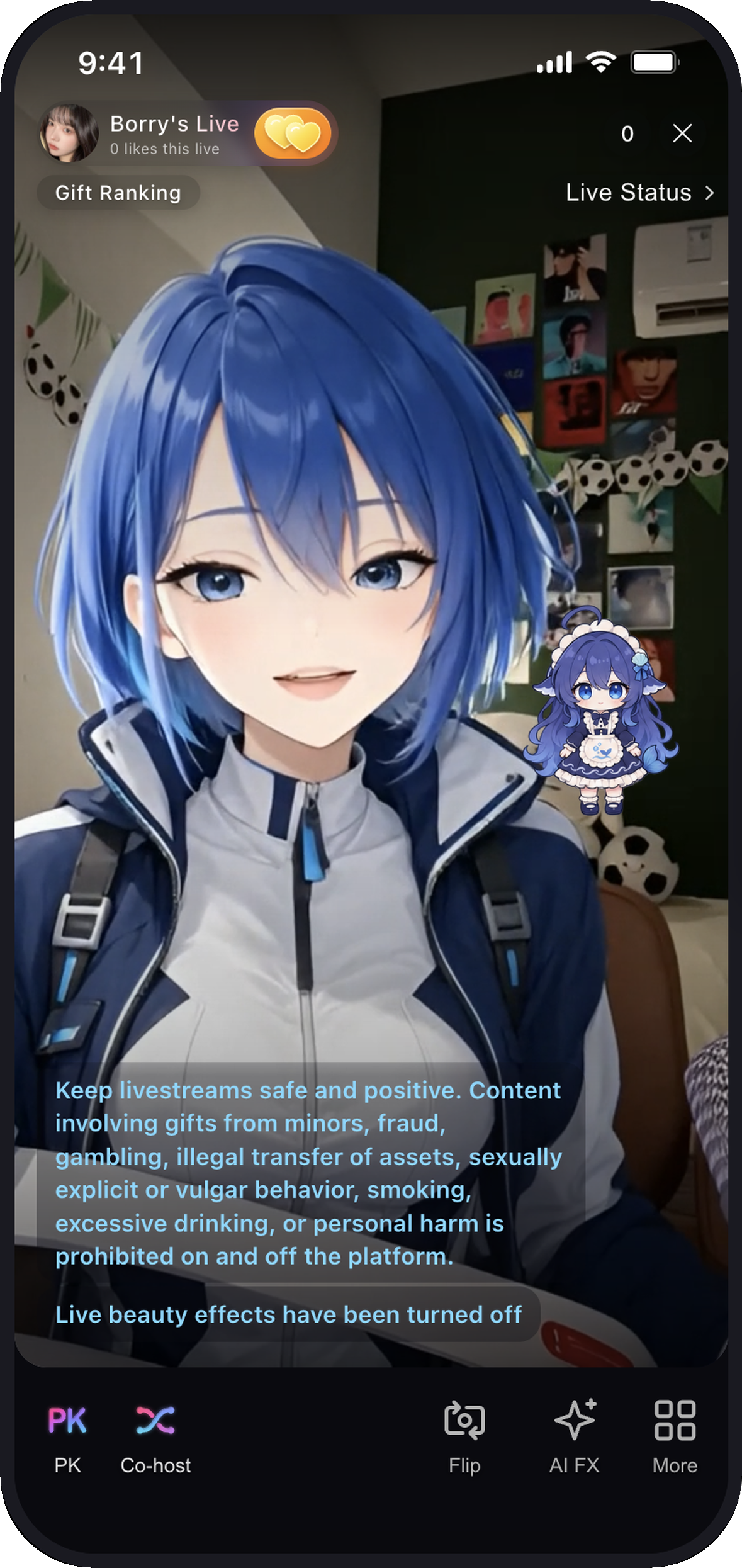 | 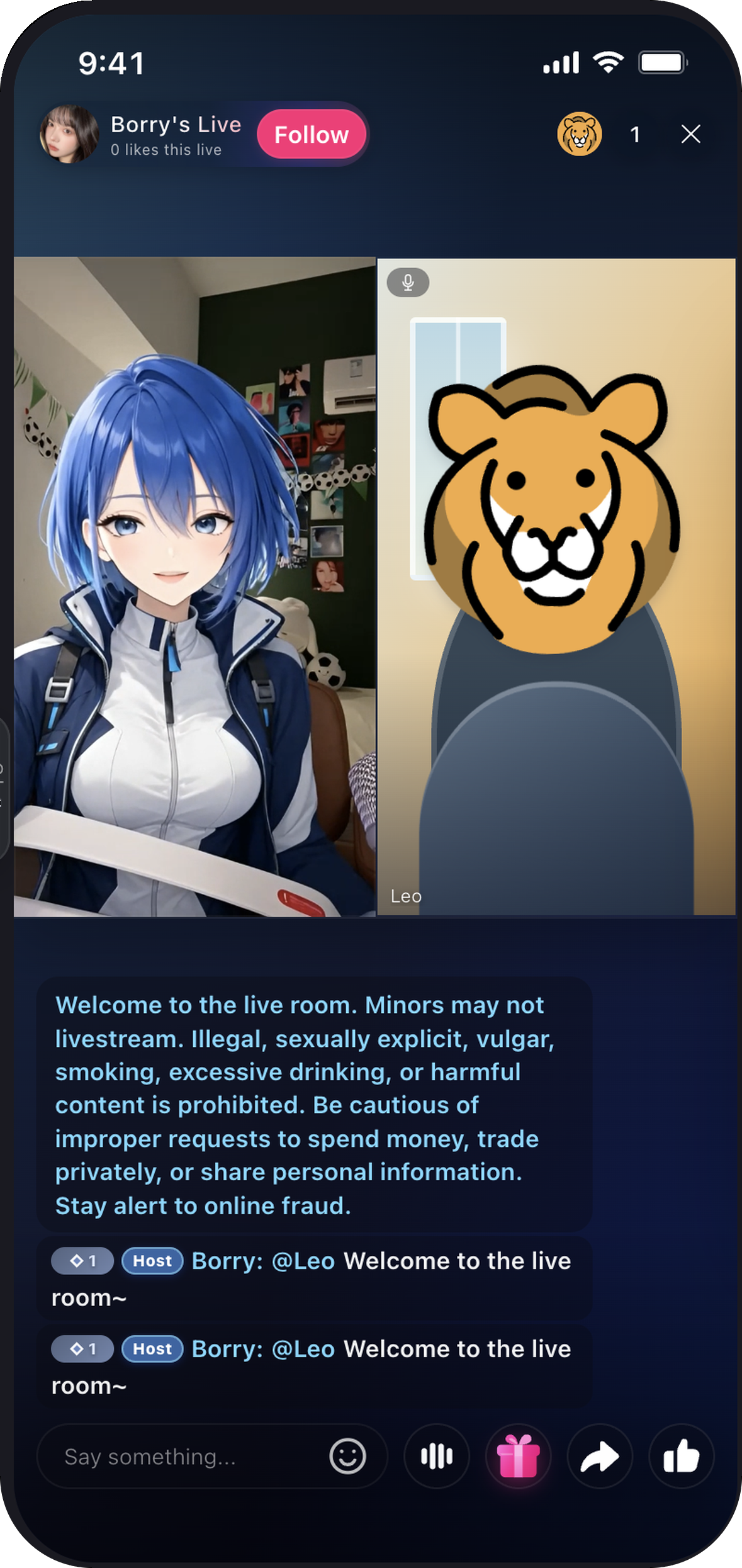 |
Quick Integration
Step 1. Activate the Service
Refer to the Activate Service document to get the
TUILiveKit trial version or activate the paid version.Step 2. Integrate the SDK
Step 3. Add PusherView for Streaming
In your host streaming page Activity, create a PusherView, bind the liveID, and set it as the page content:
import android.os.Bundleimport androidx.activity.OnBackPressedCallbackimport androidx.appcompat.app.AppCompatActivityimport com.trtc.uikit.livekit.pusher.PusherViewclass PusherActivity : AppCompatActivity() {private lateinit var pusherView: PusherViewoverride fun onCreate(savedInstanceState: Bundle?) {super.onCreate(savedInstanceState)val liveID = intent.getStringExtra(EXTRA_LIVE_ID).orEmpty()// 1. Create PusherViewpusherView = PusherView(this)// 2. Set exit callback: triggered when closing the preview page or exiting the settlement pagepusherView.onExit = { finish() }// 3. Bind live room ID, must be called before setContentViewpusherView.bind(liveID)// 4. Add PusherView to the UIsetContentView(pusherView)// 5. During streaming, delegate back button handling to the component to avoid accidental exitsonBackPressedDispatcher.addCallback(this, object : OnBackPressedCallback(true) {override fun handleOnBackPressed() {if (!pusherView.handleBackPressed()) {finish()}}})}companion object {const val EXTRA_LIVE_ID = "liveID"}}
Note:
The liveID must be non-empty and no more than 48 bytes after UTF-8 encoding. It can be generated by your business server or concatenated according to custom rules (the Demo uses live_${userID}).
bind(liveID) must be called before PusherView is mounted to the window; otherwise, the binding between the live room and the live connection Store will not be completed internally.The live broadcast is completed by the component itself calling
AtomicPusher.startPush after the user clicks to start the live broadcast. When logging down, first enter the settlement page. Only after the user clicks "Exit" will it call back "onExit".The '
handleBackPressed()' function returns' true ', indicating that the component has consumed the returned event (such as closing a pop-up layer or preventing accidental exits during live streaming). When false is returned, the host exits the page.Step 4. Navigate to Host Streaming Page
To enter the host streaming page, use the following code:
import android.content.Contextimport android.content.Intentfun enterPusherPage(context: Context, liveID: String) {val intent = Intent(context, PusherActivity::class.java)intent.putExtra(PusherActivity.EXTRA_LIVE_ID, liveID)context.startActivity(intent)}
Component API Description
PusherView
PusherView extends FrameLayout and is the only external component for the host streaming page.
Method / Property | Description |
PusherView(context, attrs?, defStyleAttr?) | Constructor for creating the host streaming view. |
bind(liveID: String) | Bind the live room ID. Must be called before the view is mounted (e.g., setContentView). Internally, this creates the LiveSeatStore and co-hosting Store. |
onExit: (() -> Unit)? | Exit callback. Triggered when the user closes the pre-stream preview page or exits the post-stream settlement page; the component will clean up the session first. |
handleBackPressed(): Boolean | Handles the system back key: closes overlays within the component and prevents accidental exit during streaming. Returns true if handled, false if the host should exit the page. |
Streaming Workflow and States
The component transitions through three internal stages. The host does not need to, and should not, call start or end streaming methods directly:
Stage | Description |
Pre-Stream Preview | Camera preview, title and cover setup, beauty and audio effect adjustments; clicking to start streaming initiates a countdown. |
Live Streaming | The component calls AtomicPusher.startPush to begin streaming, and displays live comments, gifts, audience co-hosting, online audience, and other interactive UI elements. |
Post-Stream Settlement | After streaming ends, session statistics are displayed. Exiting triggers onExit. |
Note:
PusherView does not expose public methods such as startLive, endLive, or createRoom, nor does it provide external state enums. Streaming and session management are fully handled internally by the component.
Next Steps
Once you’ve integrated the host go-live feature, you can add additional capabilities such as audience viewing, live stream list, and gift system. See below for integration guides:
Feature | Description | Integration Guide |
Audience Viewing | Allows audience members to join the host’s live room to watch the stream. Supports audience co-hosting, live room info, online audience list, live comments, and more. | |
Live Stream List | Displays the live stream list page and features, including the stream list and room details. | |
Gift System | Supports custom gift asset configuration, billing integration, PK mode interaction, and more. |
FAQs
No video after going live?
Navigate to App Info > Permissions > Camera and ensure camera access is enabled. See the screenshot below:
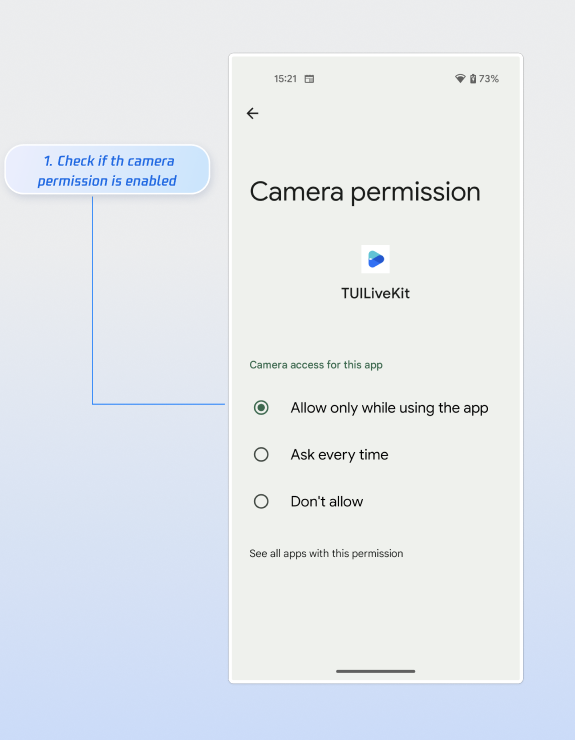
Unable to go live after clicking the go-live button and seeing a "Not Logged In" prompt?
フィードバック