Integration (iOS)
ダウンロード
フォーカスモード
フォントサイズ
Feature Overview
The TUILiveKit UI component delivers a complete, interactive live streaming workflow. Once integrated, you can quickly build a fully-featured, interactive live streaming application.
Host Preview Before Going Live | Host Live Streaming | Audience Viewing | Host and Audience Co-hosting |
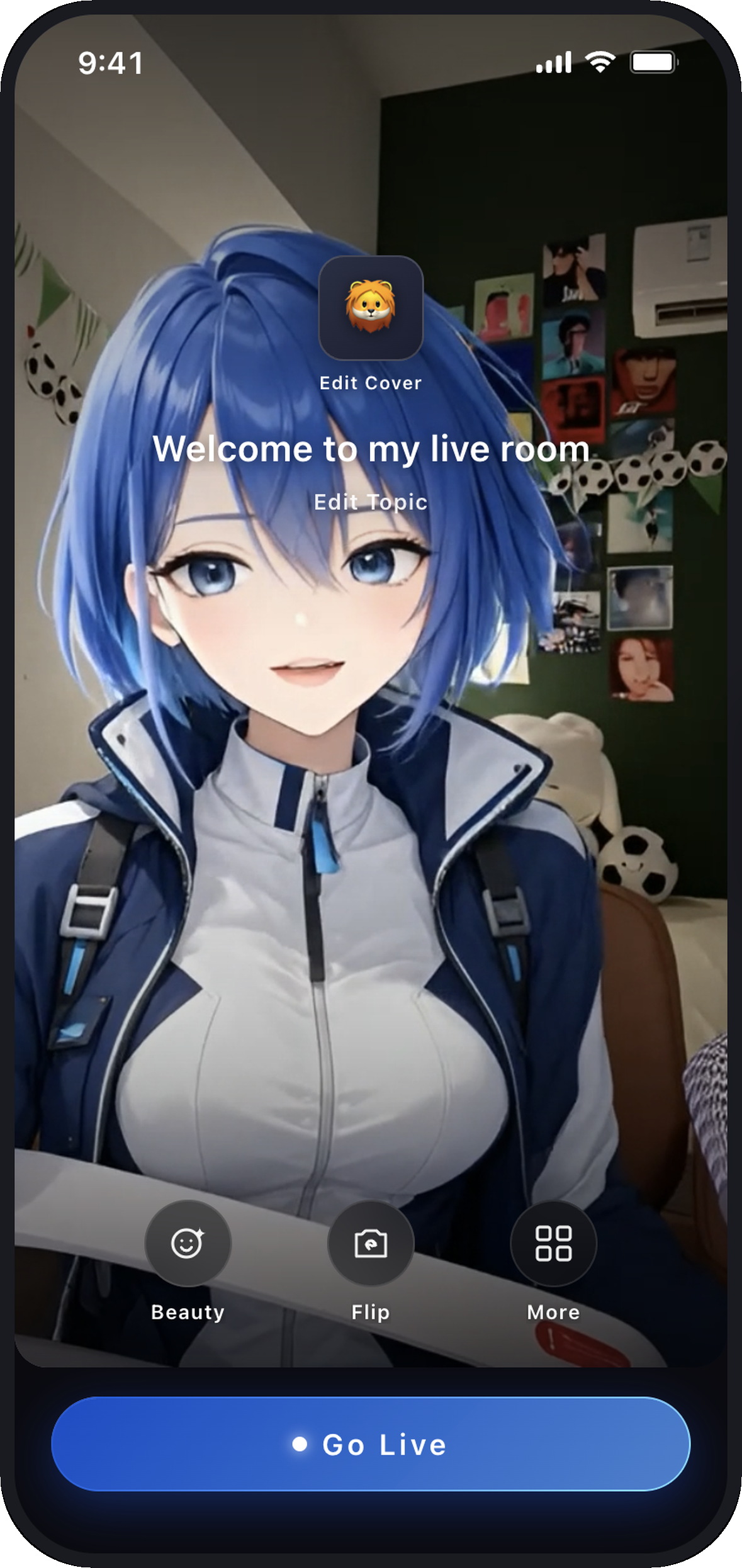 | 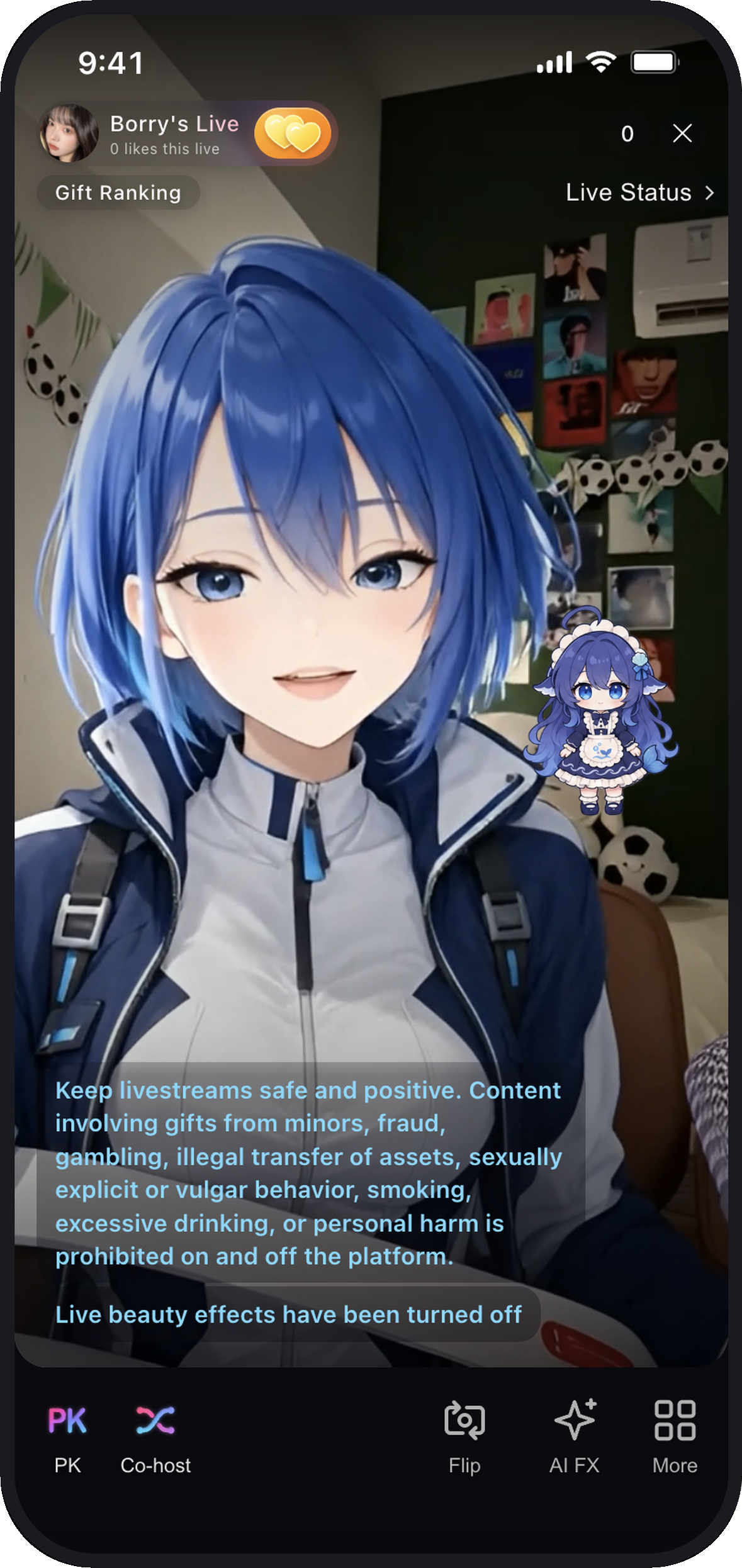 | 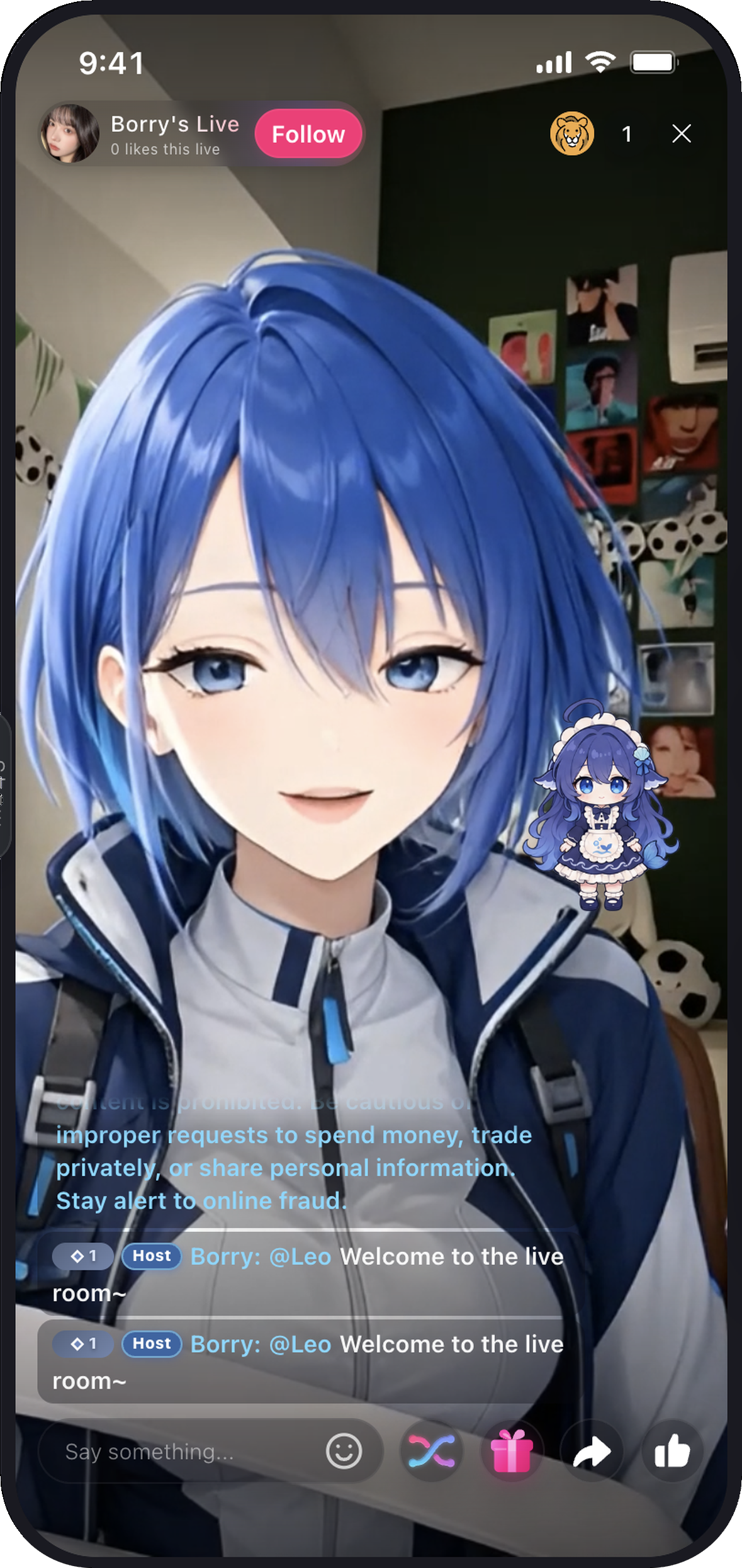 | 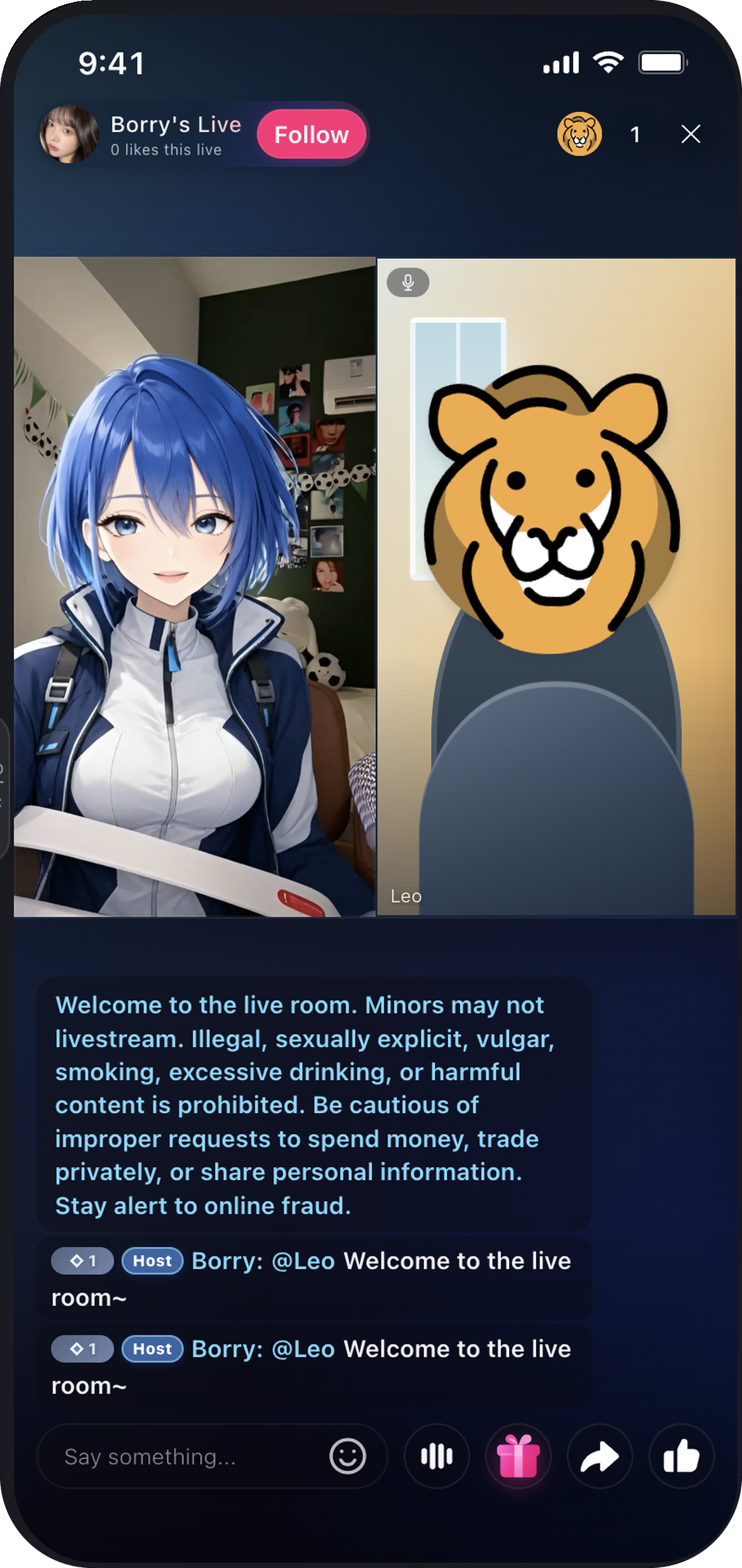 |
Preparations
Activate Service
Before using TUILiveKit, please refer to Activate Service to get the TUILiveKit trial version or activate the paid version.
Environment Requirements
Xcode: Requires Xcode 15 or a later version.
iOS: Supports devices running iOS 14.0 or a later version.
Dependency management: Use Xcode's built-in Swift Package Manager (SPM). No additional dependency management tool is required.
Code Integration
Step 1. Import Components via Swift Package Manager
1. Add the package dependency: Open your app project in Xcode, select File > Add Package Dependencies..., and enter the following repository URL in the search field:
https://github.com/Tencent-RTC/LiveKit_SwiftPM
2. Add the component: Click Add Package. In the Choose Package Products dialog, select
TUILiveKit, set Add to Target to your app target, and click Add Package again. Afterward, confirm that TUILiveKit is listed under General > Frameworks, Libraries, and Embedded Content for that target.Step 2. Project Configuration (Device Permissions)
To use the audio/video features, your application needs to obtain permissions for the microphone and camera. Please add the following two entries to your application's
Info.plist file, and provide corresponding usage descriptions. These descriptions will be displayed to the user when the system requests permission:<key>NSCameraUsageDescription</key><string>TUILiveKit needs camera access to enable video recording with picture</string><key>NSMicrophoneUsageDescription</key><string>TUILiveKit needs microphone permission to enable sound in recorded videos</string>

Complete Login
After code integration, the next step is to complete the login. All TUILiveKit features require a successful login to function properly, so ensure your parameters are configured correctly.
Note:
In the example code, the login API is called directly. However, in a real-world application, it is highly recommended that you call the TUILiveKit login service only after your own user authentication and other internal login processes are complete. This prevents potential business logic confusion or data inconsistency caused by calling the login service too early, and it better aligns with your existing user management system.
//// AppDelegate.swift//// 1. Import AtomicXCoreimport AtomicXCore// 2. The example code completes login in didFinishLaunchingWithOptions. Recommendation for you: call the login service after completing your own login service.func application(_ application: UIApplication, didFinishLaunchingWithOptions launchOptions: [UIApplication.LaunchOptionsKey: Any]?) -> Bool {// 3. Call the login APILoginStore.shared.login(sdkAppID: 1400000001, // replace with the SDKAppID from the service consoleuserID: "denny", // replace with your UserIDuserSig: "xxxxxxxxxxx") { [weak self] result in// You can calculate a UserSig in the console and fill it in this locationprint("login success")guard let self = self else { return }switch result {case .success():print("login success")case .failure(let err):print("login failed. code: \\(err.code), error:\\(err.message)")}}return true}
Login API Parameter Description
Parameter | Type | Description |
SDKAppID | Int | |
UserID | String | The unique ID for the current user. Must contain only English letters, numbers, hyphens, and underscores. |
userSig | String | A ticket for Tencent Cloud authentication. Please note: Development Environment: You can use the local GenerateTestUserSig.genTestSig function to generate a UserSig or generate a temporary UserSig via the UserSig Generation Tool.Production Environment: To prevent key leakage, you must use a server-side method to generate UserSig. For details, see Generating UserSig on the Server. |
Handling Login Exceptions (Optional)
LoginStore offers login status callbacks to help you handle exceptions, including "Kicked Offline" and "Signature Expired":Kicked Offline: If a user is kicked offline while logged in, the SDK triggers the onKickedOffline callback. Prompt the user in your UI and call LoginStore.shared.login to re-login.
Signature Expired:If the onUserSigExpired callback is triggered, the user's userSig has expired. If their login state is still valid on your backend, request a new userSig and call LoginStore.shared.login to refresh their login.
// YourLoginService represents the business module responsible for loginclass YourLoginService: NSObject {private var cancelableSet: Set<AnyCancellable> = []// Listen to login status callbackfunc subscribeLoginStatus() {LoginStore.shared.loginEventPublisher.receive(on: RunLoop.main).sink { [weak self] loginEvent inguard let self = self else { return }switch loginEvent {case .kickedOffline: // User kicked offline callback// Your business code: UI prompt user, then log in againbreakcase .loginExpired: // User signature expired callback// Your business code: If the current user is still logged in on your backend,// you can have your app request a new userSig from your backend and call LoginStore.shared.login to renew the login status.breakdefault:break}}.store(in: &self.cancelableSet)}}
Next Steps
Congratulations! You have successfully integrated the TUILiveKit component and completed the login. You can now implement features such as host streaming, viewer watching, and the live stream list. Please refer to the table below for integration guides:
Feature | Description | Integration Guide |
Video Live Streaming | Includes a full suite of features such as host broadcasting, audience viewing, interactive co-hosting, beauty filters, gifts, and bullet chat. | |
Voice Chat Room | Includes complete business logic such as mic seat management, background music (BGM), gift interactivity, and voice room control. | |
Live Stream List | Display the live stream list interface and features, including the live stream list and room information display. |
FAQs
SPM dependency download or resolution failure?
If Xcode cannot download or resolve the Swift Package dependency, check whether your network can access GitHub. Then select File > Packages > Reset Package Caches and File > Packages > Resolve Package Versions in Xcode, and rebuild the project.
How do I update TUILiveKit?
In Xcode, select File > Packages > Update to Latest Package Versions to update the
TUILiveKit dependency.フィードバック