Canceling Loading Certain Objects into the Read-Only Analysis Engine
다운로드
포커스 모드
폰트 크기
Overview
During the data loading process into the read-only analysis engine, there may be scenarios where it is necessary to cancel the loading of certain objects from the engine.
Prerequisites
You have prepared a TencentDB for MySQL instance. See Creating a MySQL Instance.
The instance is running.
Directions
Method 1
The following section describes the steps to cancel data loading from a read-only analysis engine instance.
1. Log in to the MySQL console. In the instance list, click the Instance ID of the read-only analysis engine or click Manage in the operation column to enter the instance detail page of the read-only analysis engine.

2. Select the Data Object page, and click Modify objects.

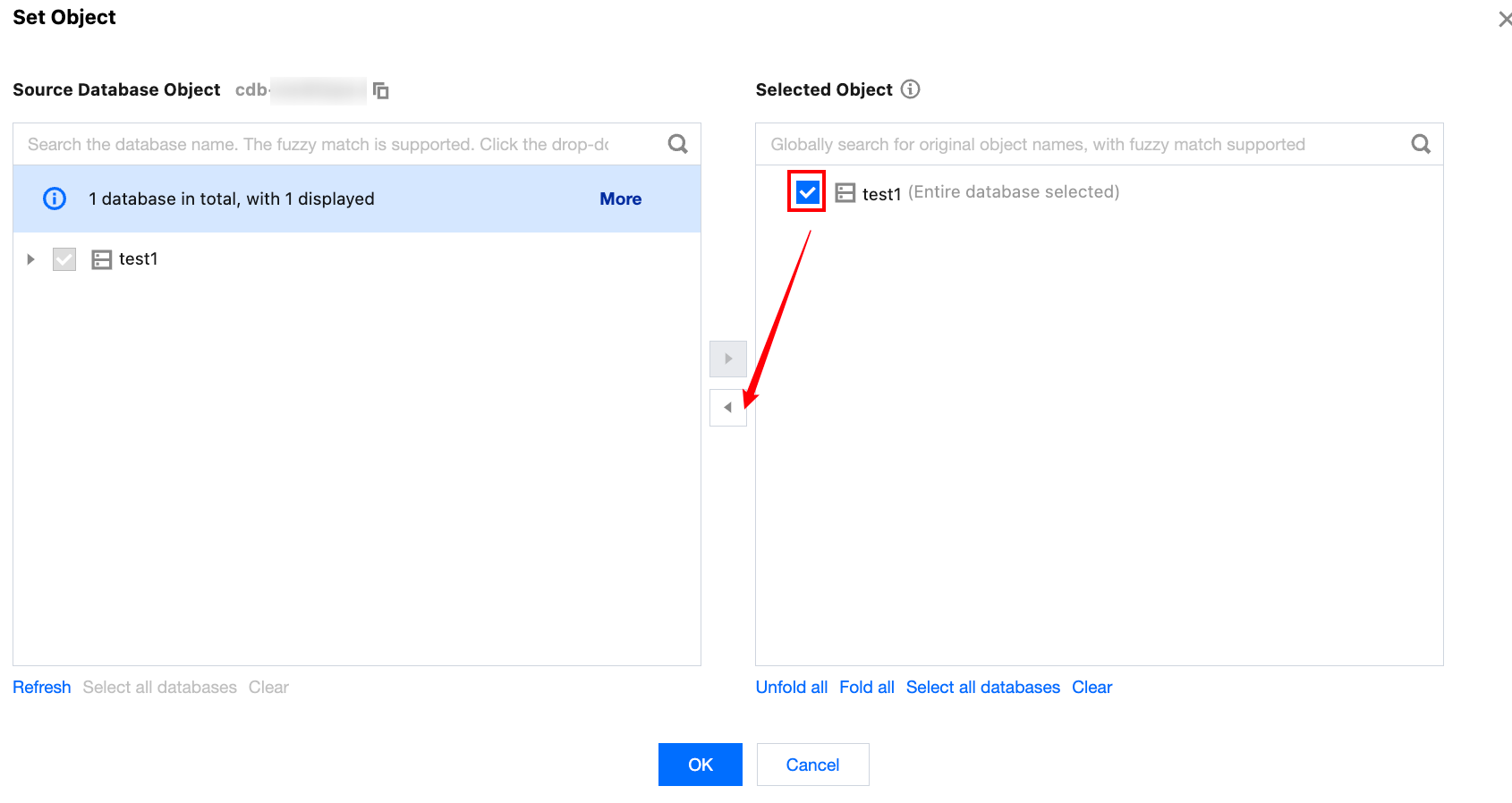
3. In the pop-up window, under the selected object on the right, deselect the objects that have been loaded into the read-only analysis engine, and click OK.
Method 2
The following section describes the steps to cancel data loading by navigating from the primary instance details page where the read-only analysis engine is mounted.
1. Log in to MySQL console. In the instance list, click Instance ID or Manage in the operation column to enter the instance detail page.
2. Under the instance architecture diagram, locate the read-only analysis engine instance and click Instance ID to enter the details page of the read-only analysis engine.
3. Select the Data Object page, and click Modify objects.
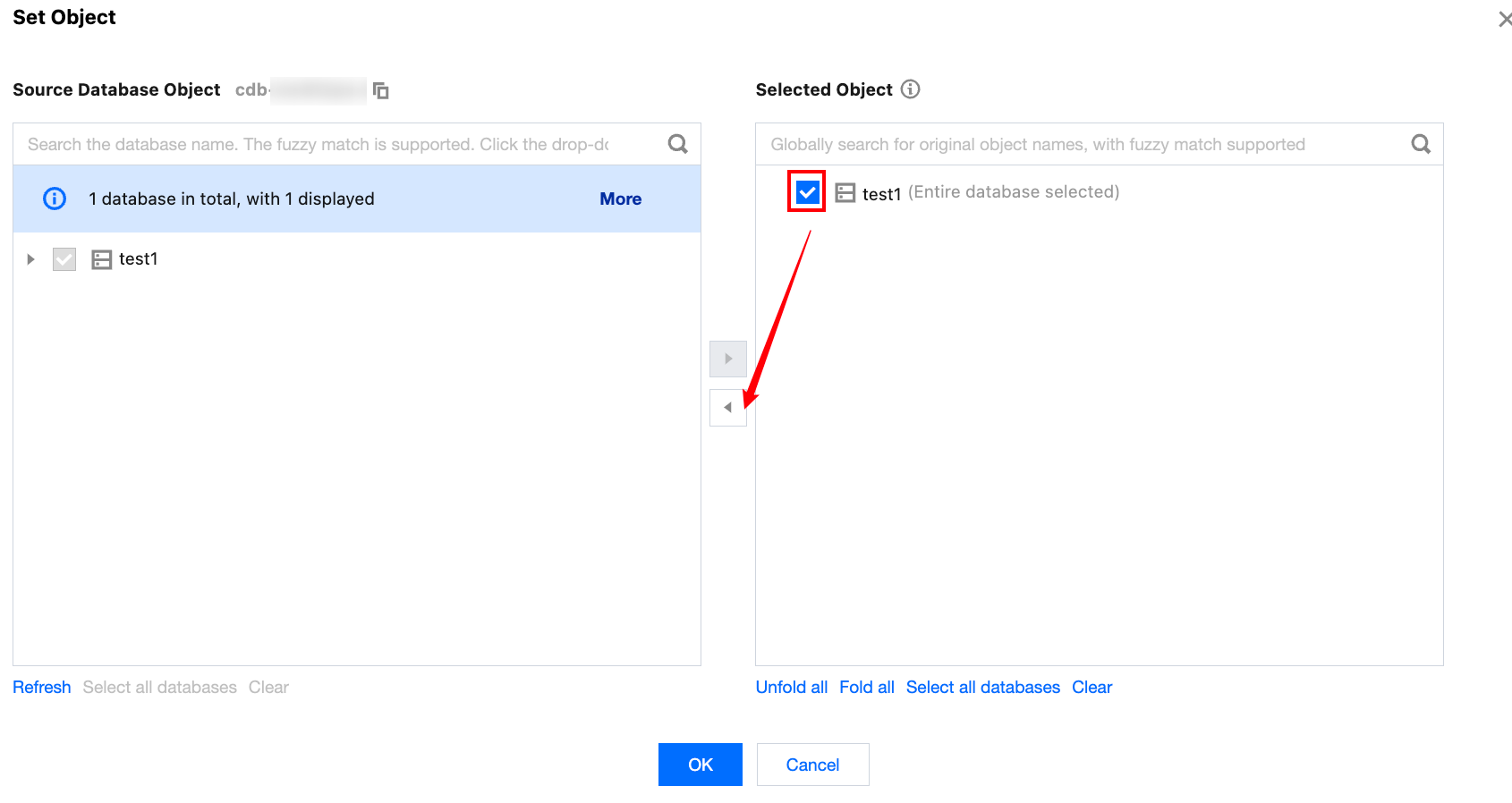
4. In the pop-up window, under the synchronization object on the right, deselect the objects that have been loaded into the read-only analysis engine, and click OK.
피드백