After completing the configuration of instances, topics, and other resources in the console, you can also download and decompress the Kafka toolkit and perform simple message sending and receiving tests through the Kafka API.
Prerequisites
You have created the required TDMQ for CKafka (CKafka) resources.
You have prepared the Linux server and configured the environment by referring to Preparations.
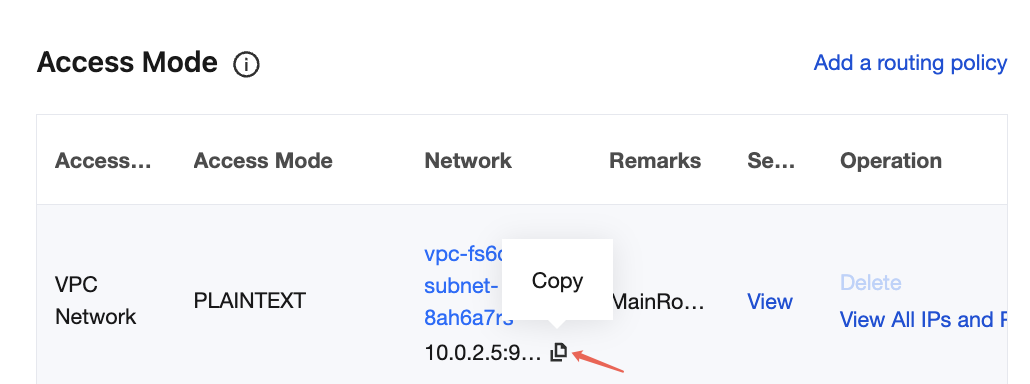
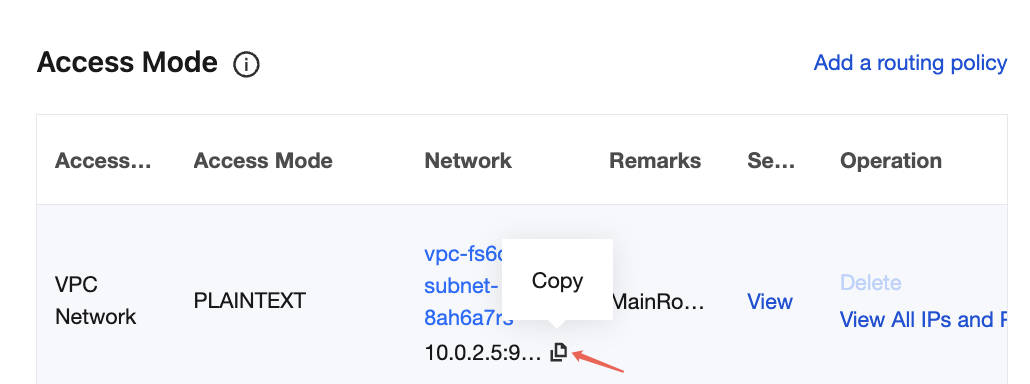
Replace XXXX:port with the domain name and port for VPC network access. You can obtain it in the Access Mode module on the instance details page in the console.
Topic: Replace XXXX with the topic name. You can obtain it from the Topic List page in the console.
3.2 Open another terminal window and start the producer.
Replace XXXX:port with the domain name and port for VPC network access. You can obtain it in the Access Mode module on the instance details page in the console.
Topic: Replace XXXX with the topic name. You can obtain it from the Topic List page in the console.
3.3 After you enter the message content and press Enter, the consumer receives the message almost simultaneously.