Data Management
Baixar
Modo Foco
Tamanho da Fonte
Overview
This scenario introduces how to perform data import or export using DMC.
Data Import
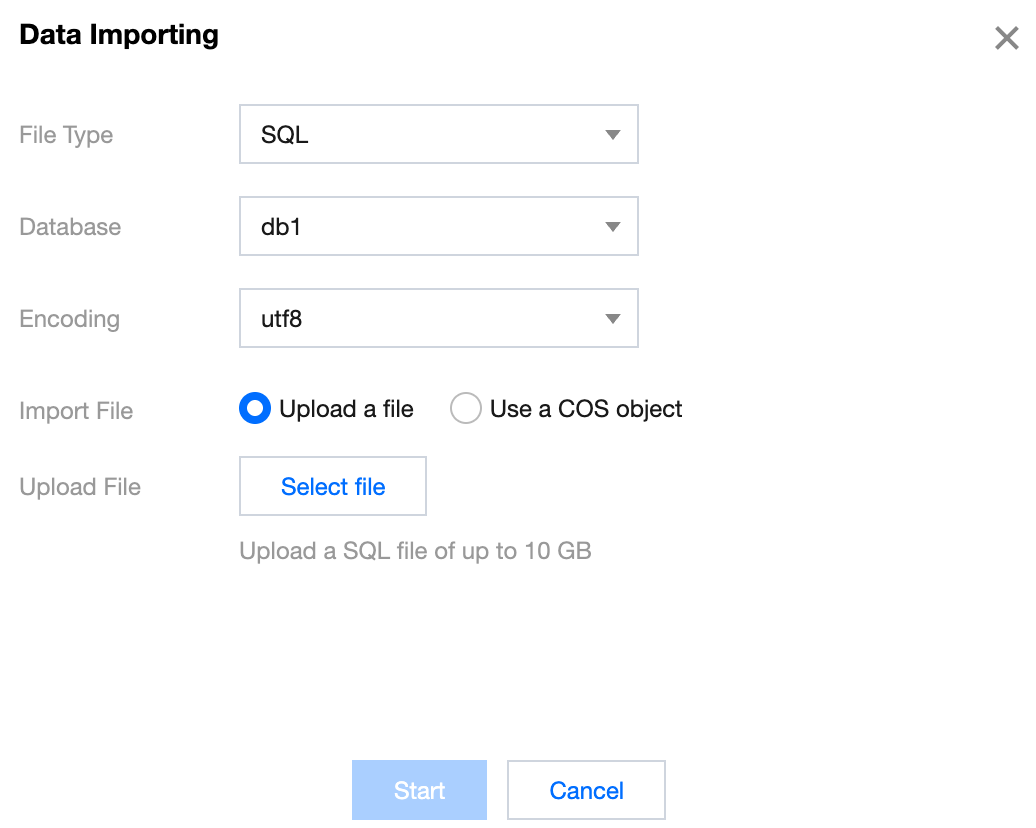
Log in to the DMC Console, switch to the top feature tab, select Import/Export and Data Importing, configure the import parameters, and click Start.
File type: Supports SQL and CSV.
Database: Select the name of the database to import data into.
Encoding: Supports utf8, utf8mb4, gbk, gb2312, and latin1.
Data Export
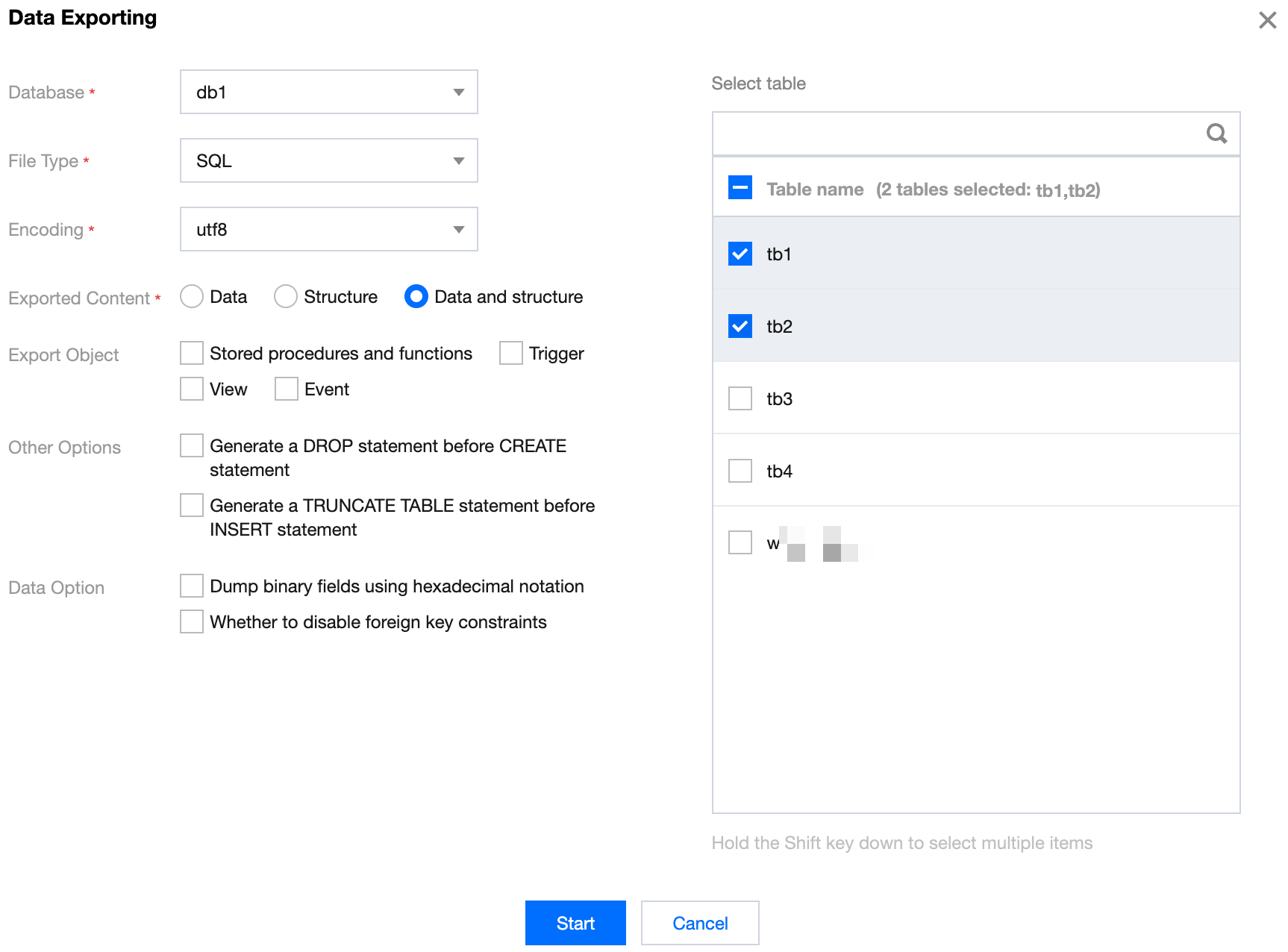
Log in to the DMC Console, switch to the top feature tab, select Import/Export and Data Exporting. Configure the export parameters, check the databases and tables to be exported on the right, and click Start.
Ajuda e Suporte
Esta página foi útil?
Você também pode entrar em contato com a Equipe de vendas ou Enviar um tíquete em caso de ajuda.
comentários