Audience Watching (HarmonyOS)
Baixar
Modo Foco
Tamanho da Fonte
TUILiveKit Audience Watch Page delivers a seamless live streaming experience, offering rich viewing and interactive features for your audience. You can quickly integrate it into your application to support a wide range of audience engagement scenarios.
Feature Overview
Live Preview: View the host's real-time video before joining the room. Tap Enter Room to join and start interacting.
Live Watching: Watch the host's live stream in high quality. See the stream title, host details, and the number of online viewers.
Live Interaction: Send gifts (with animation and host notifications), like (with animation and real-time stats), post live comments, and request to join the host for audio/video co-hosting.
Live Preview | Live Viewing | Live Interaction |
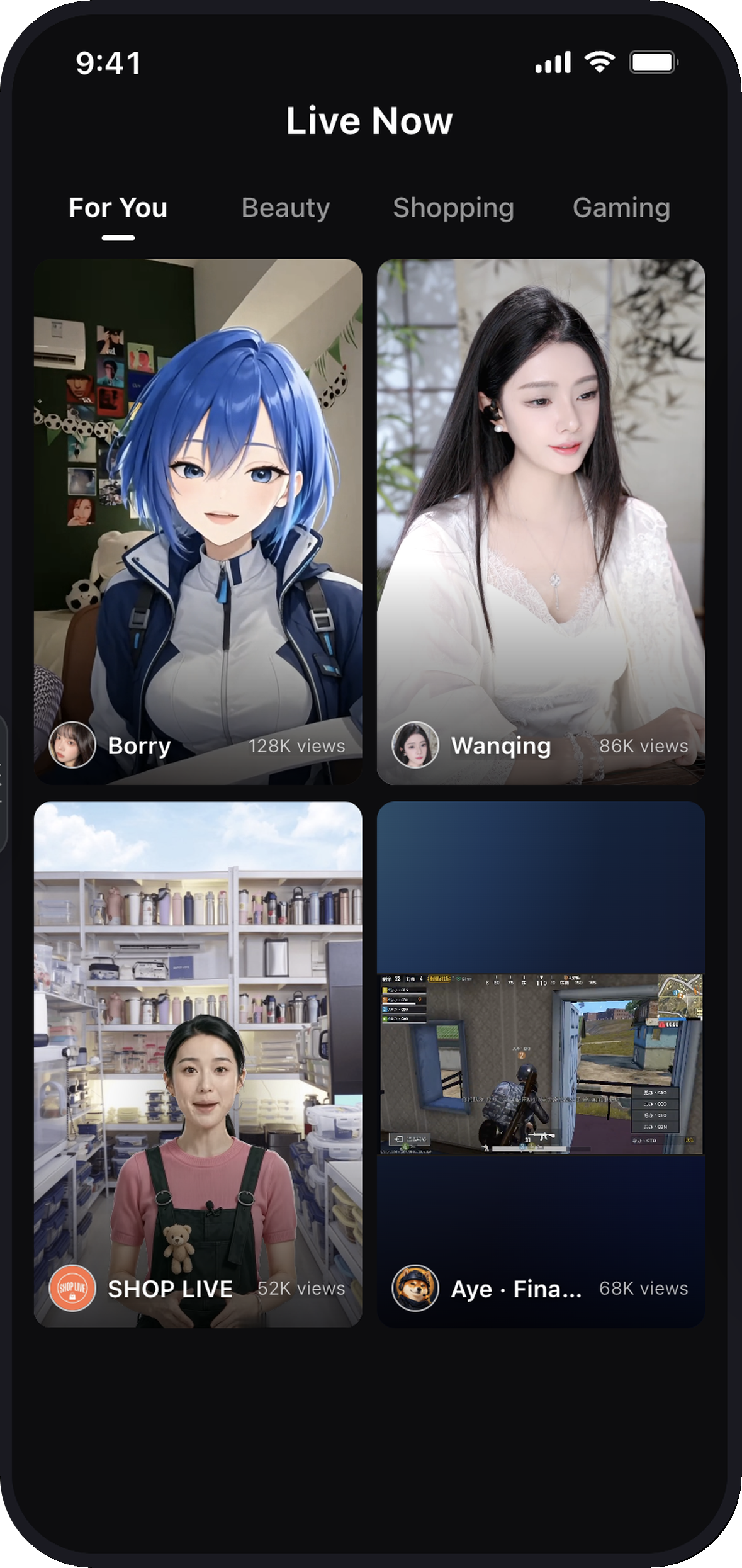 |
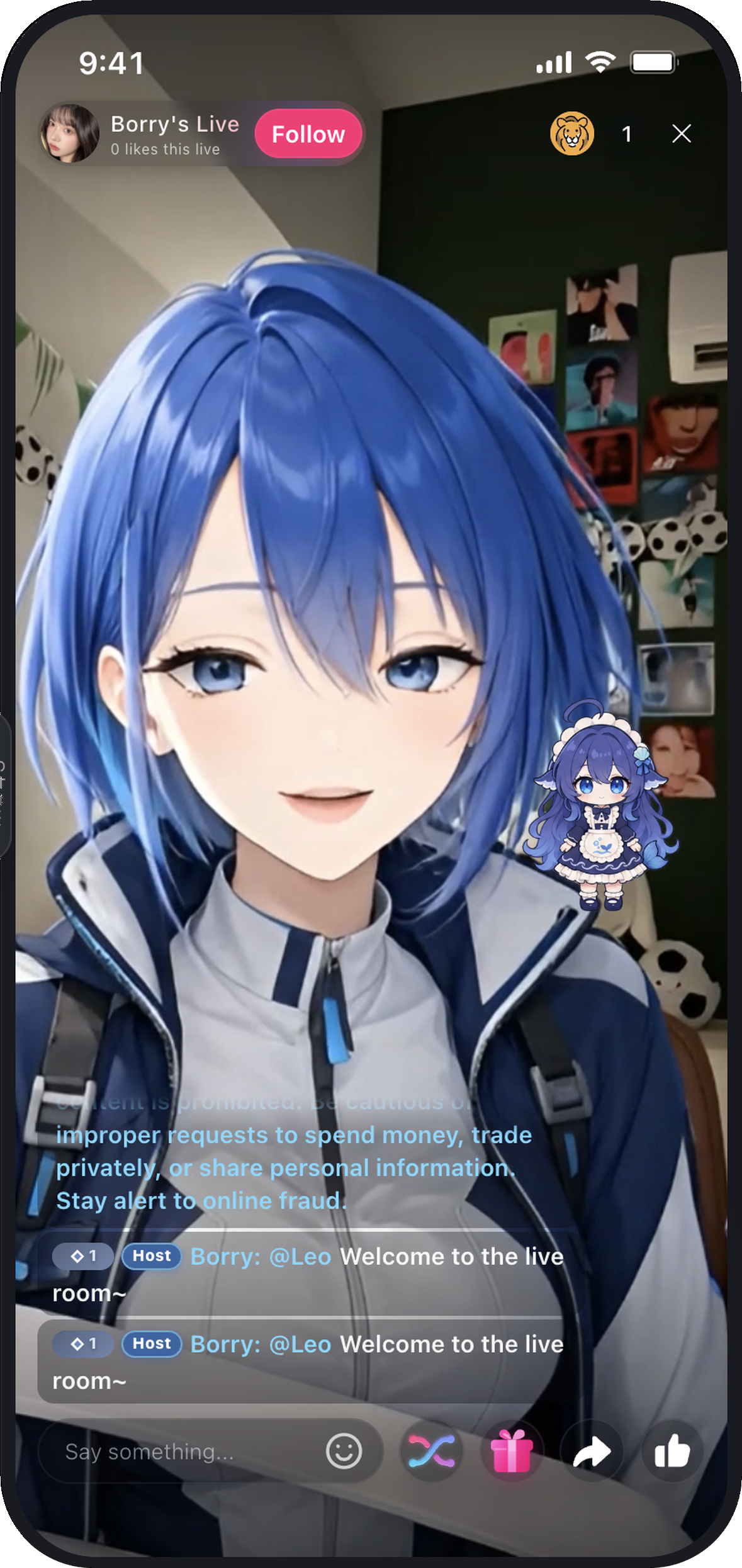 | 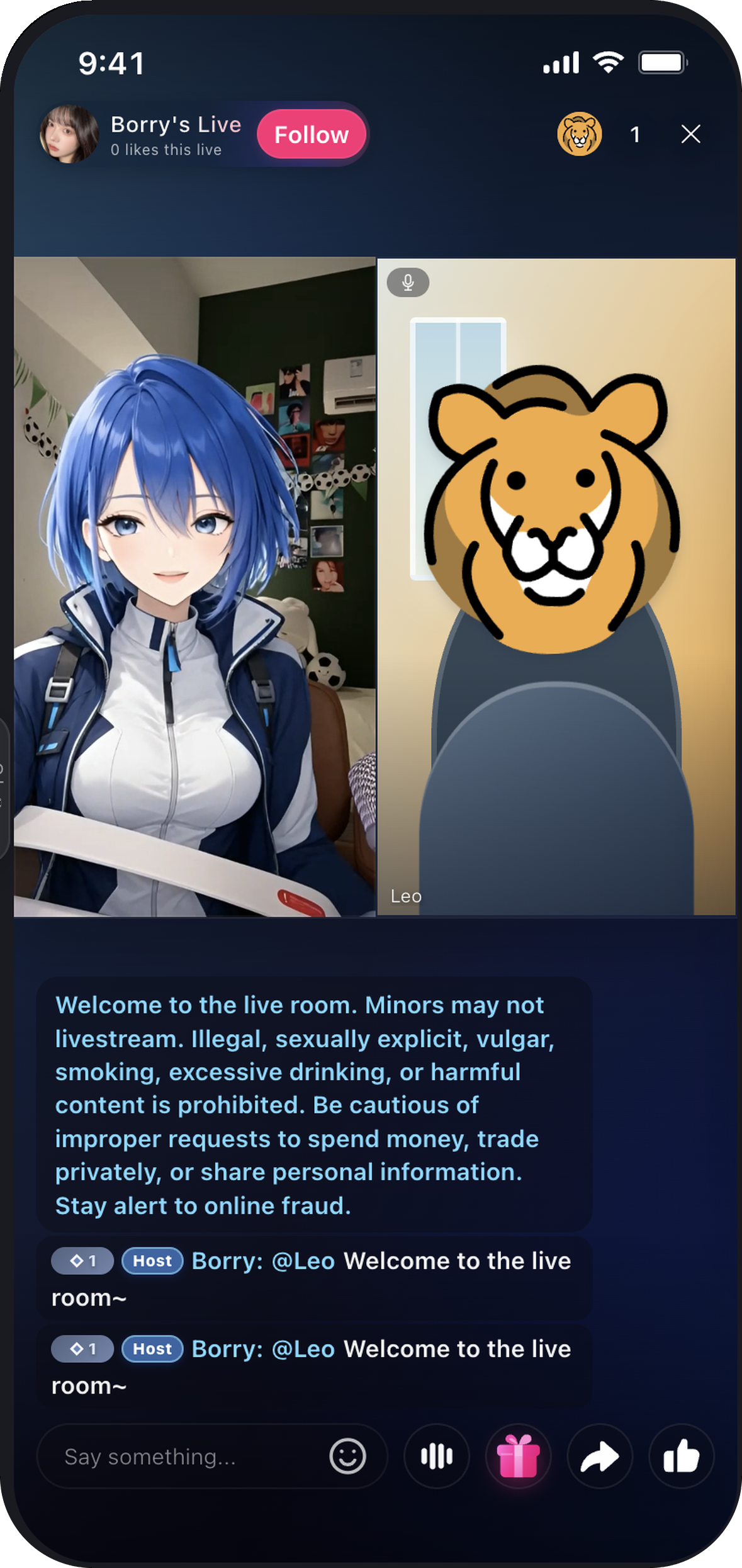 |
Component Description
PlayerView is an ArkUI component for displaying a single live stream room, imported from tuilivekit. Playback control is managed through PlayerViewController. The component provides a complete interactive UI for stream playback, room entry, co-hosting, live comments, gifts, likes, and more.
Quick Start
Step 1. Activate the Service
Refer to the Activate Service document to get the
TUILiveKit trial version or activate the paid version.Step 2. Code Integration
Step 3. Use PlayerView to Watch a Single Live Stream Room
Create a PlayerView and maintain a PlayerViewController on your audience viewing page:
import { LiveInfo } from '@tencentcloud/atomicxcore'import { PlayerStatus, PlayerView, PlayerViewController } from 'tuilivekit'@Entry@Componentstruct AudiencePlayerPage {liveID: string = ''onBack?: () => voidprivate controller: PlayerViewController = new PlayerViewController()private unsubscribeStatus?: () => voidaboutToAppear(): void {// 1. Set live room info (must be called before startPlay / joinChannel)const liveInfo = new LiveInfo()liveInfo.liveID = this.liveIDthis.controller.setLiveInfo(liveInfo)// 2. Listen for close and enter room eventsthis.controller.onCloseClicked = () => this.onBack?.()this.controller.onJoinLiveClicked = () => console.info(`join live: ${this.liveID}`)// 3. (Optional) Listen for playback status changes, returns an unsubscribe closurethis.unsubscribeStatus = this.controller.status((status: PlayerStatus) => {console.info(`player status: ${status}`)})// 4. Start stream playbackthis.controller.startPlay()// 5. Join the live room. Only after successful entry can the audience send live comments, likes, gifts, or request co-hostingthis.controller.joinChannel().then((info: LiveInfo) => {console.info(`joinChannel success: ${info.liveID}`)}).catch((error: Error) => {console.error(`joinChannel failed: ${error.message}`)})}aboutToDisappear(): void {// 6. On page destroy, unsubscribe, stop playback, and leave the live roomthis.unsubscribeStatus?.()this.controller.stopPlay()this.controller.leaveChannel()}build() {PlayerView({ controller: this.controller })}}
Step 4. Navigate to the Audience Viewing Page
When a live stream card is clicked on your room list page, use NavPathStack to navigate to the page containing PlayerView, passing liveID as a route parameter. The route name is defined by your host project:
this.navigationStack.pushPath({ name: 'singlePlayer', param: liveID })
API Reference
PlayerView
PlayerView is an ArkUI component for displaying a single live stream room.
Property | Description |
controller | PlayerViewController, the entry point for playback control. If not provided, the component creates its own controller. |
PlayerViewController
Method / Property | Description |
setLiveInfo(liveInfo: LiveInfo) | Set live room information. Must be called before startPlay or joinChannel. When switching rooms, the component will stop playback and leave the previous room first. |
startPlay() | Start stream playback (only plays the stream, not yet entered the room). |
stopPlay() | Stop stream playback. |
joinChannel(): Promise | Enter the live room. Returns room info on success. Only after entering can the audience send live comments, likes, gifts, or request co-hosting. |
leaveChannel(): Promise | Leave the live room. |
setVolume(volume: number) | Set playback volume, value range 0 ~ 100. |
joinLiveEntranceEnabled | Whether to show the Enter Room entry. |
status(listener) | Subscribe to playback status, returns an unsubscribe closure. The current status is immediately called back on subscription. |
liveID | The ID of the currently viewed live room. |
onCloseClicked | Callback when the audience clicks the close button (the component will leave the room before the callback). |
onJoinLiveClicked | Callback when the audience successfully enters the room via the Enter Room entry. |
PlayerStatus
Playback status for PlayerViewController.status, values are as follows:
Status | Description |
idle | Idle, not playing and not in a room. |
playing | Streaming playback in progress, audience not yet in the room (Enter Room entry shown). |
inRoom | In the room, audience can participate in live comments, likes, gifts, co-hosting, etc. |
coGuest | Co-hosting (requesting or already on mic). |
end | Live has ended or audience was removed; the component displays the live ended page. |
Next Steps
Congratulations! You have successfully integrated Audience Viewing. Next, you can implement features such as host streaming, live stream list and gift system. Please refer to the table below:
Feature | Description | Integration Guide |
Host Streaming | The complete workflow for a host to start a stream, including pre-stream setup and various in-stream interactions. | |
Live Stream List | Display the live stream list interface and features, including the live stream list and room information display. | |
Gift System | Support custom gift asset configuration, billing system integration, and gift-sending in PK scenarios. |
FAQs
No video or failed to enter the room after calling startPlay or joinChannel?
Please check:
setLiveInfo() has been called to set the live room info, and LiveInfo.liveID is not empty;
AtomicXCore login is complete;
The live room is currently live;
The host module.json5 has declared network permissions.
After the audience selects video co-hosting, the video screen is black?
Verify that ohos.permission.CAMERA and ohos.permission.MICROPHONE are declared in the host module.json5 under requestPermissions, and that the user has granted permissions. The go-live page in the component will request permissions at runtime, but audience-side permissions must still be declared in the host module.
When the audience sends live comments, other viewers in the room can't see them?
Reason 1: Check the network connection to ensure the audience device is online.
Reason 2: The audience member is muted by the host and cannot send live comments.
Reason 3: The live comment contains blocked keywords. Please confirm the content complies with the live room rules.
Ajuda e Suporte
Esta página foi útil?
Você também pode entrar em contato com a Equipe de vendas ou Enviar um tíquete em caso de ajuda.
comentários