iOS
下载
聚焦模式
字号
本文档说明在 TRTC SDK 项目中集成和使用 TEBeautyKit 库。
集成步骤
1. (可选)集成 TRTCAdapter。TRTCAdapter.framework 用来接收 TRTC SDK 的视频回调,内部经过美颜 SDK 处理后再返回给 TRTC SDK,如需对视频流做自定义处理,可以跳过此步骤。
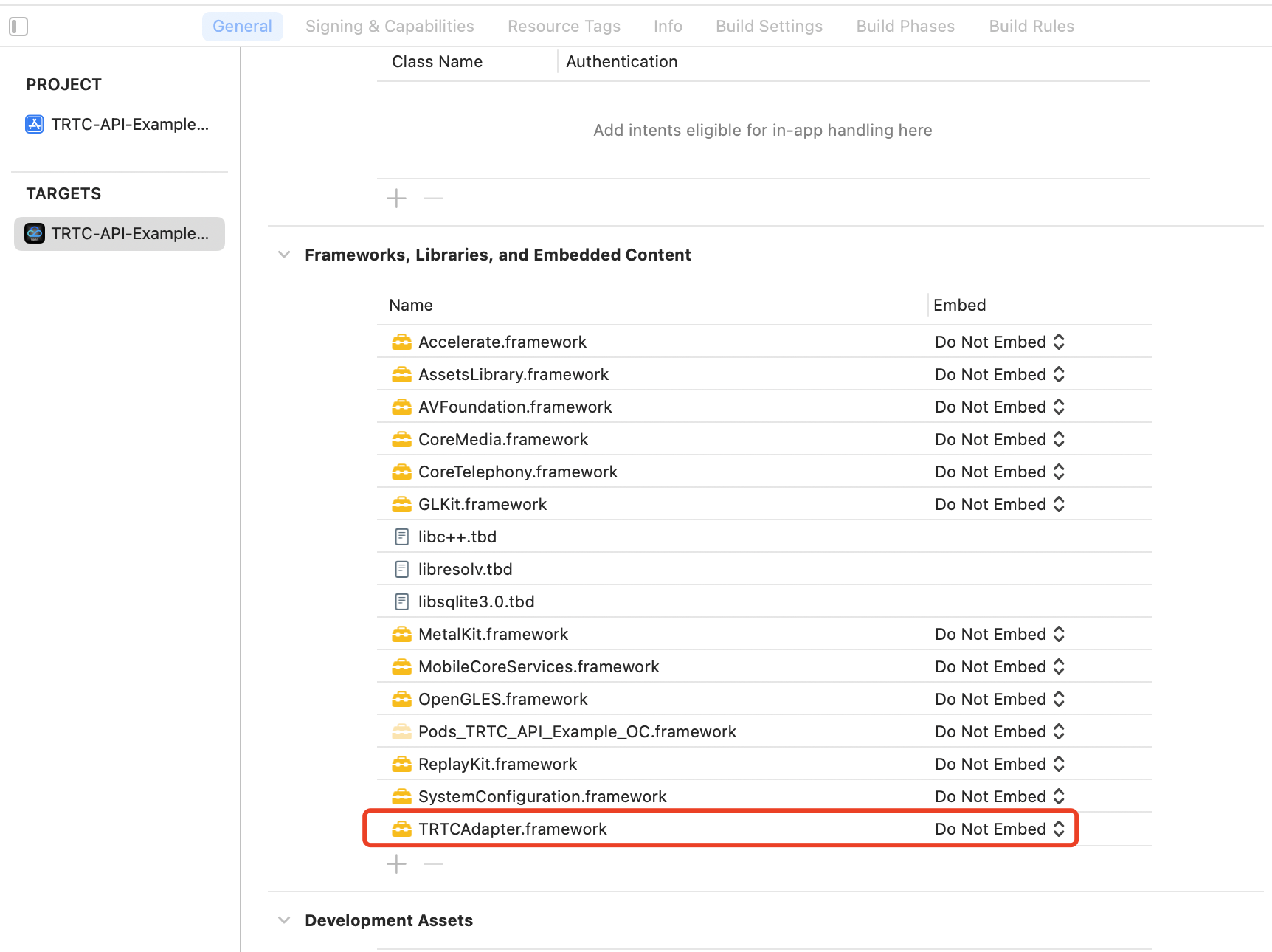
2. 集成 TEBeautyKit,编辑 podfile 文件,添加下面的代码后执行
pod install。# 将S1-07替换成您购买的套餐,注意TEBeautyKit和TencentEffect要使用相同套餐pod 'TEBeautyKit/S1-07', :podspec => 'https://mediacloud-76607.gzc.vod.tencent-cloud.com/TencentEffect/iOS/TEBeautyKit/latest/TEBeautyKit.podspec'pod 'TencentEffect_S1-07', :podspec => 'https://mediacloud-76607.gzc.vod.tencent-cloud.com/TencentEffect/iOS/podspec/latest/TencentEffect_S1-07.podspec'
4. 集成 美颜素材。
使用流程
步骤一:集成美颜面板
步骤二:adapter 绑定美颜
/// 创建adapter对象- (TEBeautyTRTCAdapter *)trtcAdapter {if (!_trtcAdapter) {_trtcAdapter = [[TEBeautyTRTCAdapter alloc] init];}return _trtcAdapter;}/// 绑定美颜- (void)bindAdapter {__weak typeof(self)weakSelf = self;[self.trtcAdapter bind:self.trtcCloud onCreatedXmagicApi:^(XMagic * _Nullable xmagicApi) {__strong typeof(weakSelf)strongSelf = weakSelf;strongSelf.teBeautyKit.xmagicApi = xmagicApi;strongSelf.tePanelView.teBeautyKit = strongSelf.teBeautyKit;[strongSelf.tePanelView setDefaultBeauty];} onDestroyXmagicApi:^{__strong typeof(weakSelf)strongSelf = weakSelf;[strongSelf.teBeautyKit onDestroy];strongSelf.teBeautyKit = nil;}];}
步骤三:参数变化通知 adapter
/// 通知adapter前后置摄像头,是否编码镜像[self.trtcAdapter notifyCameraChanged:self.isFrontCamera isEncoderMirror:self.isEncoderMirror];/// 通知adapter屏幕方向改变[self.trtcAdapter setDeviceOrientation:currOrientation];
步骤四:解绑 adapter,销毁美颜
[self.trtcAdapter unbind];self.trtcAdapter = nil;
步骤五:未集成 TRTCAdapter
监听 TRTC 视频回调,在回调中处理美颜,然后返回给 TRTC。
1. 初始化
- (void)initXMagic {__weak typeof(self)weakSelf = self;[TEBeautyKit createXMagic:EFFECT_MODE_PRO onInitListener:^(TEBeautyKit * _Nullable beautyKit) {__strong typeof(weakSelf)strongSelf = weakSelf;strongSelf.teBeautyKit = beautyKit;strongSelf.tePanelView.teBeautyKit = strongSelf.teBeautyKit;[strongSelf.tePanelView setDefaultBeauty];}];}
2. 处理视频数据
- (uint32_t)onProcessVideoFrame:(TRTCVideoFrame *)srcFrame dstFrame:(TRTCVideoFrame *)dstFrame {YTProcessOutput *output = [self.teBeautyKit processTexture:srcFrame.textureIdtextureWidth:srcFrame.widthtextureHeight:srcFrame.heightwithOrigin:YtLightImageOriginTopLeftwithOrientation:YtLightCameraRotation0];dstFrame.textureId = output.textureData.texture;return 0;}
3. 销毁
- (void)destroyXMagic {[self.teBeautyKit onDestroy];self.teBeautyKit = nil;}
文档反馈