RDMA 网络配置组件 rdma-agent 说明
Baixar
Modo Foco
Tamanho da Fonte
概述
RDMA(Remote Direct Memory Access,远程直接内存访问)是一种绕过远程主机操作系统内核访问其内存中数据的技术,由于不经过操作系统内核,不仅节省了大量 CPU 资源,同样也提高了系统吞吐量、降低了系统的网络通信延迟。高性能计算集群(Tencent Hyper Computing Cluster,THCC)以高性能云服务器为节点,通过 RDMA 互联,提供了高带宽和极低延迟的网络服务,大幅提升网络性能,能满足大规模高性能计算、人工智能、大数据推荐等应用的并行计算需求。rdma-agent 组件是腾讯云高性能计算集群实例 Linux 服务器 RDMA 网络配置组件,在Linux 上以 systemd 独立服务 rdma-agent 运行。
rdma-agent 组件安装
支持 RDMA 网络的腾讯云高性能计算集群 GPU 型 Linux 公共镜像实例在实例启动时会默认安装 rdma-agent 组件。
如果您的实例使用的是腾讯云共享的自定义镜像,可能没有安装 rdma-agent 组件,RDMA 网络配置依赖
/etc/rc.local 中的如下两个脚本开机启动配置。bash /usr/local/qcloud/rdma/set_bonding.shnohup bash /usr/local/qcloud/rdma/dscp.sh &
如果您希望将
/etc/rc.local 中的配置脚本改造成 systemd 管理的 rdma-agent 服务,可以在无业务情况下执行如下命令安装,安装后会取消 /etc/rc.local 中的对应脚本配置避免开机重复配置 RDMA 网络。如果您的 rdma-agent 组件版本过低,也可以在无业务情况下执行如下命令升级。wget http://mirrors.tencentyun.com/install/cvm/rdma/bs2_rdma.tgz -O /tmp/bs2_rdma.tgz && tar -axf /tmp/bs2_rdma.tgz -C /tmp && chmod a+x /tmp/bs2_rdma/install.sh && cd /tmp/bs2_rdma/ && bash install.sh
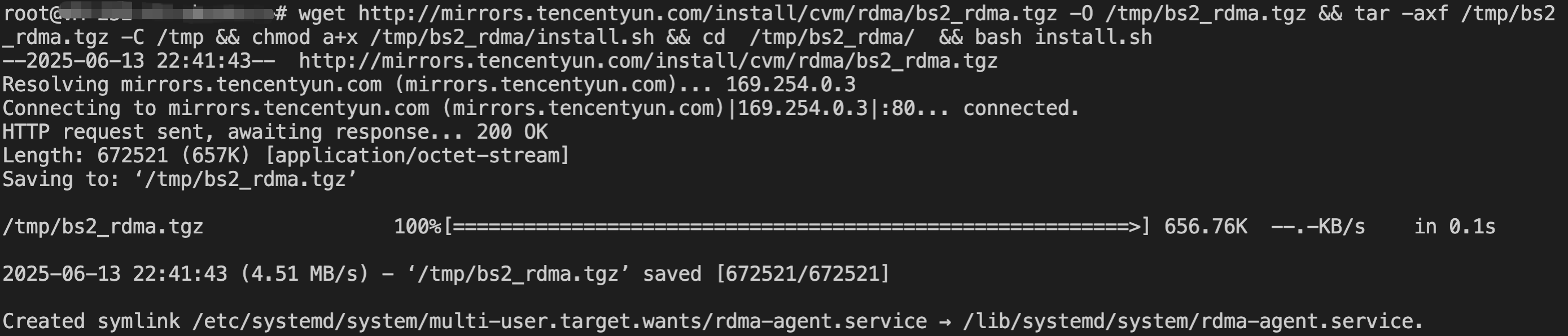
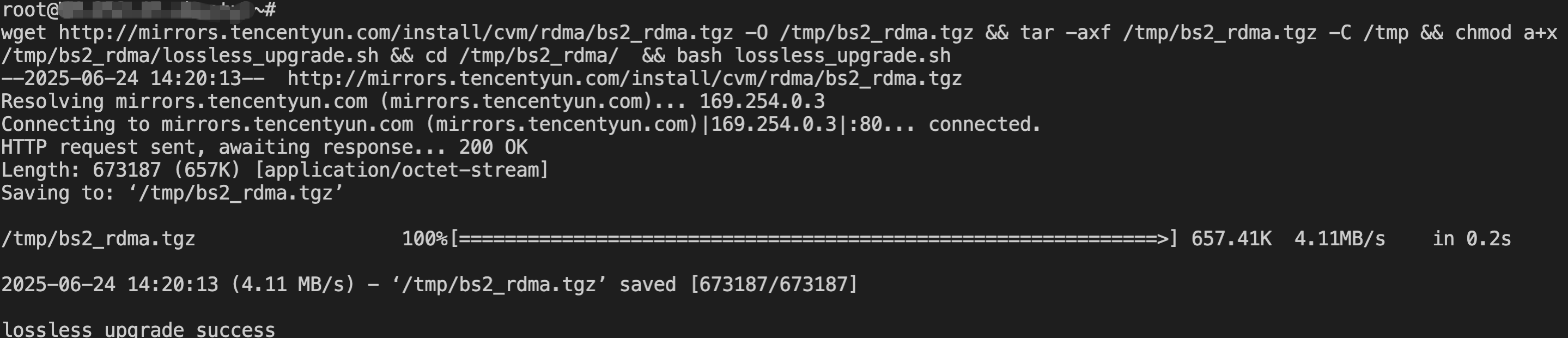
如果您希望升级 rdma-agent 组件但不重新初始化配置网络,对业务无感,可以执行如下命令升级。
wget http://mirrors.tencentyun.com/install/cvm/rdma/bs2_rdma.tgz -O /tmp/bs2_rdma.tgz && tar -axf /tmp/bs2_rdma.tgz -C /tmp && chmod a+x /tmp/bs2_rdma/lossless_upgrade.sh && cd /tmp/bs2_rdma/ && bash lossless_upgrade.sh
查看 rdma-agent 服务状态
执行如下命令查看 rdma-agent 服务是否正常,若是服务为 active (running) 状态说明正常。
systemctl status rdma-agent

重新配置 RDMA 网络
警告:重新配置 RDMA 网络会影响业务运行,请在无业务情况下重新配置网络。
如果您在支持 RDMA 网络的高性能计算集群 GPU 型实例已安装 rdma-agent 组件,执行如下命令重启 rdma-agent 服务即可重新配置 RDMA 网络,重新配置 RDMA 网络需要等待几分钟。
systemctl restart rdma-agent
如果您在支持 RDMA 网络的高性能计算集群 GPU 型实例未安装 rdma-agent 组件,依赖
/etc/rc.local 中的如下两个脚本配置,则重新执行如下命令即可重新配置 RDMA 网络,重新配置 RDMA 网络需要等待几分钟。bash /usr/local/qcloud/rdma/set_bonding.shnohup bash /usr/local/qcloud/rdma/dscp.sh &
检查 RDMA 网络及配置是否正常
执行如下命令可以检查实例的 RDMA 网络是否正常,检查命令不影响业务正常运行。
bash /usr/local/qcloud/rdma/rdma_check.sh -f
如果实例的容器网络使用 host 模式,正常情况在配置完成后各项结果都是 OKKKK 状态,如下图所示。
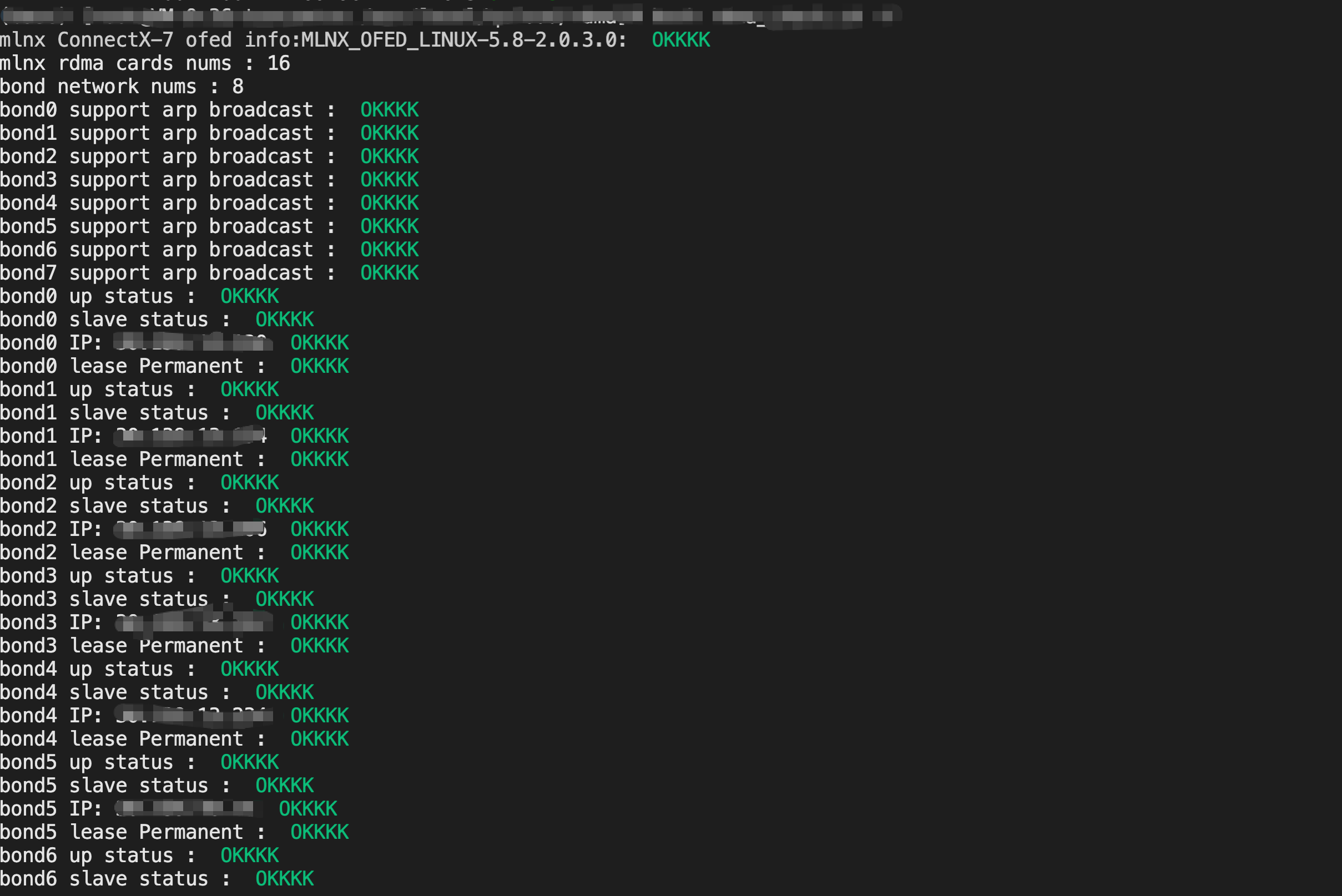
若检查到 ERROR 报错,请确认 RDMA 网络是否完成初始化,正常情况 RDMA 网络配置需要消耗几分钟,如果没有完成初始化需要您在完成初始化后再重新执行检查命令。
如果实例的容器网络不是 host 模式,可能也会存在部分 ERROR 的情况,您可以暂停业务后再重启 rdma-agent 服务重新配置到 host 模式的 RDMA 网络,然后检查 RDMA 网络是否正常。
Ajuda e Suporte
Esta página foi útil?
Você também pode entrar em contato com a Equipe de vendas ou Enviar um tíquete em caso de ajuda.
comentários