配置自定义脚本
下载
聚焦模式
字号
管理员可以通过自定义脚本的配置方式, 把上游身份系统中的用户字段, 经过脚本运算, 转化成腾讯统一身份的用户字段。
例如以 Active Directory 作为上游, 把 AD 中的用户同步至统一身份中, 如果 AD 中没有邮箱信息, 那么可以通过
user.sAMAccountName + "@example.com" 来转化用户的邮箱字段。基础语法
语法分类 | 类别 | 项目 | 说明 | 示例 |
1. 脚本注释 | - | 注释 | 支持 // 或 /* */ 的方式 | // 单行注释、/* 多行注释 */ |
2. 常量 | - | bool | 布尔值:true 或 false | true |
| - | int | 整型 | 1000 |
| - | float | 浮点型 | 0.5 |
| - | string | 字符串,需用 "" 或 '' 括起来 | "hello" |
| - | array | 数组 | ["first", "second", "third"] |
| - | map | 字典 | {first:1, second:2, third:3} |
| - | nil | 空值,类似其他语言中的 null | nil |
3. 运算符 | 数学运算 | + - * / | 四则运算 | user.age * 2 |
| 比较运算 | == != > < >= <= | 数值/值比较 | user.age >= 30 |
| 逻辑运算 | not / !、and / &&、or / || | 非、与、或 | user.authed && user.type == "employee" |
| 条件运算 | ?: | 三元操作符 | user.age >= 30 ? "tea" : "cola" |
| 字符运算 | +、contains、startsWith、endsWith | 拼接、包含、开头、结尾 | user.name startsWith "zhang" |
| 字典成员访问 | [] 或 . | 从字典中访问特定成员 | user.name 或 user["name"] |
| 数组下标访问 | [] | 从数组中按下标访问成员 | user.hobbies[0] |
4. 变量声明 | - | - | 使用 let 关键字实现变量声明 | let x = 5;let y = 2; |
5. 内置函数 | 字符串操作 | upper(str) | 把字符转换成大写 | upper("hello") 返回 "HELLO" |
| | lower(str) | 把字符转换成小写 | lower("HELLO") 返回 "hello" |
| | title(str) | 首字母大写 | title("hello") 返回 "Hello" |
| | hasPrefix(str, prefix) | 判断是否前缀开头 | hasPrefix("hello", "he") 返回 true |
| | hasSuffix(str, suffix) | 判断是否后缀结尾 | hasSuffix("hello", "lo") 返回 true |
| | trimPrefix(str, suffix) | 去除字符串的指定前缀 | trimPrefix("helloWorld", "hello") 返回 "World" |
| | trimSuffix(str, suffix) | 去除字符串的指定后缀 | trimSuffix("helloWorld", "World") 返回 "hello" |
| 数字操作 | max(n1, n2) | 取大值 | max(10, 20) 返回 20 |
| | min(n1, n2) | 取小值 | min(10, 20) 返回 10 |
| | abs(n) | 取绝对值 | abs(-10) 返回 10 |
| 数组操作 | all(arr, predicate) | 所有元素满足 predicate 时返回 true | all([1,2,3,4], # > 0) 返回 true |
| | any(arr, predicate) | 任意元素满足 predicate 时返回 true | any([1,0,2,-1], # > 0) 返回 true |
| | none(arr, predicate) | 所有元素都不满足 predicate 时返回 true | none([-1,-2,-3,-4], # > 0) 返回 true |
| | filter(arr, predicate) | 过滤出满足 predicate 的元素 | filter([1,2,3,4], # >= 3) 返回 [3,4] |
| | len(arr) | 返回数组长度 | len([1,2,3,4]) 返回 4 |
| map 操作 | keys(map) | 返回 map 中的所有 key | keys({name:"zhangsan", age:20}) 返回 ["age","name"] |
| | values(map) | 返回 map 中的所有值 | values({name:"zhangsan", age:20}) 返回 [20,"zhangsan"] |
| | len(map) | 返回 map 长度 | len({name:"zhangsan", age:20}) 返回 2 |
| 类型转化 | int(v) | 整型字符串转 integer,非整型则报错 | int("123") 返回 123 |
| | float(v) | 浮点字符串转 float,非浮点型则报错 | float("1.5") 返回 1.5 |
| | string(v) | 任意类型转 string | string(1.5) 返回 "1.5" |
| | toJSON(v) | 转化为 JSON string | toJSON({name:"zhangsan", age:20}) 返回 '{ "age": 20, "name": "zhangsan" }' |
| | fromJSON(str) | 把 JSON string 反序列化 | fromJSON('{ "age": 20, "name": "zhangsan" }') 返回 map 对象 |
| | toBase64(str) | base64 编码 | toBase64("hello") 返回 "aGVsbG8=" |
| | fromBase64(str) | base64 解码 | fromBase64("aGVsbG8=") 返回 "hello" |
| 其他 | ddExtAttr(key, extension) | 获取钉钉用户扩展字段 | ddExtAttr("name", "{\\"name\\":\\"张三\\",\\"hobby\\":\\"football\\"}") 返回 "张三" |
常见自定义脚本场景
此章节将罗列用户常见的自定义脚本场景,我们以飞书提供的数据结构为例:
{"union_id": "on_94a1ee5551019f18cd73d9f111898cf2","user_id": "3e3cf96b","open_id": "ou_7dab8a3d3cdcc9da365777c7ad535d62","name": "张三","en_name": "SanZhang","nickname": "AlexZhang","email": "zhangsan@gmail.com","mobile": "+8613011111111","mobile_visible": false,"gender": 1,"avatar": {"avatar_72": "https://foo.icon.com/xxxx","avatar_240": "https://foo.icon.com/xxxx","avatar_640": "https://foo.icon.com/xxxx","avatar_origin": "https://foo.icon.com/xxxx"},"status": {"is_frozen": false,"is_resigned": false,"is_activated": true,"is_exited": false,"is_unjoin": false},"department_ids": ["od-4e6ac4d14bcd5071a37a39de902c7141"],"leader_user_id": "ou_7dab8a3d3cdcc9da365777c7ad535d62","city": "杭州","country": "CN","work_station": "北楼-H34","join_time": 2147483647,"is_tenant_manager": false,"employee_no": "1","employee_type": 1,"orders": [{"department_id": "od-4e6ac4d14bcd5071a37a39de902c7141","user_order": 100,"department_order": 100,"is_primary_dept": true}],"custom_attrs": [{"type": "TEXT","id": "DemoId","value": {"text": "DemoText","url": "http://www.fs.cn","pc_url": "http://www.fs.cn","option_value": "option","name": "name","picture_url": "https://xxxxxxxxxxxxxxxxxx","generic_user": {"id": "9b2fabg5","type": 1}}}],"enterprise_email": "demo@mail.com","job_title": "xxxxx","geo": "cn","job_level_id": "mga5oa8ayjlp9rb","job_family_id": "mga5oa8ayjlp9rb","assign_info": [{"subscription_id": "7079609167680782300","license_plan_key": "suite_enterprise_e5","product_name": "旗舰版E5","i18n_name": {"zh_cn": "zh_cn_name","ja_jp": "ja_jp_name","en_us": "en_name"},"start_time": "1674981000","end_time": "1674991000"}],"department_path": [{"department_id": "od-4e6ac4d14bcd5071a37a39de902c7141","department_name": {"name": "测试部门名1","i18n_name": {"zh_cn": "测试部门名1","ja_jp": "試験部署名1","en_us": "Testingdepartmentname1"}},"department_path": {"department_ids": ["od-4e6ac4d14bcd5071a37a39de902c7141"],"department_path_name": {"name": "测试部门名1","i18n_name": {"zh_cn": "测试部门名1","ja_jp": "試験部署名1","en_us": "Testingdepartmentname1"}}}}],"dotted_line_leader_user_ids": ["ou_7dab8a3d3cdcc9da365777c7ad535d62"]}
场景一:单层级数据获取
举例:假如我们需要获取以上数据中的
en_name 字段属性。此时我们的脚本可以编写为 user.en_name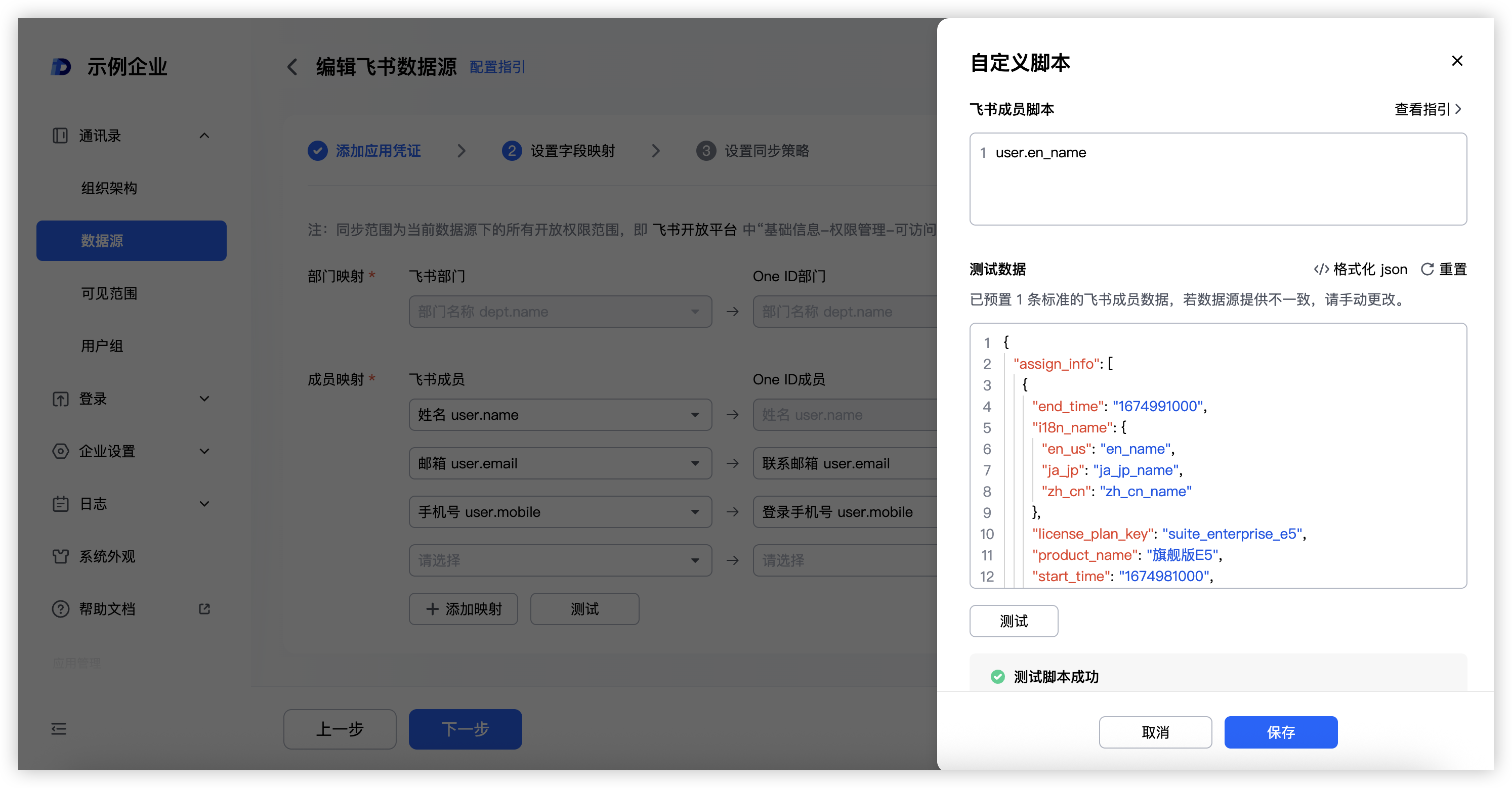
场景二:多层级数据获取
举例:假如我们需要获取以上数据中的
avatar_72 字段属性。此时我们的脚本可以编写为 user.avatar.avatar_72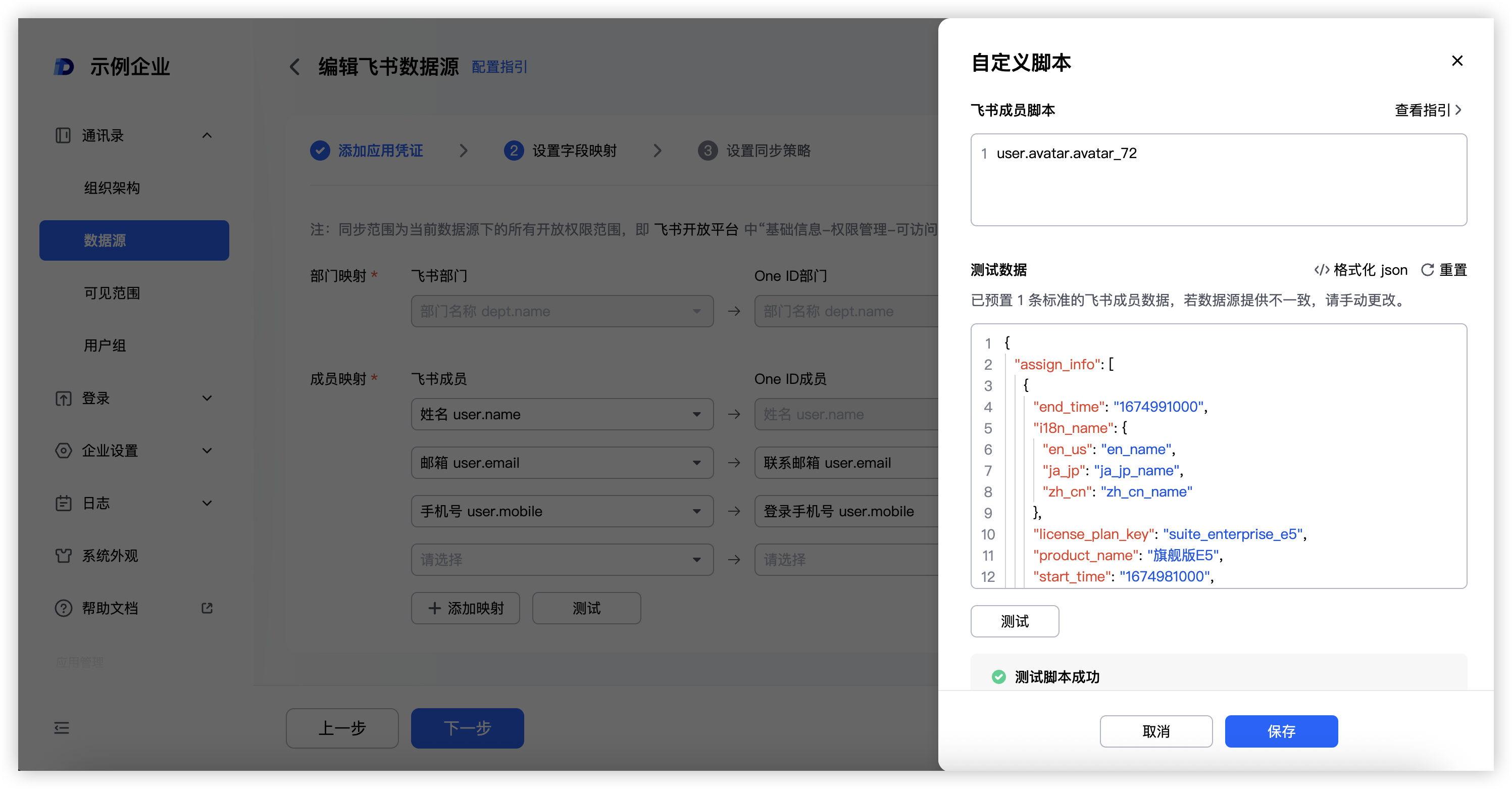
场景三:多层级数组下标数据获取
举例:假如我们需要获取以上数据中的
zh_cn 字段属性。此时我们的脚本可以编写为 user.department_path[0].department_name.i18n_name.zh_cn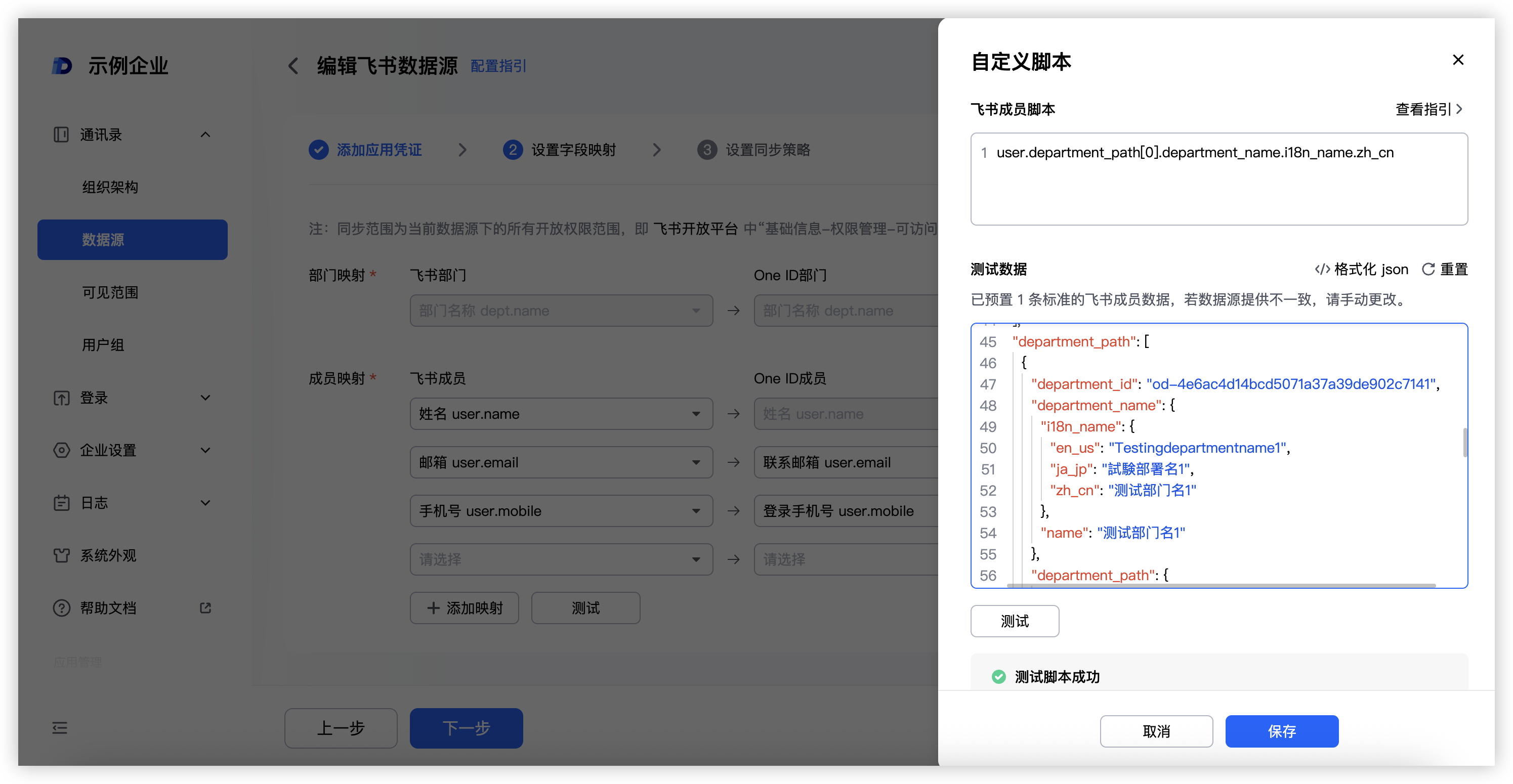
场景四:数据拼装
举例:假如我们需要获取以上数据中的
nickname 字段属性,并将 nickname 字段拼接企业邮箱后缀形成企业邮箱地址存储。此时我们的脚本可以编写为 user.nickname + "@example.com"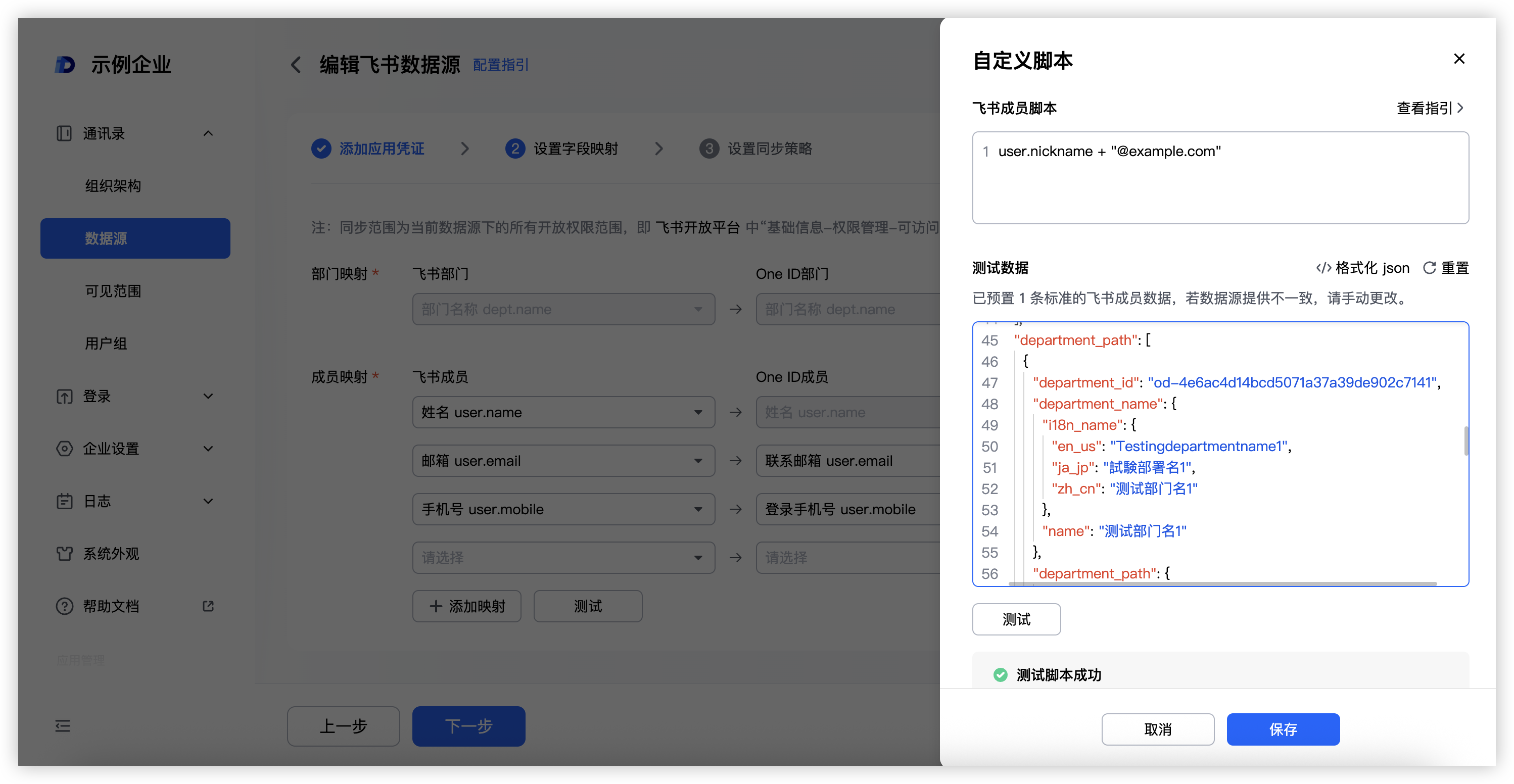
场景五:数据截取
举例:假如我们需要获取以上数据中的
enterprise_email 字段属性,但我们不需要@以后的字符。此时我们的脚本可以编写为 trimSuffix(user.enterprise_email, "@example.com")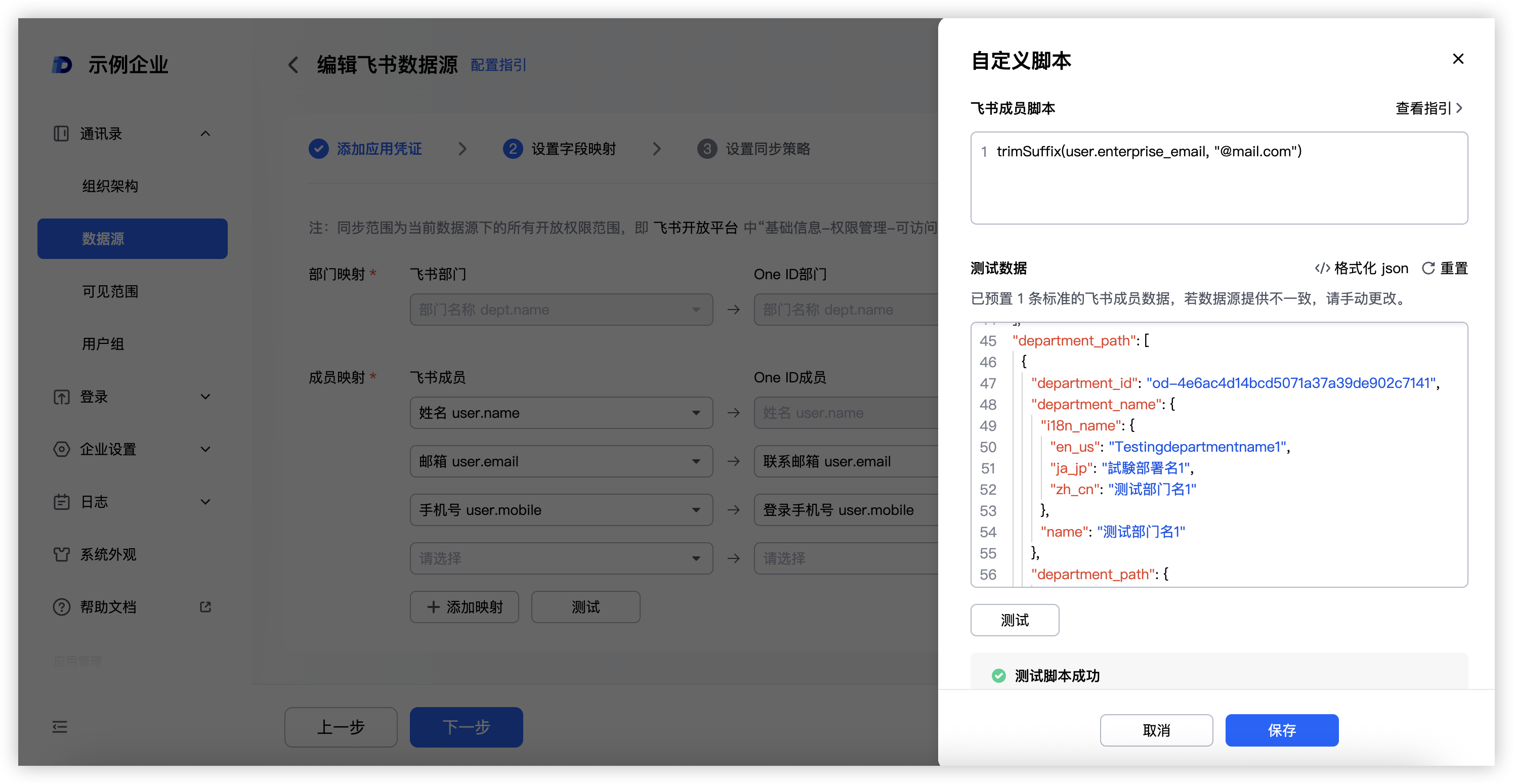
场景六:数据选择
举例:假如我们需要获取以上数据中的
mobile 字段属性,但我们仅需要中国区手机号,即:数据前有+86的才会存储。此时我们的脚本可以编写为 user.mobile startsWith "+86" ? user.mobile : ""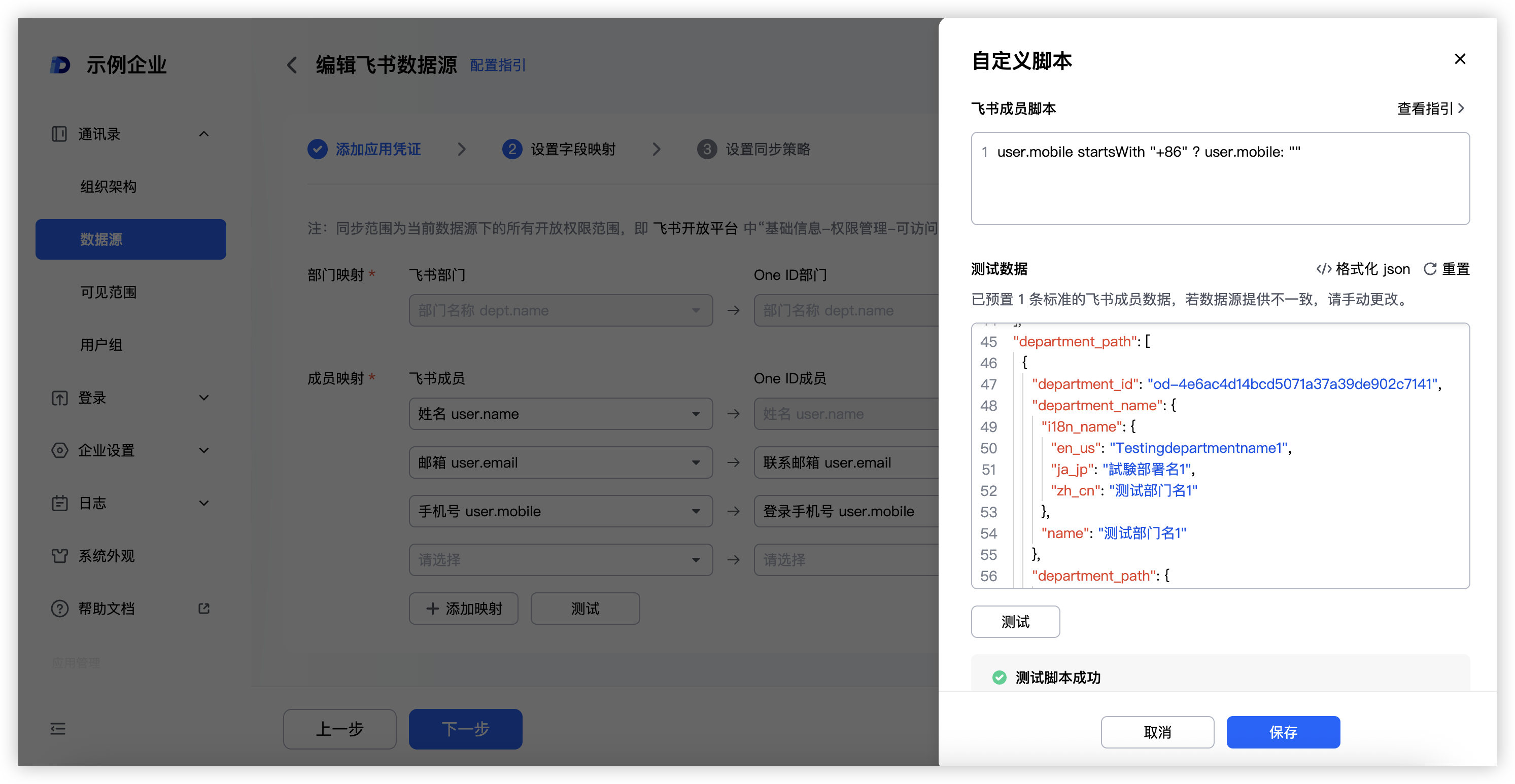
场景七:数据大小写转换
举例:假如我们需要获取以上数据中的
nickname 字段属性,但是要求 nickname 全换为大写。此时我们的脚本可以编写为 upper(user.nickname)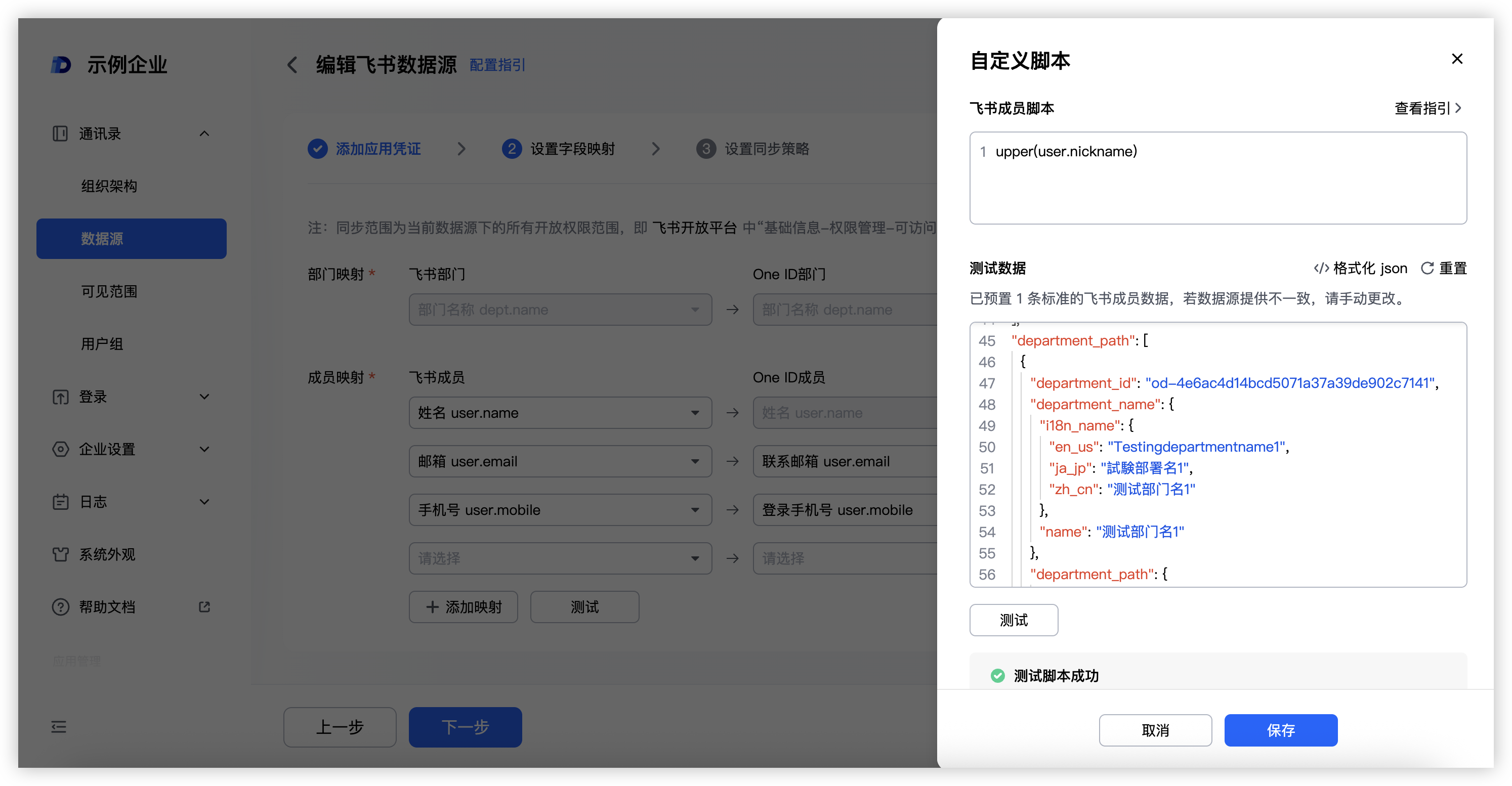
场景八:数据转型
举例:假如我们需要获取以上数据中的
user_order 字段属性,但是要求 user_order 必换成 String 型才能进行存储。此时我们的脚本可以编写为 string(user.orders[0].user_order)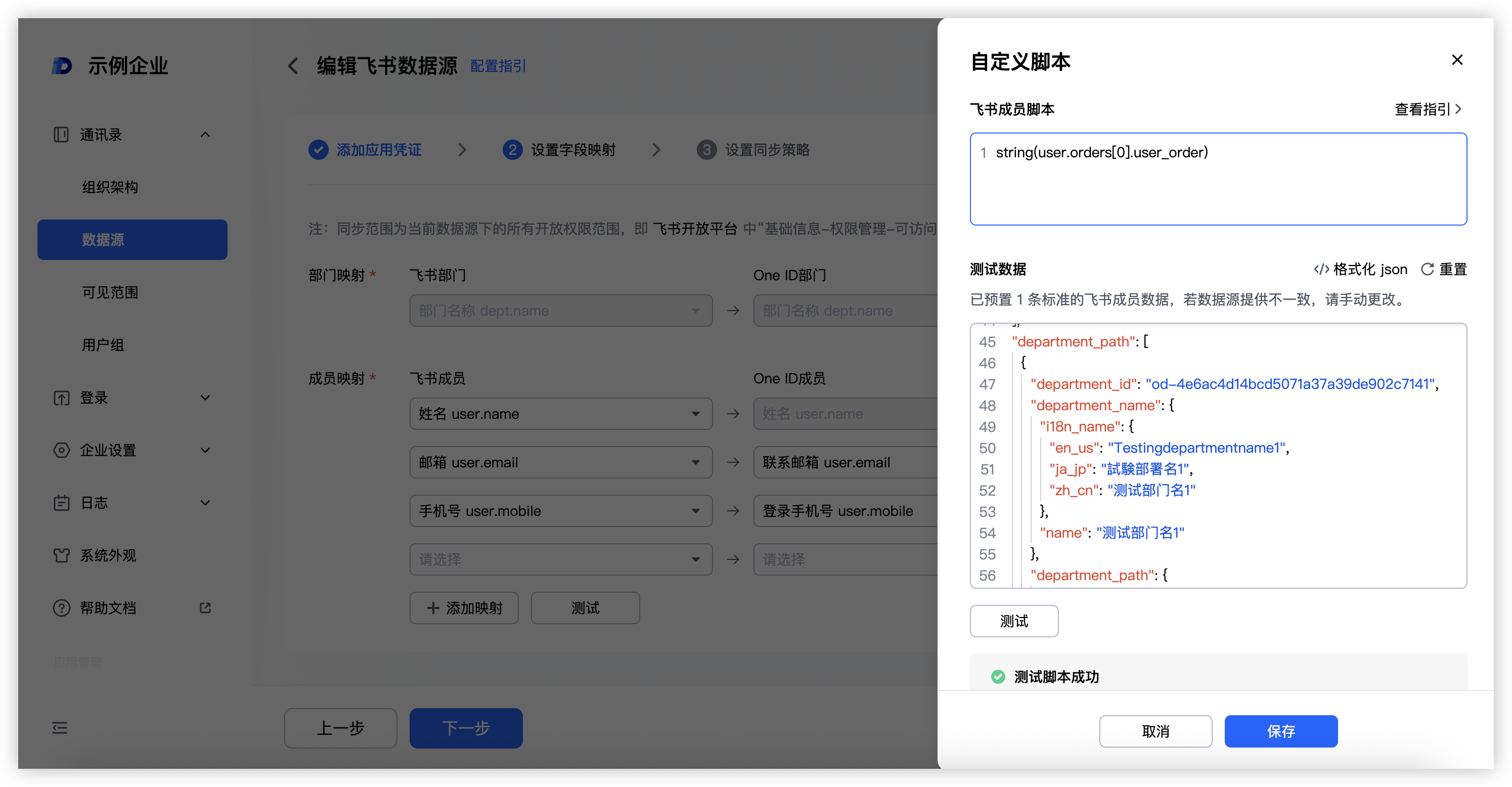
常见问题
1.
user.前缀:认证源和数据源中对用户属性的引用必须以 user. 前缀开头, 比如 user.name + "@example.com"2. 不存在的 key 报错:比如
user.invalid + "_ok", 若引用的字段 invalid 不存在, 则脚本语法报错, 可使用 val(user.invalid, "default") + "_ok"代替文档反馈