Use scheduled SQL to resolve timeout issues in search and analysis
Unduh
Mode fokus
Ukuran font
Terakhir diperbarui: 2026-04-22 18:57:29
Diterjemahkan oleh AI
Background
Solution for Query Timeout During Log Search and Analysis:
1. If a query involves an overly long time range, resulting in excessively large data volumes for a single query, we recommend using scheduled SQL analysis. This approach breaks down the query into multiple smaller time-range queries and then aggregates the results.
2. If your query results are all of numeric type, you can also use scheduled SQL analysis to convert logs to metrics, and then use PromQL to calculate and analyze the metrics. Its query performance is higher than that of logs, which can effectively solve the problem of log query timeout.
This article details the procedure of splitting queries into multiple small-scope queries and then aggregating the results.
Operation Steps
Approach: Query time range splitting
By using scheduled SQL, a long time-range query in log topic A can be split into multiple short time-range queries: For example, a query for 1 day of data can be divided into twelve 2-hour queries. The query results are saved to a new log topic B, where you can view the results or perform further search and analysis operations. This solution has proven effective in production environments for resolving search and analysis timeout issues.
Case:
1. Assume that in the source log topic: cls_service_log, the user queries data within the range 2023-12-13 12:00:00 - 2023-12-13 12:15:00 and encounters a query timeout. The statement is as follows:
The configuration for scheduled SQL analysis is as follows:
Source Log Topic: Configured as the log topic requiring query splitting, which is cls_service_log in this example.
Write Target: Select a log topic, which is sql_result in this example.
Scheduling Range: 2023-12-13 12:05:00 - 2023-12-13 12:15:00 (The actual query covers data from 12:00:00 - 12:15:00. You can view the SQL time window in Scheduling Details, where the SQL time window defines the query scope.).
In the example, the statement used for scheduled SQL analysis is the same as that for search and analysis. However, in certain business scenarios, such as calculations involving Distinct, Avg, TOP N, you need to adjust the SQL statement based on business requirements.
In the Scheduling Details of scheduled SQL analysis, you can observe that the original 15-minute query range has been split into three 5-minute query ranges, as shown in the figure below. The combined SQL time window of these three queries exactly matches the original time range of 12:00-12:15.
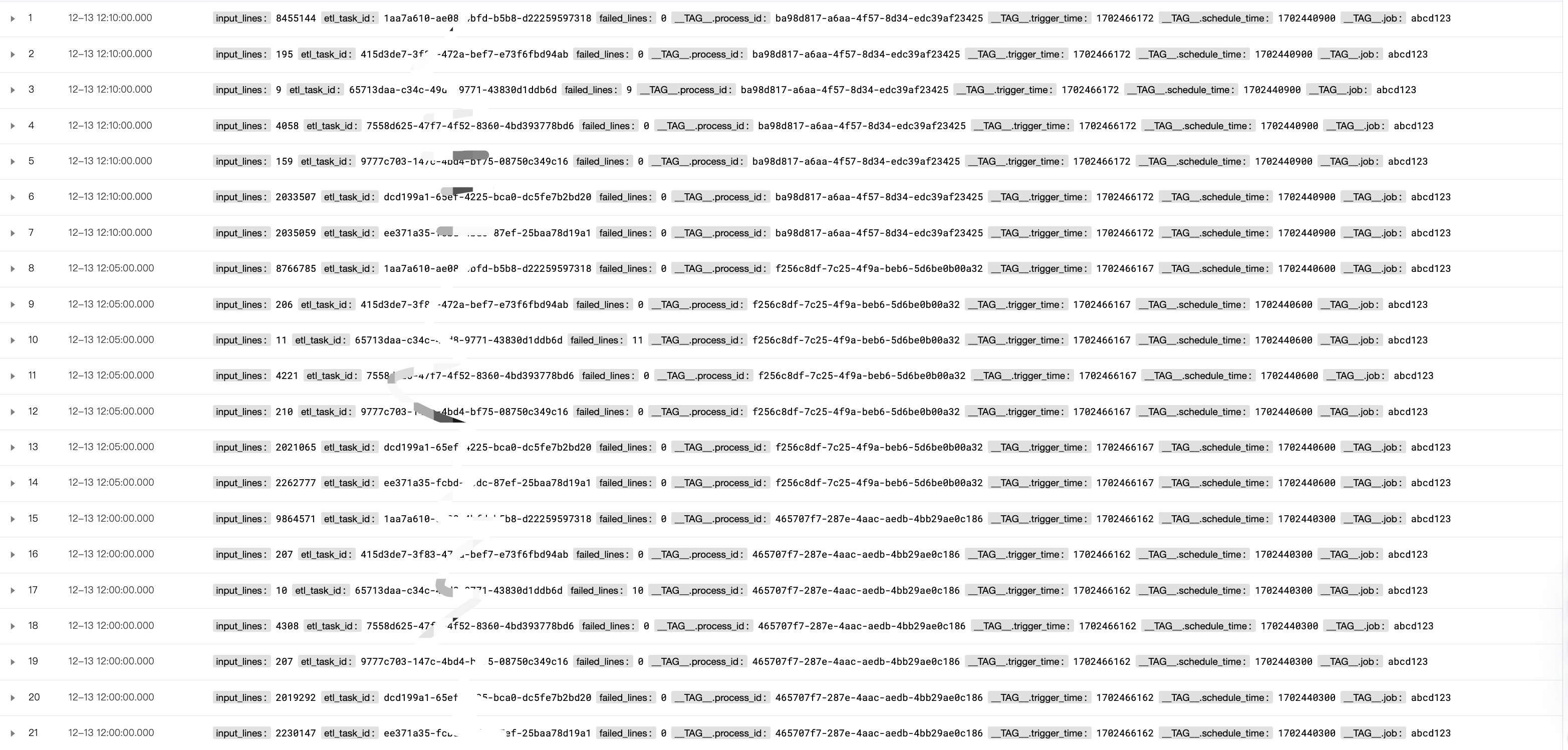
3. Open the target topic sql_result to view the data:
You can see the data processed by scheduled SQL analysis as follows. Since input_lines and failed_lines are processed in scheduled SQL, they are written after being split into three batches (each calculating the sum for 5 minutes). Therefore, we need to perform another sum on the result data to obtain the sum values of input_lines and failed_lines for the original 15-minute period in the business scenario.
4. Search in the target log topic
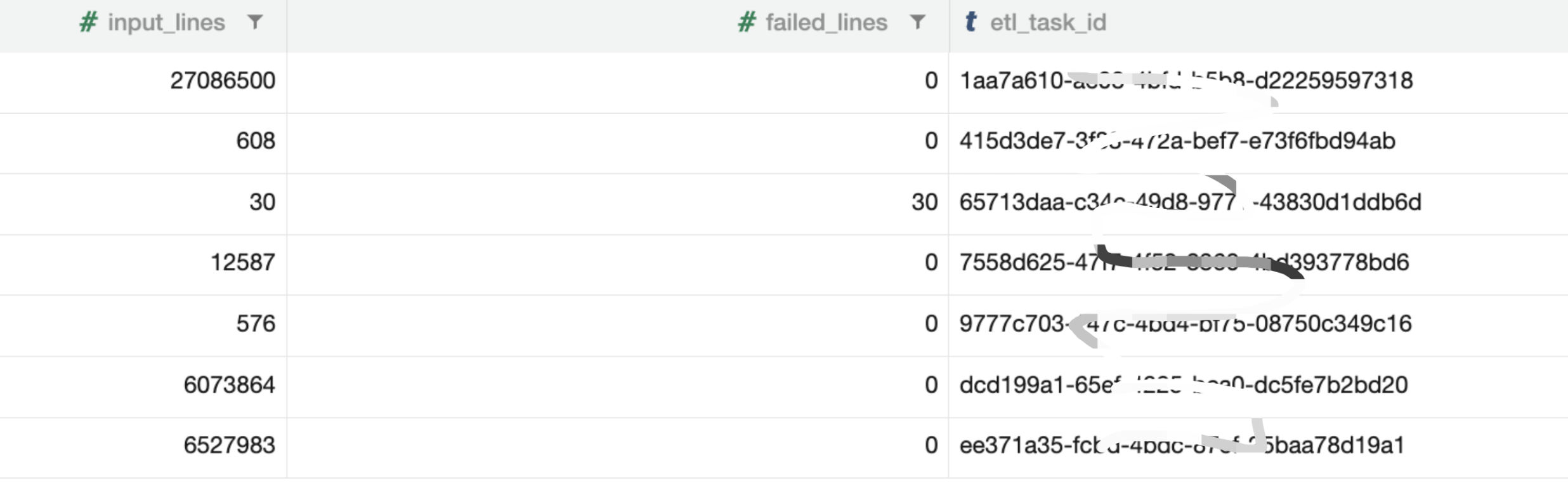
Execute the SQL statement in the target log topic sql_result:
The result obtained is as shown in the figure below, and consistent with the result of direct search and analysis in the source log topic: cls_service_log (when there is no timeout).
Conclusions
When your query times out, you can use scheduled SQL to precompute (split query ranges) the source log data, then perform searches in the target log topic, or configure dashboards and alarms. This effectively enhances computational and analytical capabilities for log data.