Host Live Streaming (Flutter Mobile)
Unduh
Mode fokus
Ukuran font
TUILiveKit host streaming is powered by PusherView, a ready-to-use, fully featured interface designed for live streaming applications. It supports pre-stream preview, live video broadcasting, real-time audience interaction, and post-stream settlement, enabling rapid integration into your app.Feature Overview
Pre-Stream Preview: Provides camera preview, live stream title and cover setup, beauty and audio effect adjustments, and a countdown before going live.
Live Video Streaming: Manages live room creation and streaming internally. During the broadcast, you can monitor stream duration, online audience count, network status, and device performance.
Live Interaction and Management: Enables live comments, gifts, audience co-hosting, and offers online user lists and live room management tools.
Host Preview Before Going Live | Host Live Streaming | Host and Audience Co-hosting |
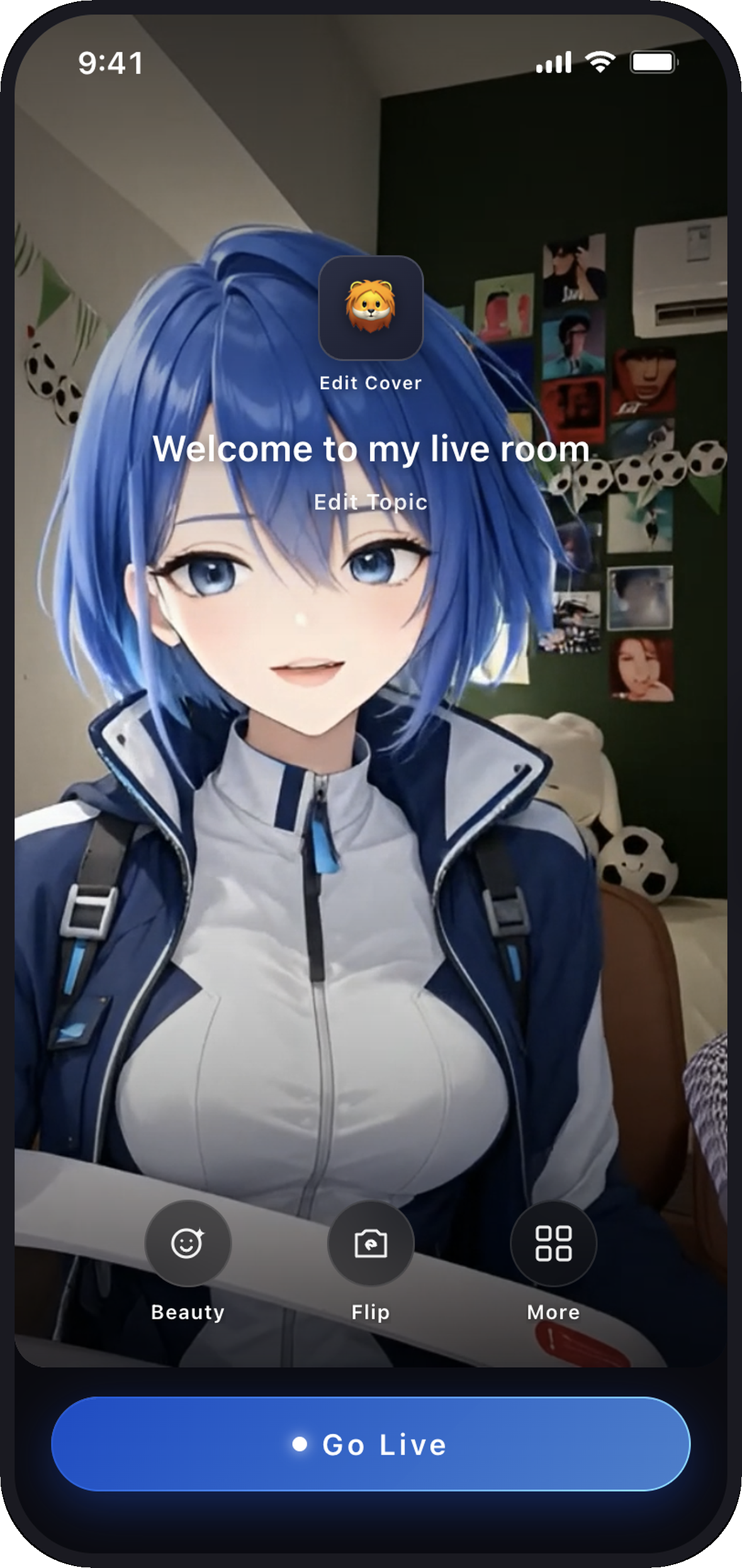 | 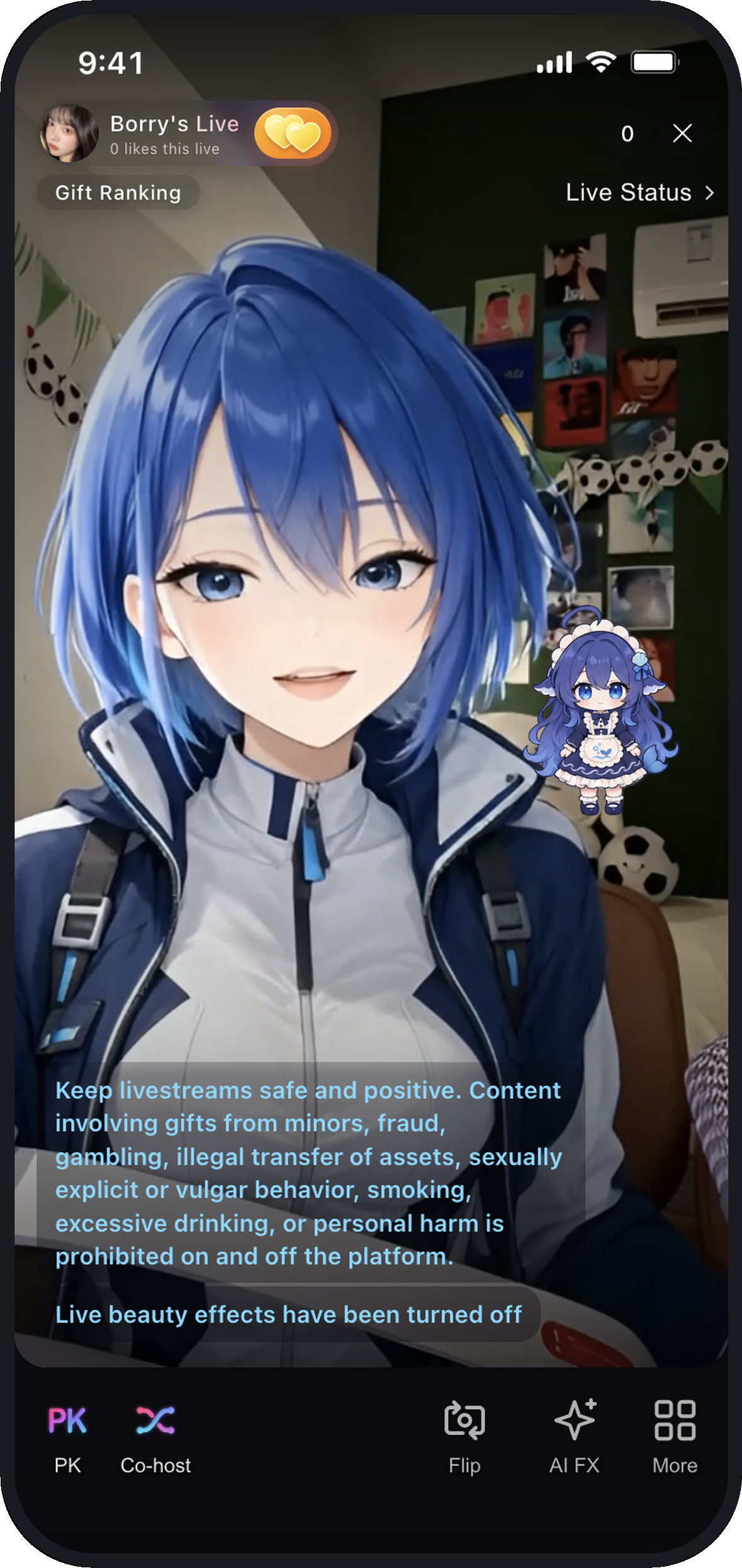 | 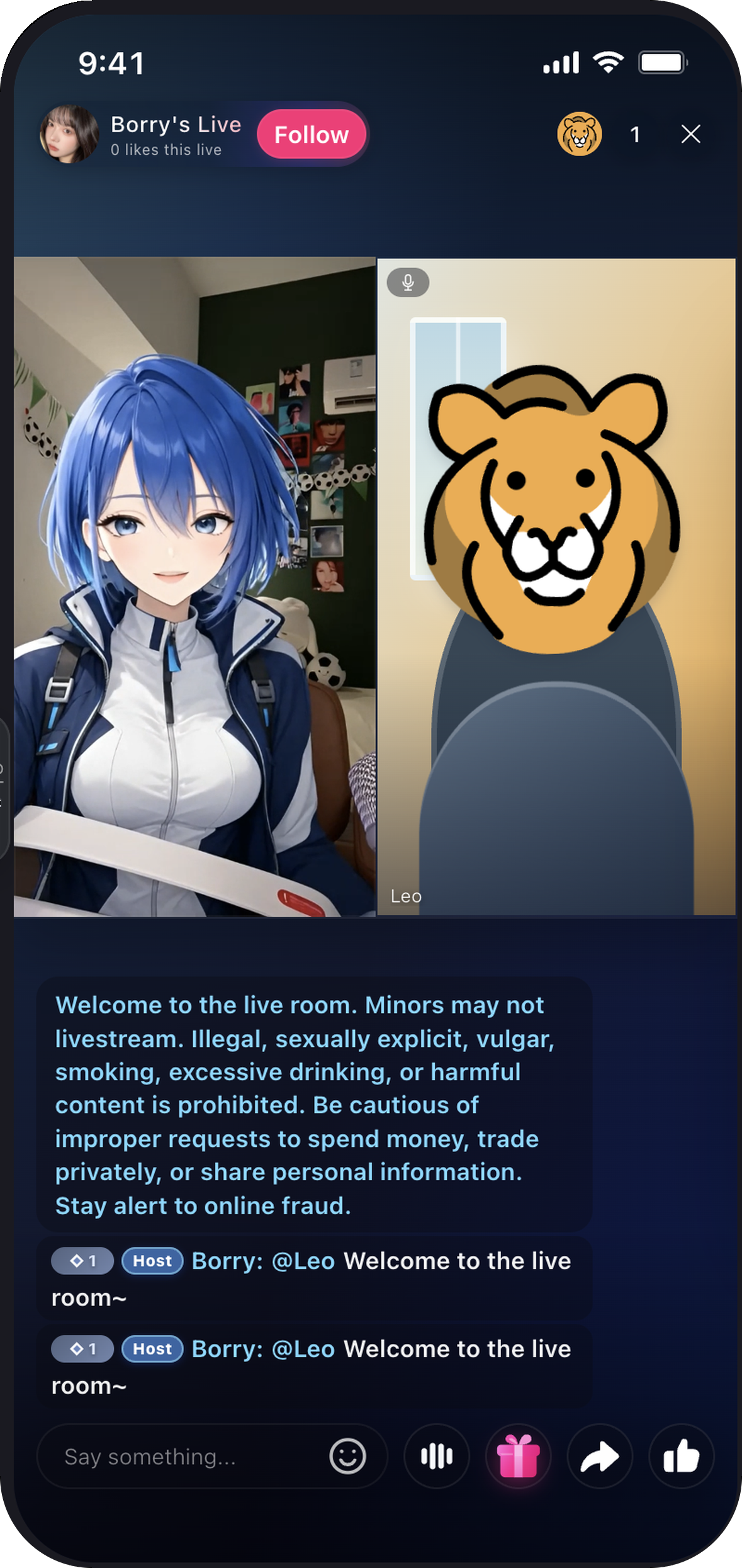 |
Quick Integration
Step 1. Activate the Service
Refer to the Activate the Service document to enable the trial version or activate the Pro Edition package.
Step 2. Install the TUILiveKit
Note:
Before creating
PusherView, please make sure you have logged in; otherwise, the live broadcast will fail.Host the App in the Info. The statement
NSCameraUsageDescription, NSMicrophoneUsageDescription plist and statement audio background mode (UIBackgroundModes - > audio, That is, Target → Signing & Capabilities → Background Modes → Audio, AirPlay, and Picture in Picture. The component will apply for camera and microphone permissions at runtime.Step 3. Add PusherView to Host Streaming Page
Add PusherView to your host streaming page:
import 'package:flutter/material.dart';import 'package:tencent_live_uikit/tencent_live_uikit.dart';class PusherPage extends StatelessWidget {const PusherPage({super.key, required this.liveID});final String liveID;@overrideWidget build(BuildContext context) {return Scaffold(backgroundColor: Colors.black,// 1. The comment input bar and bottom safe area are handled by the component; do not compress the body in the host pageresizeToAvoidBottomInset: false,body: PusherView(// 2. Pass the live room ID (required)liveID: liveID,// 3. Set the exit callback: triggered when closing the preview or exiting the settlement pageonExit: () {final NavigatorState navigator = Navigator.of(context);if (navigator.canPop()) {navigator.pop();}},),);}}
Note:
liveID must be non-null and no longer than 48 bytes (UTF-8 encoded). You can generate it from your backend or use custom rules (the demo uses live_$userID).Streaming starts automatically when the user taps Start Live via AtomicPusher.startPush. After ending the stream, the settlement page appears first, and onExit is triggered only when the user clicks exit.
The system back button is managed by the component's PopScope, which only releases the session and does not trigger onExit. If you need unified navigation logic, handle it in both onExit and your routing layer.
The component stops preview when sent to the background and resumes when brought to the foreground. You do not need to manually manage the capture lifecycle.
Step 4: Navigate to the Host Streaming Page
import 'package:flutter/material.dart';import 'pusher_page.dart';void enterPusherPage(BuildContext context, String liveID) {Navigator.of(context).push(MaterialPageRoute<void>(builder: (_) => PusherPage(liveID: liveID),fullscreenDialog: true,),);}
API Reference
PusherView
PusherView is a StatefulWidget and the only public component for the host streaming page.
Property | Description |
liveID (required) | Live room ID. Must be non-null and not exceed 48 bytes (UTF-8 encoded). Used to create the co-hosting store and video views. |
onExit | VoidCallback? Triggered when the user closes the pre-stream preview or exits the settlement page. The component releases the session first. |
Streaming Workflow and States
The component transitions through three stages internally. The host does not need to call start or end streaming methods directly:
Stage | Description |
Pre-stream Preview | Camera preview, stream title and cover setup, beauty filter and audio effect tuning. Tap start streaming to begin countdown. |
Live Streaming | The component calls AtomicPusher.startPush to start streaming, and displays live comments, gifts, co-hosting, online audience, and other interactive UIs. |
Post-stream Settlement | After ending the stream, shows session statistics. When the user clicks exit, triggers onExit. |
Note:
PusherView does not expose public APIs such as controller, startLive, endLive, or createRoom, nor does it provide external state enums. Streaming and ending are fully managed internally by the component.
Next Steps
Congratulations! You have successfully integrated the Host Live Streaming component. Next, you can implement features such as audience viewing and live stream list. Please refer to the table below:
Feature | Description | Integration Guide |
Audience Viewing | Audience can watch live streaming after entering the anchor's live streaming room, with features like audience mic connection, live room information, online audience, and bullet screen display. | |
Live Stream List | Display the live stream list interface and features, including the live stream list and room information display. |
FAQs
No Video After Going Live?
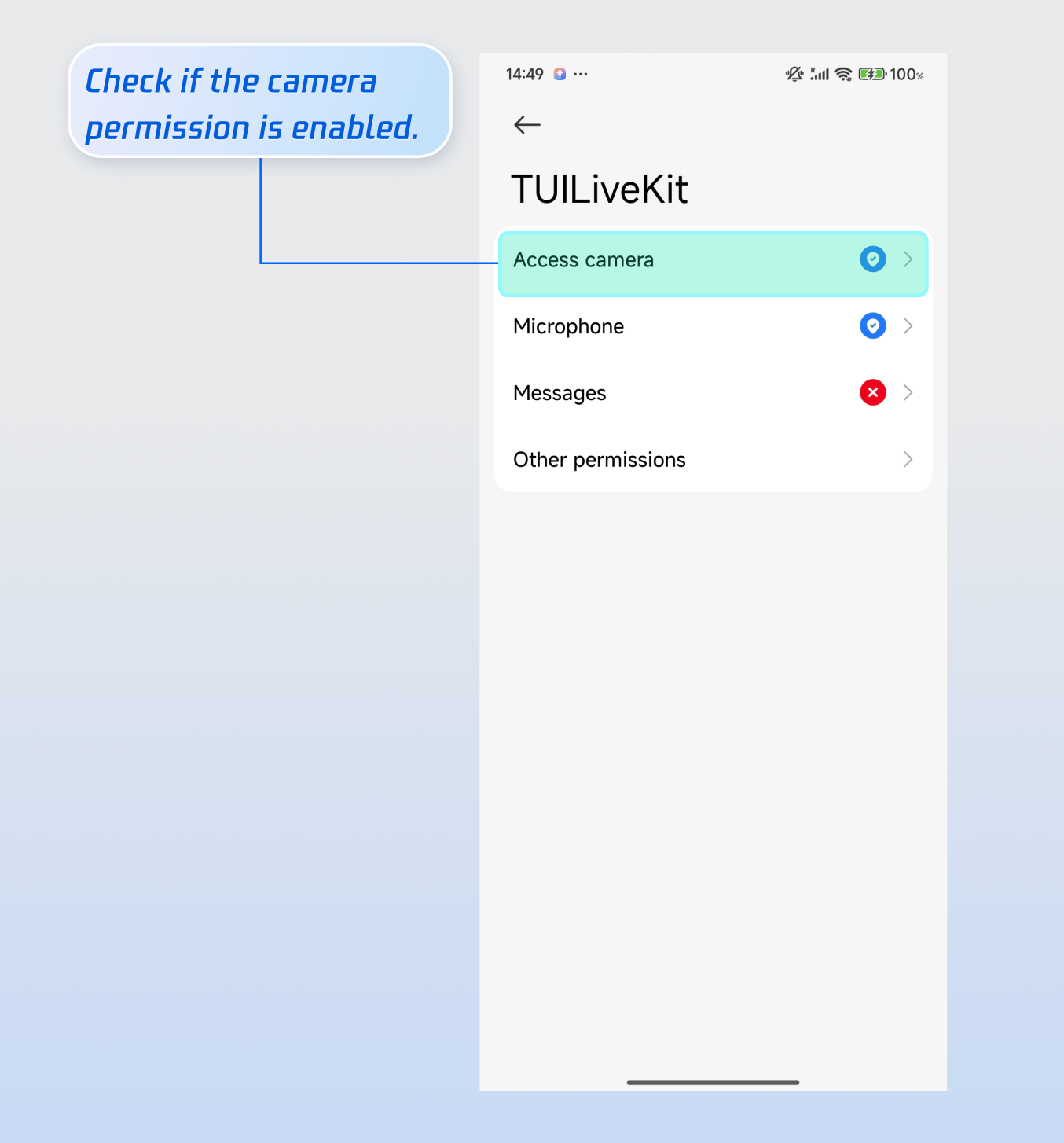
Go to Settings > App > Camera and make sure camera permissions are enabled. See the examples below:
iOS | Android |
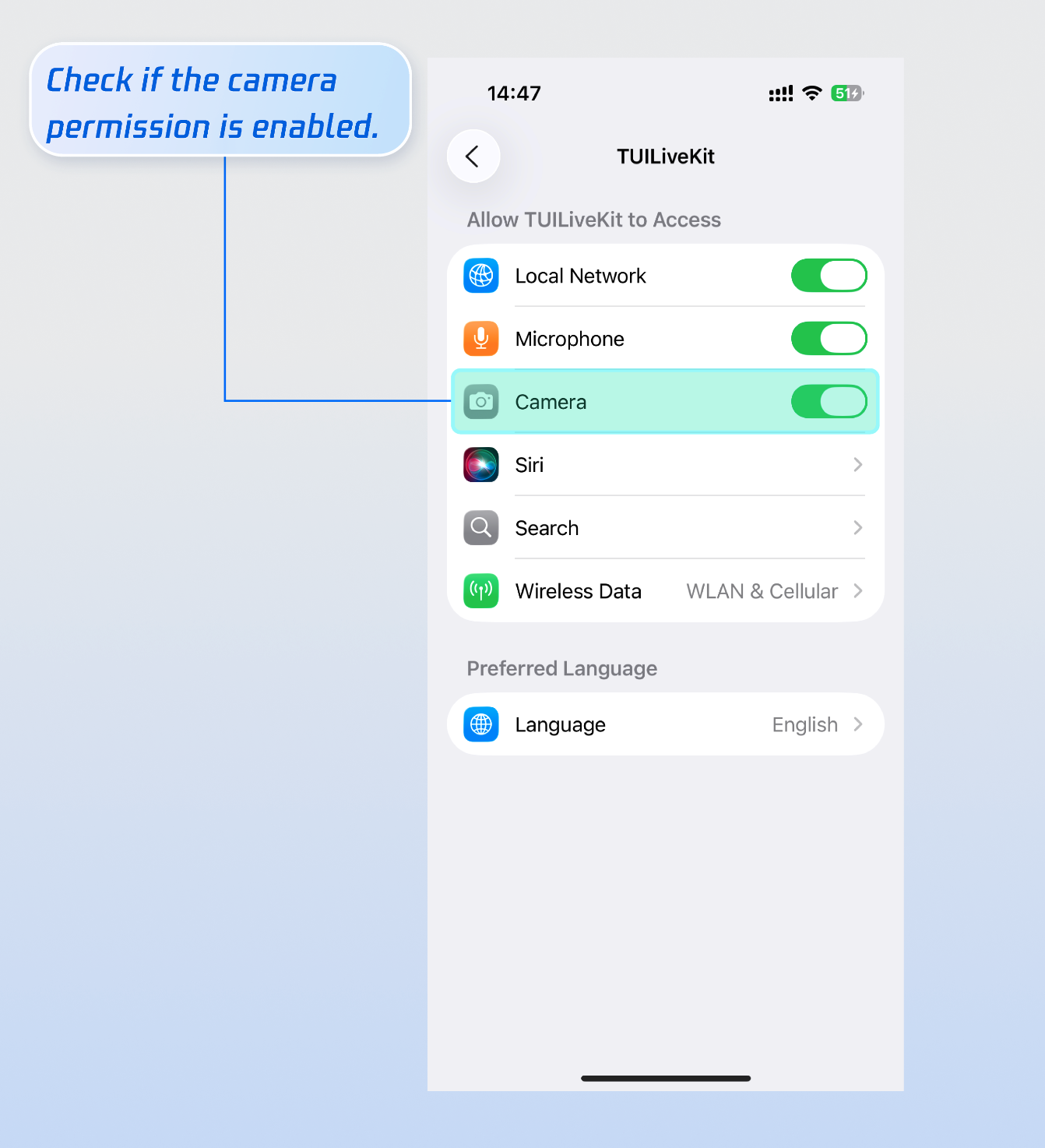 |  |
"Not Logged In" Prompt When Starting Live Streaming?
Bantuan dan Dukungan
Apakah halaman ini membantu?
Anda juga dapat Menghubungi Penjualan atau Mengirimkan Tiket untuk meminta bantuan.
masukan