Live Stream List (Flutter Mobile)
Unduh
Mode fokus
Ukuran font
TUILiveKit’s Live Stream List feature is powered by LiveListView, which displays multiple live rooms in a vertically paginated feed. Audiences can easily swipe up or down to switch between rooms, making integration straightforward for your application.
Feature Overview
Live Room Feed: Shows multiple live rooms in a vertically paginated container. Each page provides a complete viewing interface.
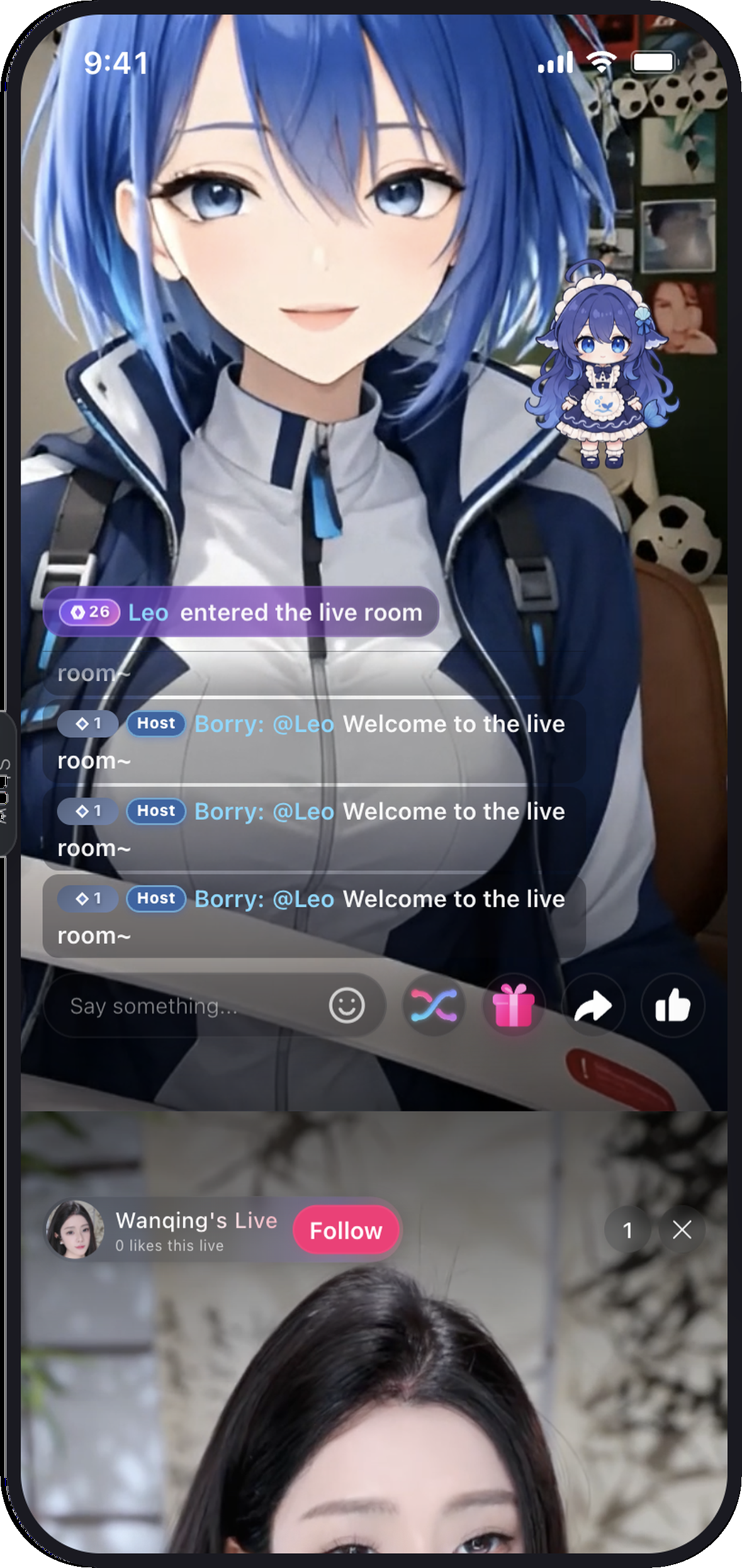
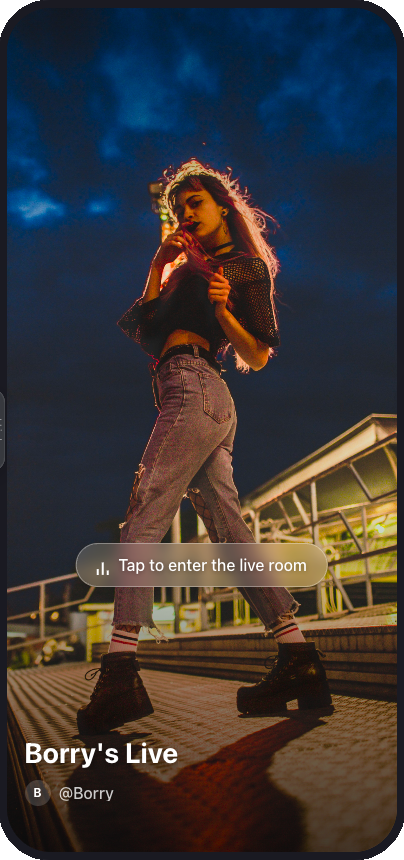
Swipe Up/Down to Switch: Audiences can swipe up or down to move to the previous or next live room. Playback and Enter Room states are automatically handled by the component.
First Screen Pinning: The liveID provided during initialization is pinned to the top of the list. When entering from a shared link or push notification, the target live room appears on the first screen.
Paginated Loading: Before reaching the end of the list, onLoadMore is triggered automatically. Connect to LiveListStore or your backend service to append the next page of data.
Live Room Switching | Live Viewing |
 |
 |
Component Description
LiveListView is a vertically paginated live room feed container, implemented with ViewPager2 and FragmentStateAdapter. Each page is managed by a PlayerView, so playback features for a single live room—including stream pulling, Enter Room, audience co-hosting, live comments, gifts, and likes—are fully consistent with the Audience Viewing documentation.
Note:
LiveListView uses ViewPager2 and FragmentStateAdapter internally. The Activity hosting LiveListView must inherit from FragmentActivity (recommended: AppCompatActivity). Otherwise, a type cast exception will occur during construction.
Quick Integration
Step 1. Activate the Service
Refer to the Activate Service document to get the
TUILiveKit trial version or activate the paid version.Step 2. Integrate the SDK
Step 3. Integrate LiveListView for Swiping Between Live Rooms
Add LiveListView to your live stream list viewing page, and inject the live room list data using LiveListViewController:
import 'package:atomic_x_core/atomicxcore.dart';import 'package:flutter/material.dart';import 'package:tencent_live_uikit/tencent_live_uikit.dart';class AudienceLiveListPage extends StatefulWidget {const AudienceLiveListPage({super.key, this.liveID = ''});final String liveID;@overrideState<AudienceLiveListPage> createState() => _AudienceLiveListPageState();}class _AudienceLiveListPageState extends State<AudienceLiveListPage> {static const int pageSize = 6;final LiveListViewController liveListController = LiveListViewController();final LiveListStore liveListStore = LiveListStore.shared;bool isLoading = false;int lastAppliedCount = 0;@overridevoid initState() {super.initState();// 1. Fetch the initial live room listrefresh();}Future<void> refresh() async {if (isLoading) return;isLoading = true;final CompletionHandler handler =await liveListStore.fetchLiveList(cursor: '', count: pageSize);isLoading = false;if (!handler.isSuccess) {debugPrint('fetchLiveList failed: ${handler.errorCode}');return;}// 2. Set the list data in fullfinal List<LiveInfo> list = liveListStore.liveState.liveList.value;lastAppliedCount = list.length;liveListController.setData(list);}Future<void> loadMore() async {if (isLoading) return;final String cursor = liveListStore.liveState.liveListCursor.value;if (cursor.isEmpty) return;isLoading = true;final int oldCount = lastAppliedCount;final CompletionHandler handler =await liveListStore.fetchLiveList(cursor: cursor, count: pageSize);isLoading = false;if (!handler.isSuccess) {debugPrint('fetchLiveList failed: ${handler.errorCode}');return;}// 3. Append only the newly fetched page to the end of the listfinal List<LiveInfo> list = liveListStore.liveState.liveList.value;if (list.length > oldCount) {liveListController.appendData(list.sublist(oldCount));lastAppliedCount = list.length;}}@overrideWidget build(BuildContext context) {return Scaffold(backgroundColor: Colors.black,body: LiveListView(controller: liveListController,liveID: widget.liveID,onLoadMore: loadMore,),);}}
Step 4. Navigate to the Live Stream List Page
To navigate to the live stream list viewing page, use the following code example:
import 'package:flutter/material.dart';import 'audience_live_list_page.dart';void enterLiveListPage(BuildContext context, String liveID) {Navigator.of(context).push(MaterialPageRoute<void>(builder: (_) => AudienceLiveListPage(liveID: liveID),fullscreenDialog: true,),);}
API Reference
LiveListView and LiveListViewController
LiveListView is a StatelessWidget that acts as a vertically paginated live room feed container.
Method / Property | Description |
LiveListView({controller, liveID, initialLiveID, onLoadMore}) | Constructor. liveID is used as the first-screen live room; if initialLiveID is also provided, initialLiveID takes precedence. |
onLoadMore | Triggered when the audience swipes to within 2 live rooms from the end of the list; used to load the next page of data. |
LiveListViewController.setData(List list) | Sets the live room list data in full. If not attached, the data is cached. |
LiveListViewController.appendData(List list) | Appends live room data to the end of the list for paginated loading. |
LiveListViewController.isAttached | Indicates whether the controller is already attached to LiveListView. |
Live Room List Data
The component does not fetch the list itself. The list is provided by AtomicXCore's LiveListStore:
Capability | API |
Fetch List | LiveListStore.shared.fetchLiveList(cursor: String, count: int), returns Future |
List Data | LiveListStore.shared.liveState.liveList.value |
Pagination Cursor | LiveListStore.shared.liveState.liveListCursor.value (empty means no more data) |
Next Steps
You have successfully integrated the live stream list. Next, you can add features such as audience viewing, host broadcasting, and the gift system. See the table below:
Feature | Description | Integration Guide |
Audience Viewing | Use PlayerView to watch a single live room, including stream pulling, Enter Room, and interaction features. | |
Host Broadcasting | Complete host broadcasting workflow, including pre-broadcast preparation and post-broadcast interactions. | |
Gift System | Configure custom gift assets, integrate billing, enable PK scenarios, and more. |
FAQs
LiveListView has data set but the list is empty?
Verify that you have passed LiveListViewController to LiveListView(controller: ...) and called setData to inject data. LiveListView does not fetch the list itself. Data can also be sourced from your own backend service.
The first screen does not display the specified live room?
Ensure you have provided liveID to LiveListView (or use initialLiveID), and call setData after fetching the initial data. The component will pin the specified liveID to the top of the list.
Can the audience swipe up/down to switch live rooms while co-hosting?
No. When the audience enters coGuest status, the component automatically disables swipe switching to prevent accidental interruption of co-hosting. Swiping is re-enabled after co-hosting ends.
Bantuan dan Dukungan
Apakah halaman ini membantu?
Anda juga dapat Menghubungi Penjualan atau Mengirimkan Tiket untuk meminta bantuan.
masukan