Host Streaming (HarmonyOS)
Unduh
Mode fokus
Ukuran font
TUILiveKit host streaming is powered by PusherView, a ready-to-use, fully featured interface designed for live streaming applications. It supports pre-stream preview, live video broadcasting, real-time audience interaction, and post-stream settlement, enabling rapid integration into your app.Feature Overview
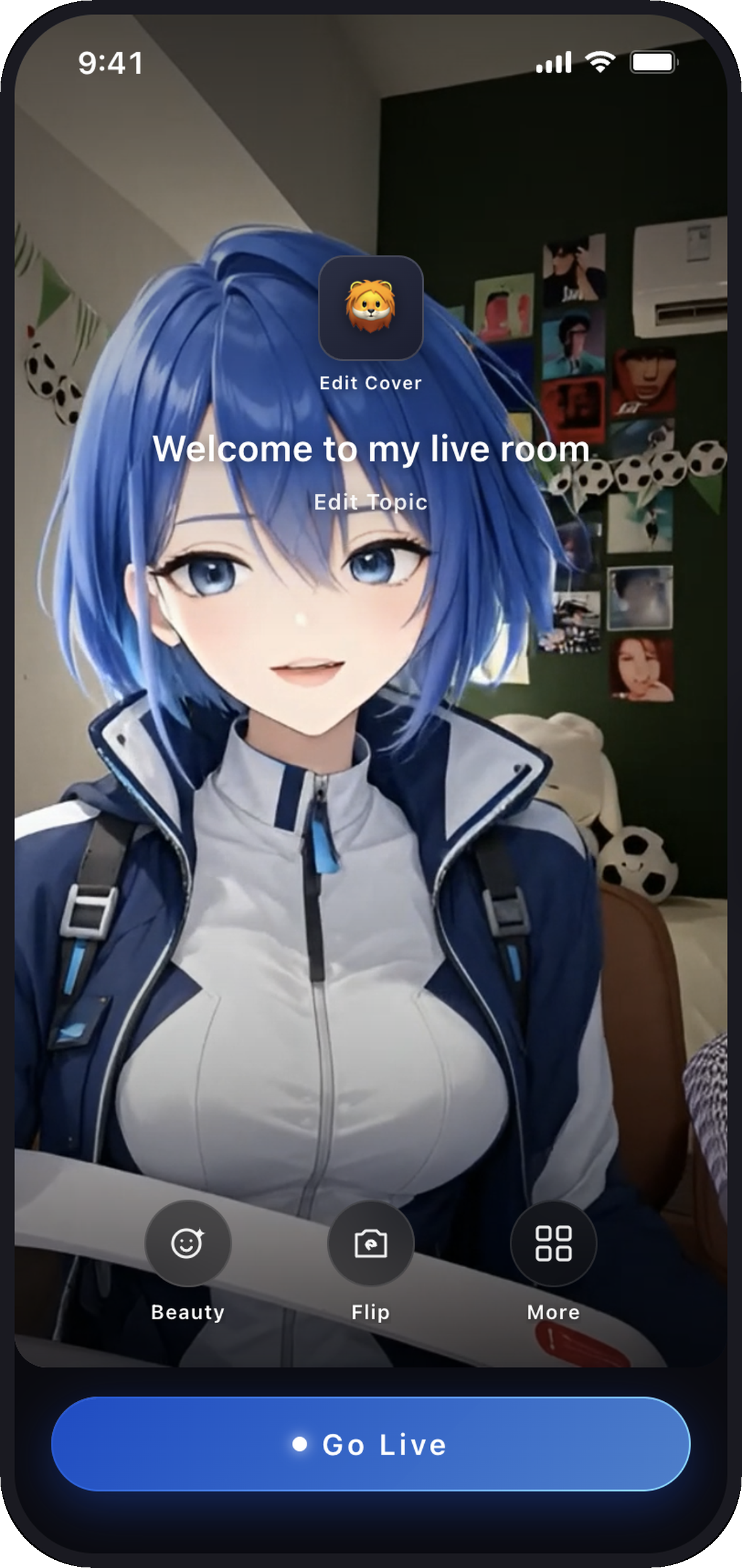
Pre-Stream Preview: Provides camera preview, live stream title and cover setup, beauty and audio effect adjustments, and a countdown before going live.
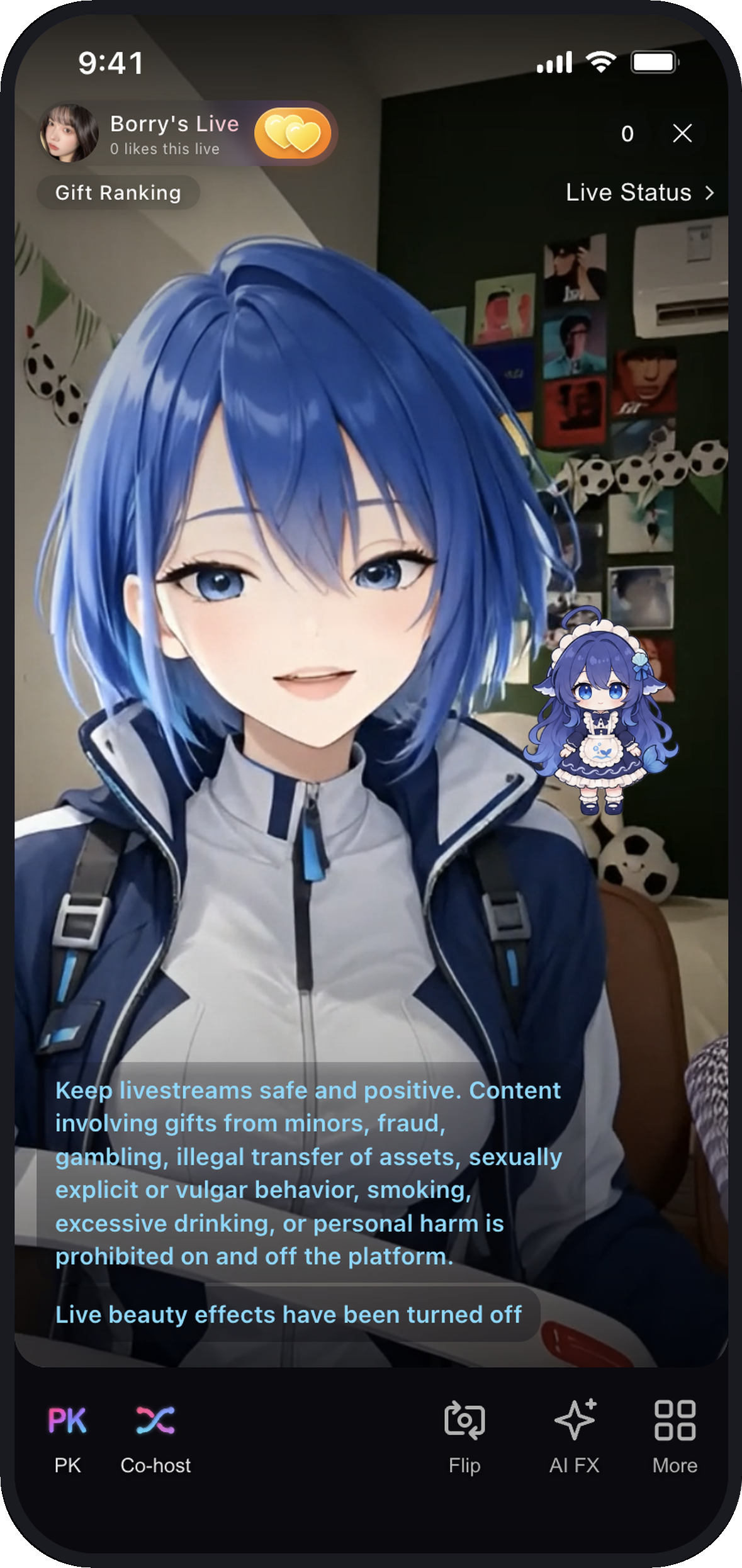
Live Video Streaming: Manages live room creation and streaming internally. During the broadcast, you can monitor stream duration, online audience count, network status, and device performance.
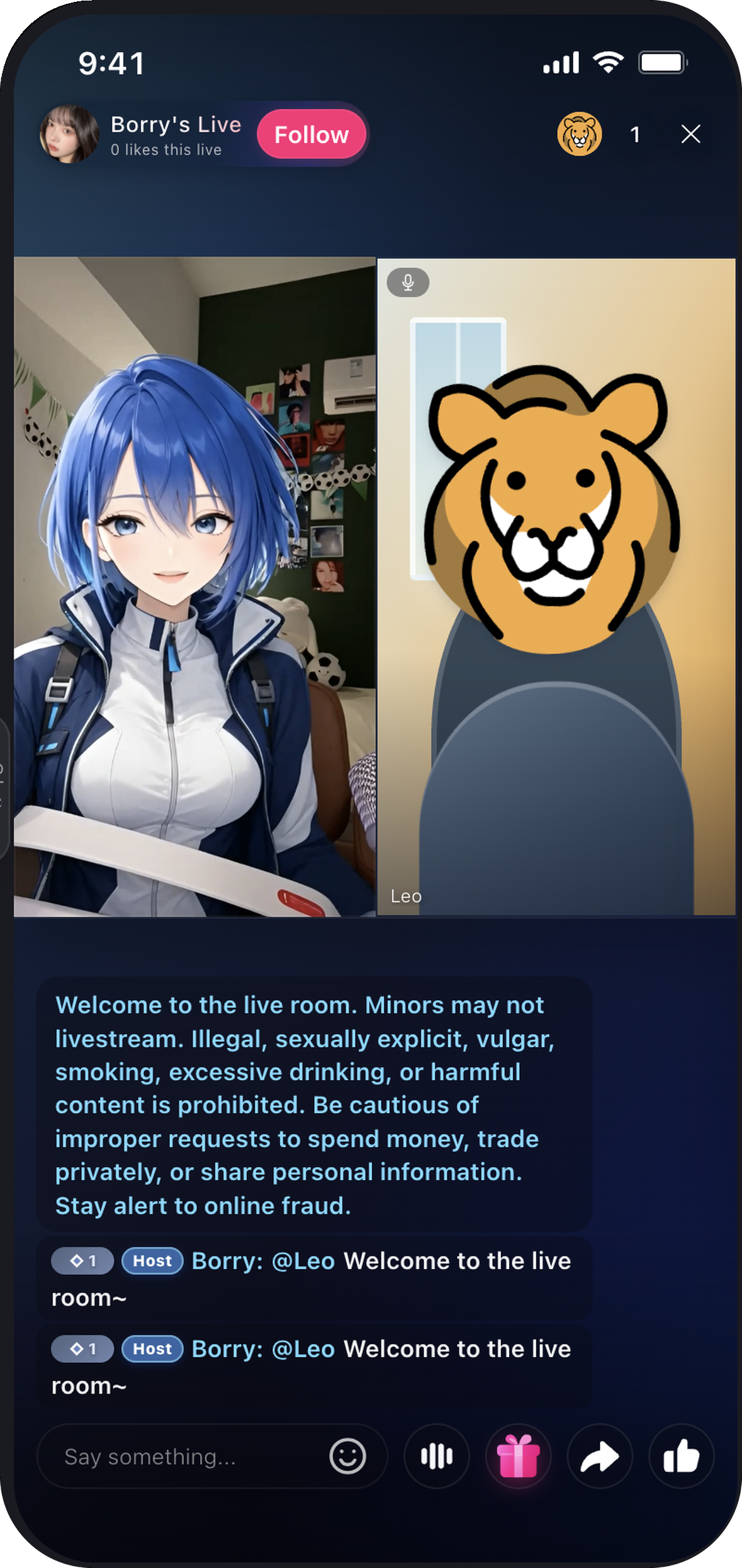
Live Interaction and Management: Enables live comments, gifts, audience co-hosting, and offers online user lists and live room management tools.
Host Preview Before Going Live | Host Live Streaming | Host and Audience Co-hosting |
 |  |  |
Quick Integration
Step 1. Activate the Service
Refer to the Activate Service document to enable the trial version or activate the Pro Edition package.
Step 2. Integrate the SDK
Step 3. Integrate PusherView for Streaming
Add PusherView to your host streaming view controller and set it as the root view:
import TUILiveKitimport UIKitfinal class PusherViewController: UIViewController {private let pusherView: PusherViewinit(liveID: String) {// 1. Create PusherView, passing in the live room ID during initializationself.pusherView = PusherView(liveID: liveID)super.init(nibName: nil, bundle: nil)}@available(*, unavailable)required init?(coder: NSCoder) {fatalError("init(coder:) has not been implemented")}override func loadView() {// 2. Set PusherView as the controller's root viewview = pusherView}override func viewDidLoad() {super.viewDidLoad()// 3. Set the exit callback: triggered when closing the preview page or exiting the settlement pagepusherView.onExit = { [weak self] inguard let self = self else { return }if let navigationController = self.navigationController,navigationController.viewControllers.count > 1 {navigationController.popViewController(animated: true)} else {self.dismiss(animated: true)}}}}
Step 4. Navigate to the Host Streaming Page
To enter the host streaming page, use the following code:
// Navigate to the host streaming pagelet pusherVC = PusherViewController(liveID: "Your Live Room ID")pusherVC.modalPresentationStyle = .fullScreenpresent(pusherVC, animated: false)
Component API Description
PusherView
PusherView inherits from UIView and is the only external component for the host streaming page.
Method / Property | Description |
init(liveID: String) | Constructor. Pass in the live room ID. init(coder:) is not available. Initialization sets up co-hosting Store, video view, and status subscriptions. |
onExit: (() -> Void)? | Exit callback. Triggered when the user closes the pre-stream preview page or exits the settlement page. The component will clean up the session first. |
Streaming Flow and States
The component transitions through three stages internally. The host does not need to, and should not, manually call start/stop streaming methods:
Stage | Description |
Pre-Stream Preview | Camera preview, title and cover setup, beauty filter and audio effect adjustments. Tap to start streaming initiates a countdown. |
Live Streaming | The component calls AtomicPusher.startPush to begin streaming and displays live comments, gifts, audience co-hosting, online audience, and other interactive UI elements. |
End-of-Stream Settlement | After streaming ends, session statistics are displayed. The exit callback is triggered when the user clicks exit. |
Next Steps
Congratulations! You have successfully integrated the host streaming feature. Next, you can add capabilities such as audience viewing, live stream list, and gift system. See the table below for more information:
Feature | Description | Integration Guide |
Audience Viewing | Allow audience to join the host's live room and watch the stream, including audience co-hosting, live room info, online audience list, and live comments display. | |
Live Stream List | Show the live stream list interface and features, including live stream list and room info display. | |
Gift System | Configure custom gift assets, integrate billing, enable PK interactions, and more. |
FAQs
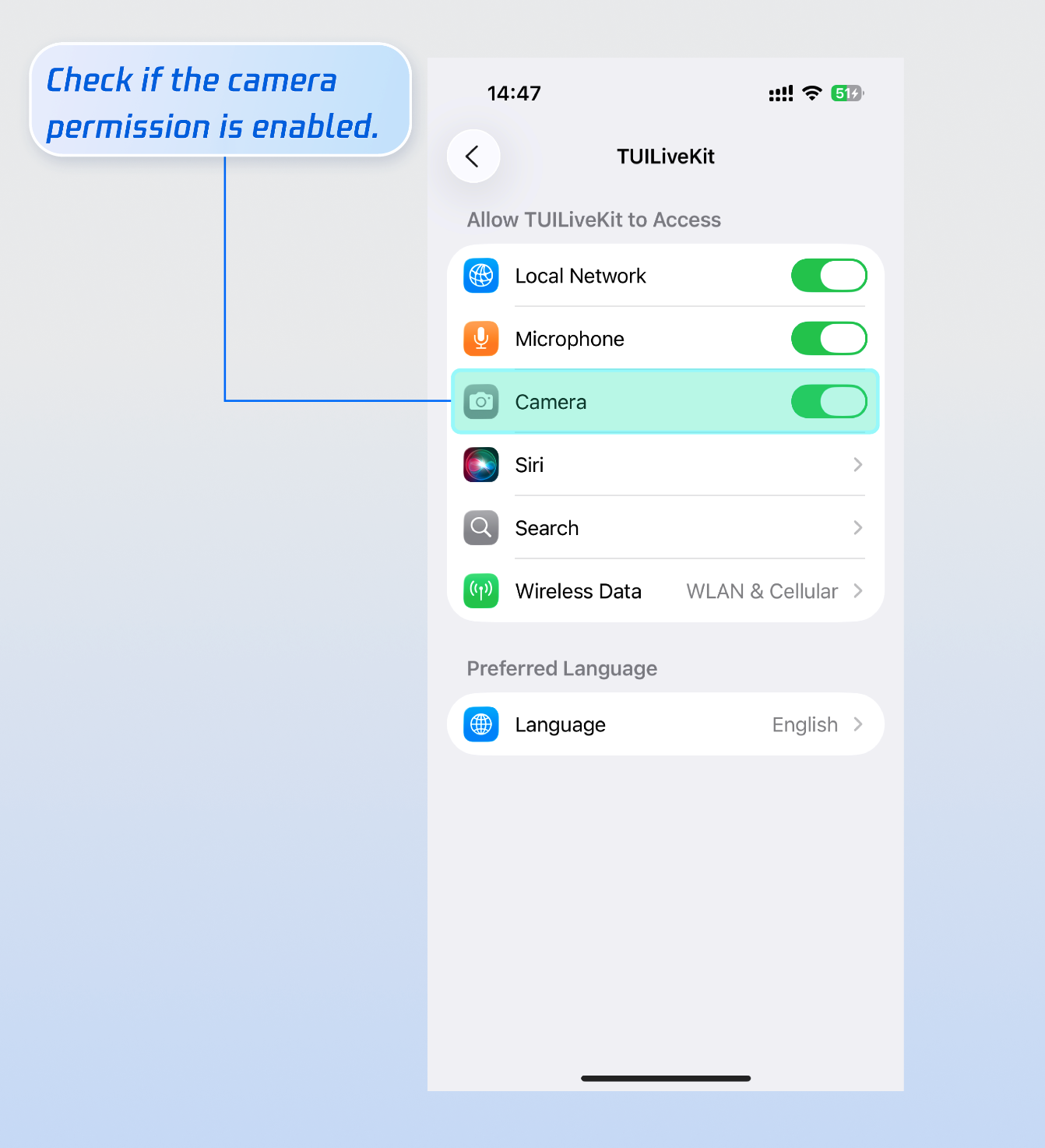
No video after starting the stream?
Open your phone's Settings > App > Camera and verify that camera permissions are enabled. See the image below:
Unable to start streaming after clicking the start button, showing "Not logged in"?
Bantuan dan Dukungan
Apakah halaman ini membantu?
Anda juga dapat Menghubungi Penjualan atau Mengirimkan Tiket untuk meminta bantuan.
masukan