Asset tags help you manage all cloud assets. CSC allows you to customize asset tagging rules to automatically tag assets based on specific conditions. Tags can be used to filter out vulnerabilities and cloud resource configuration risks, helping you quickly locate specific asset groups.
Operation Steps
1. Log in to the CSC console. In the left navigation pane, click Asset center > Cloud Assets/Servers.
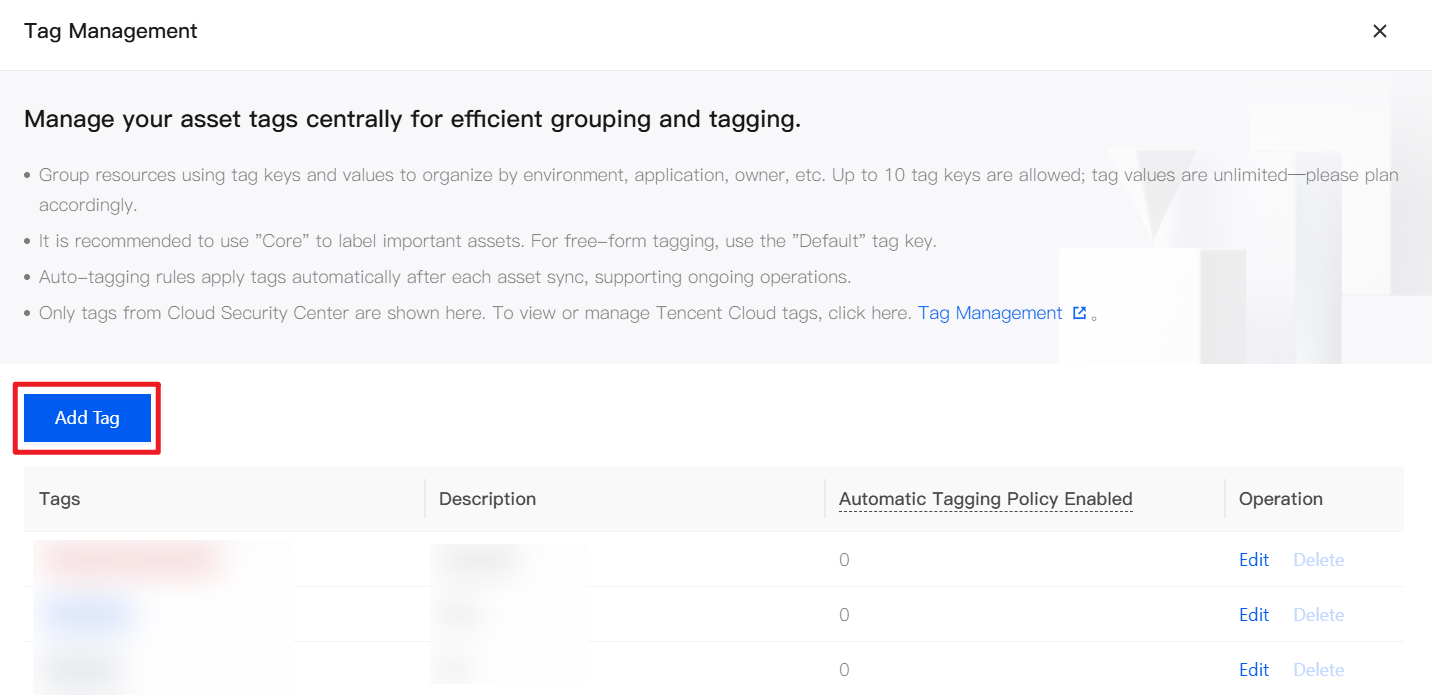
2. Click Tag Management in the upper-right corner to manage your tags in CSC.
3. CSC provides some preset tags for you to use. You can also click Add Tag to add custom tags.
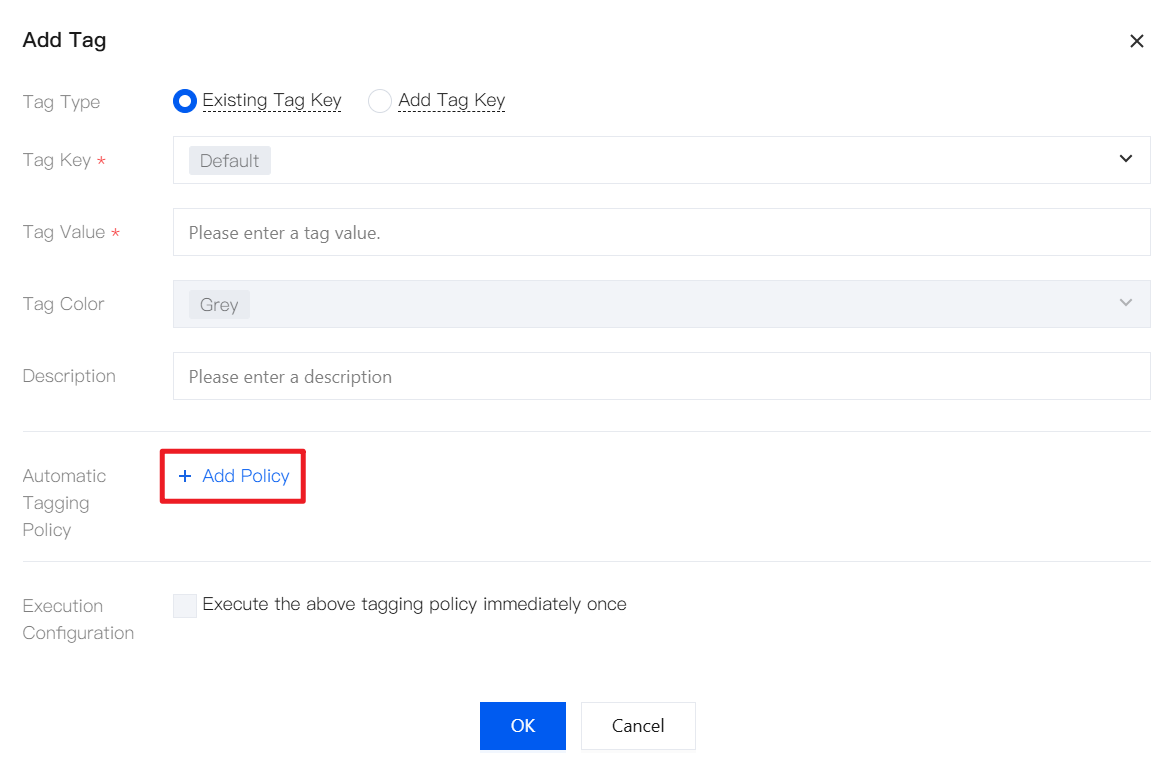
4. When adding or editing a tag, you can adjust its key, value, and color. You can also add an automatic tagging policy for the tag or immediately run the tagging policy once.
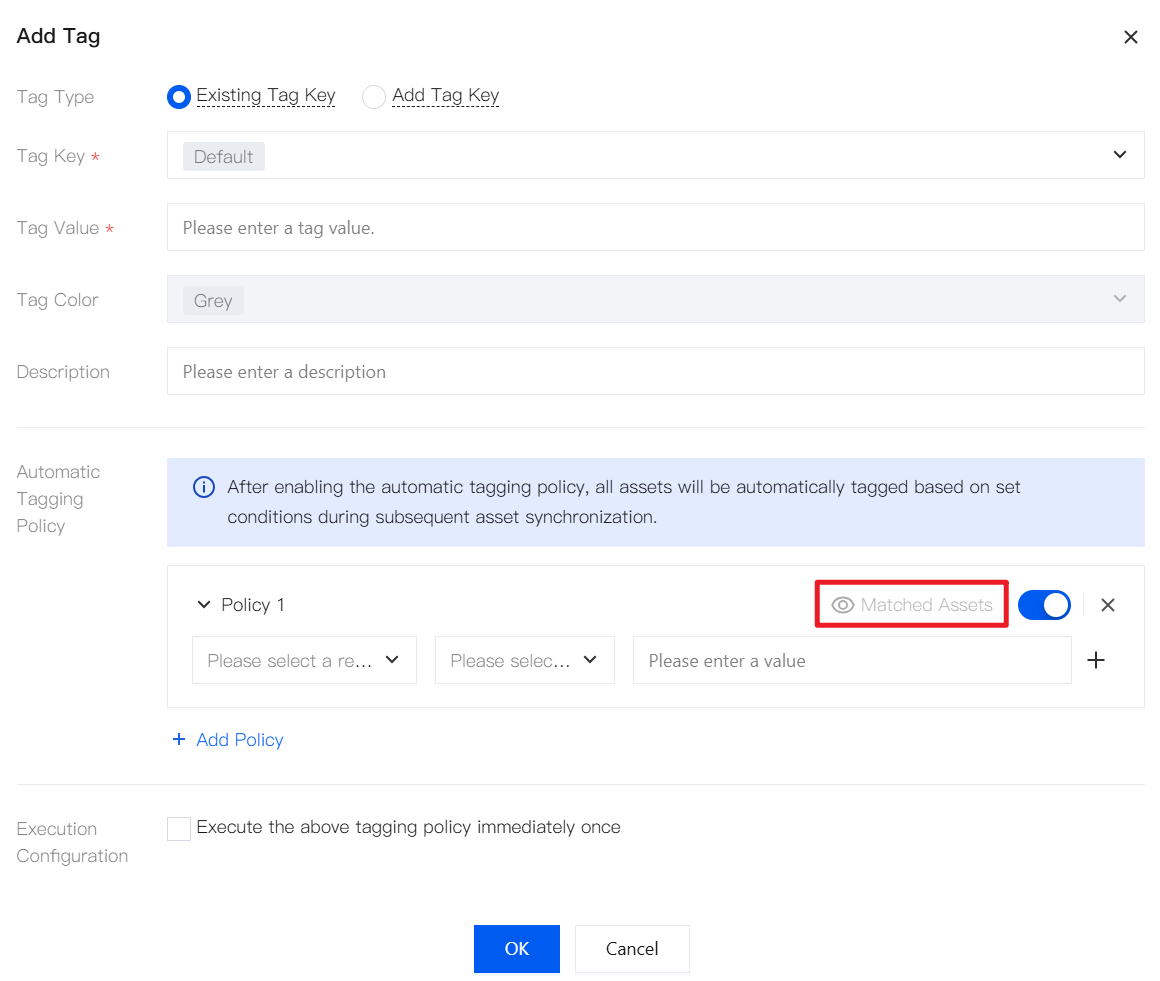
5. In an automatic tagging policy, you can select asset data such as asset type, asset name, and VPC, and multiple filter condition formats are supported. Click Matched Assets to preview the assets that meet the conditions.
6. Click OK to save. The automatic tagging policy tags assets upon each asset update, and you can also manually trigger asset updates.