Audience Viewing (Flutter Mobile)
다운로드
포커스 모드
폰트 크기
TUILiveKit Audience Watch Page delivers a seamless live streaming experience, offering rich viewing and interactive features for your audience. You can quickly integrate it into your application to support a wide range of audience engagement scenarios.
Feature Overview
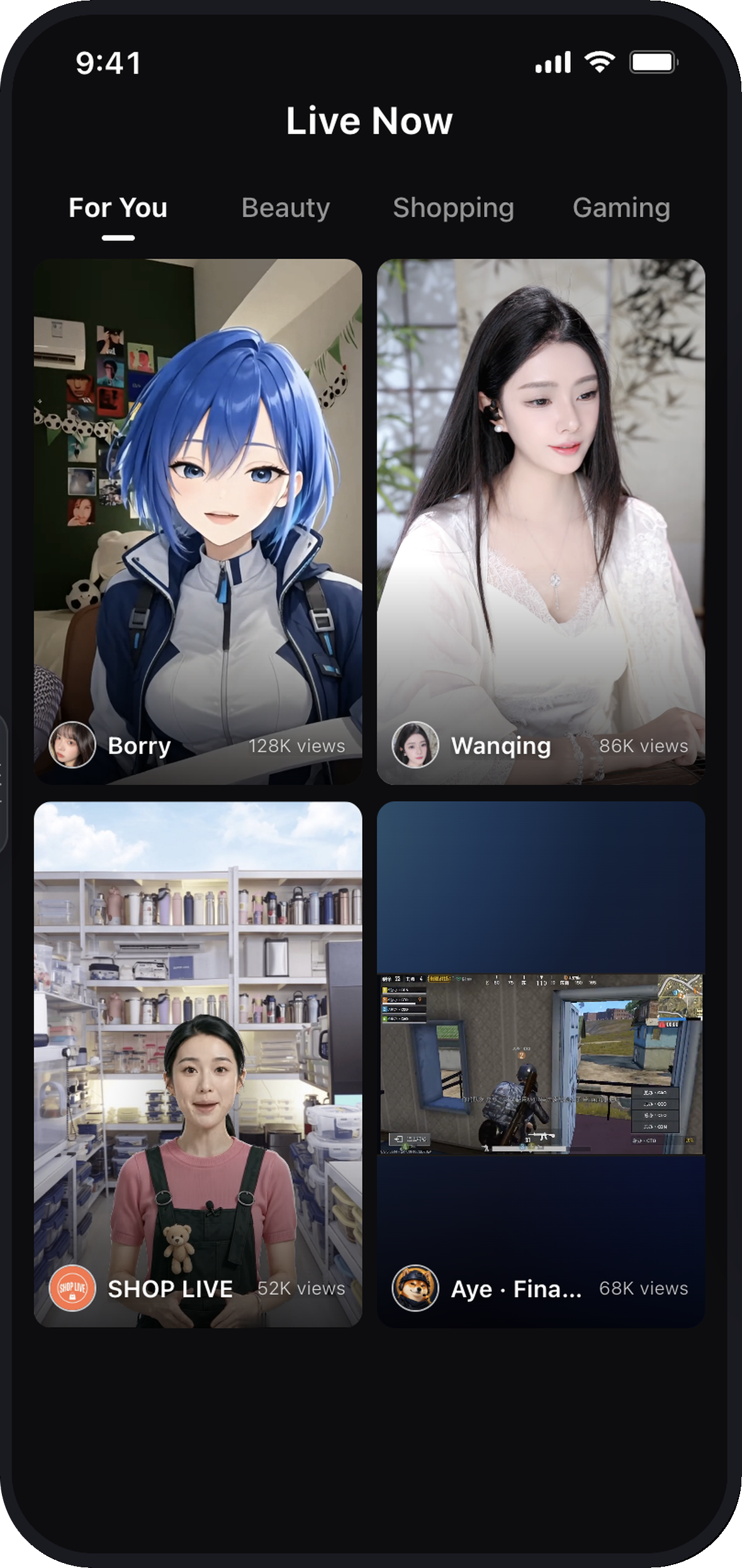
Live Preview: View the host's real-time video before joining the room. Tap Enter Room to join and start interacting.
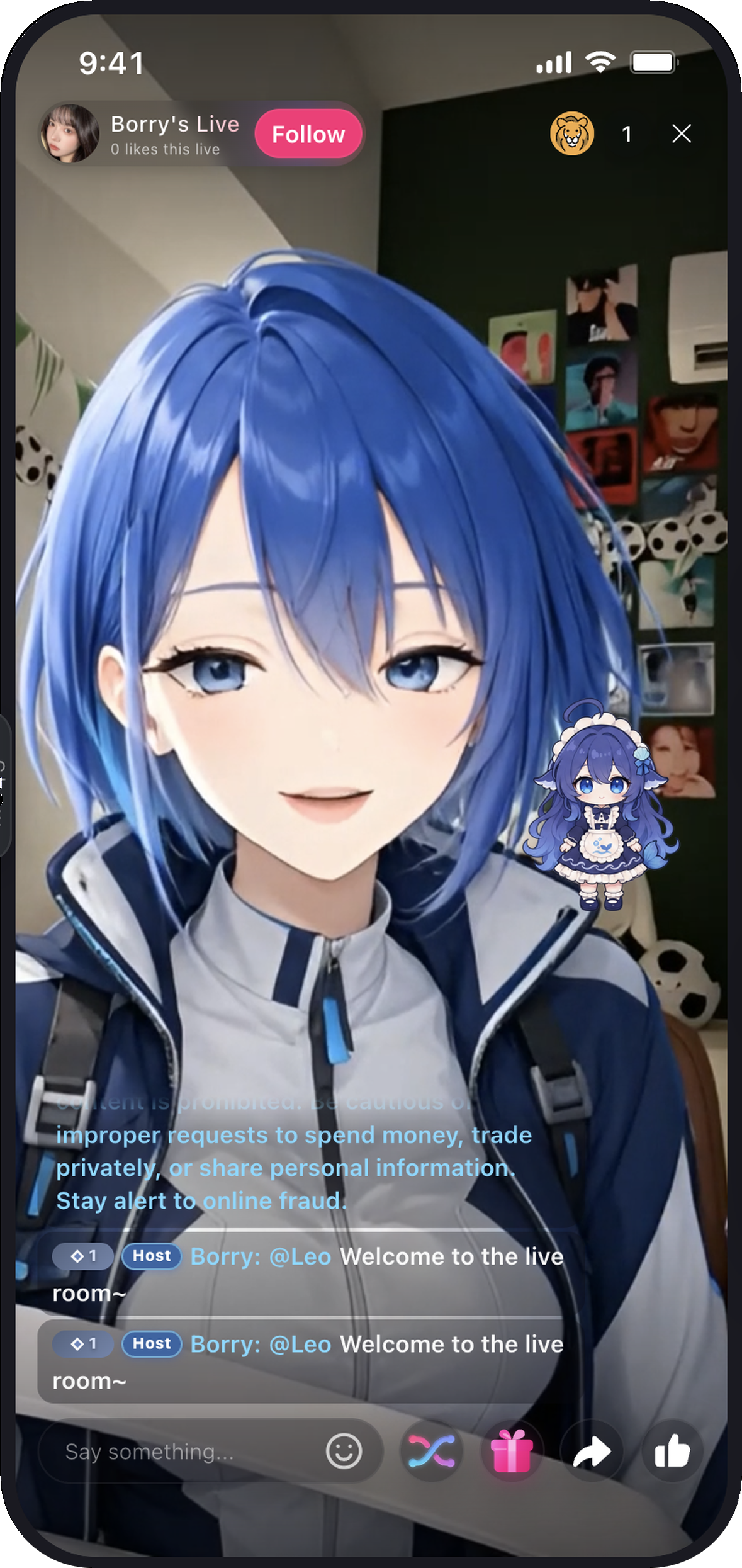
Live Watching: Watch the host's live stream in high quality. See the stream title, host details, and the number of online viewers.
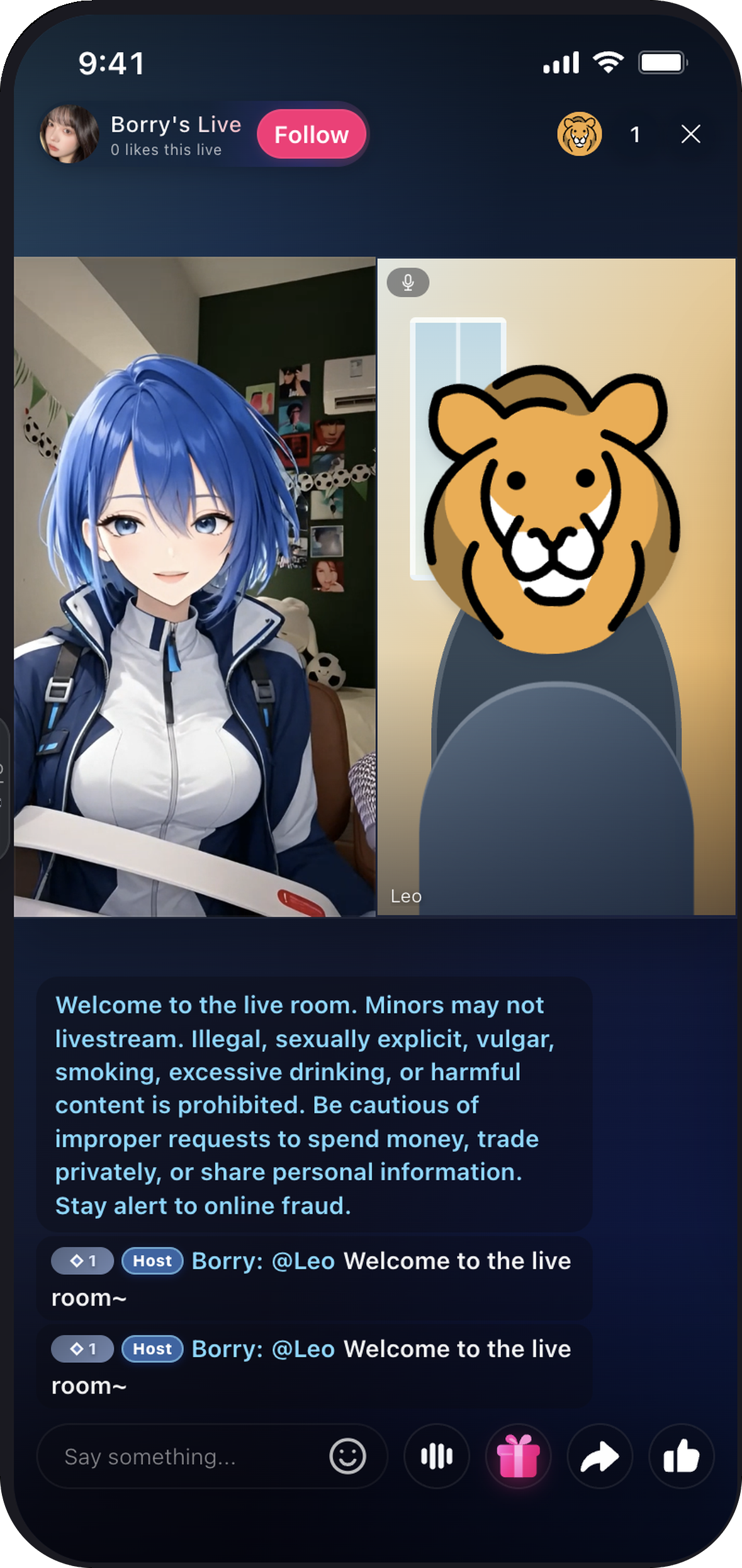
Live Interaction: Send gifts (with animation and host notifications), like (with animation and real-time stats), post live comments, and request to join the host for audio/video co-hosting.
Live Preview | Live Viewing | Live Interaction |
 |
 |  |
Component Description
PlayerView is a
StatefulWidget for displaying a single live stream room. Import it from package:tencent_live_uikit/tencent_live_uikit.dart. Playback control is managed through PlayerViewController. If you do not provide a controller, the component will automatically create and dispose its own. The UI includes full audience interaction features: stream playback, entering the room, co-hosting, live comments, gifts, and likes.Quick Start
Step 1. Activate the Service
Refer to the Activate Service document to enable the trial version or activate the Pro Edition package.
Step 2. Install TUILiveKit
Note:
Before creating a PlayerView, please ensure that you have logged in; otherwise, the flow pulling and room entry will fail.
Step 3. Watch a Single Live Stream Room with PlayerView
Create a PlayerView and maintain a PlayerViewController in your audience viewing page.
import 'dart:async';import 'package:atomic_x_core/atomicxcore.dart';import 'package:flutter/material.dart';import 'package:tencent_live_uikit/tencent_live_uikit.dart';class AudiencePlayerPage extends StatefulWidget {const AudiencePlayerPage({super.key, required this.liveID});final String liveID;@overrideState<AudiencePlayerPage> createState() => _AudiencePlayerPageState();}class _AudiencePlayerPageState extends State<AudiencePlayerPage> {final PlayerViewController controller = PlayerViewController();@overridevoid initState() {super.initState();// 1. (Optional) Listen for playback status changescontroller.status.addListener(onStatusChanged);// 2. PlayerView will call controller.setLiveInfo on mount,// so startPlay / joinChannel should be called after the first frameWidgetsBinding.instance.addPostFrameCallback((_) {// 3. Start stream playbackcontroller.startPlay();// 4. Enter the live stream room. After entering, audience can send live comments, like, send gifts, and apply for co-hostingcontroller.joinChannel(completion: (LiveInfo? liveInfo, Object? error) {if (error != null) {debugPrint('joinChannel failed: $error');return;}debugPrint('joinChannel success: ${liveInfo?.liveID}');});});}void onStatusChanged() {debugPrint('player status: ${controller.status.value}');}@overridevoid dispose() {// 5. On page disposal, stop playback, leave the live stream room, and release the controllercontroller.status.removeListener(onStatusChanged);controller.stopPlay();unawaited(controller.leaveChannel());controller.dispose();super.dispose();}@overrideWidget build(BuildContext context) {return Scaffold(backgroundColor: Colors.black,body: PlayerView(// 6. Pass in live stream room info; the component will automatically call setLiveInfo internallyliveInfo: LiveInfo(liveID: widget.liveID),controller: controller,onCloseClicked: () => Navigator.of(context).maybePop(),onJoinLiveClicked: () => debugPrint('join live: ${widget.liveID}'),),);}}
Step 4: Navigate to the Audience Viewing Page
To navigate to the audience viewing page, use the following code example:
import 'package:flutter/material.dart';import 'audience_player_page.dart';void enterPlayerPage(BuildContext context, String liveID) {Navigator.of(context).push(MaterialPageRoute<void>(builder: (_) => AudiencePlayerPage(liveID: liveID),fullscreenDialog: true,),);}
API Reference
PlayerView
PlayerView is a StatefulWidget for displaying a single live stream room.
Property | Description |
liveInfo (required) | Live stream room information (LiveInfo). When mounted, the component automatically calls controller.setLiveInfo. |
controller | PlayerViewController, entry point for playback control. If not provided, the component creates and disposes its own controller. |
onCloseClicked | Callback when the audience clicks the close button (the component leaves the live stream room before invoking the callback). |
onJoinLiveClicked | Callback when the audience successfully enters the room via the Enter Room button. |
PlayerViewController
Method / Property | Description |
PlayerViewController() | Factory constructor for the playback controller. |
setLiveInfo(LiveInfo liveInfo) | Set live stream room information. Call before startPlay or joinChannel. When switching rooms, the component stops playback and leaves the previous room first. |
startPlay() | Start stream playback (video only, not yet entered the room). Returns immediately if liveID is empty. |
stopPlay() | Stop stream playback. |
joinChannel({PlayerJoinCompletion? completion}) | Enter the live stream room. Returns Future. The completion callback receives (LiveInfo? liveInfo, Object? error). After entering, audience can send live comments, like, send gifts, and apply for co-hosting. |
leaveChannel({PlayerLeaveCompletion? completion}) | Leave the live stream room. Returns Future. |
setVolume(int volume) | Set playback volume, range 0–100; constants are previewVolume = 0, roomVolume = 100. |
setJoinLiveEntranceEnabled(bool enabled) | Show or hide the Enter Room button. |
setContentSafeAreaInsets(EdgeInsets insets) | Set safe area insets for the component content, for adapting to notched screens and custom containers. |
status | ValueListenable, observe current playback status. |
joinInProgress | ValueListenable, indicates whether entering the room is in progress. |
liveID | ID of the currently watched live stream room. |
dispose() | Release controller resources. Call when the page is destroyed. |
PlayerStatus
Playback status for PlayerViewController.status:
Status | Description |
idle | Idle; not playing and not entered the room. |
playing | Stream playback in progress; audience has not entered the room (shows Enter Room button). |
inRoom | Audience has entered the room and can participate in live comments, likes, gifts, co-hosting, etc. |
coGuest | Co-hosting in progress (applying or already on mic seat). |
end | Live stream has ended or audience has been removed; component displays the live end page. |
Next Steps
Congratulations! You have successfully integrated Audience Viewing. Next, you can implement features such as Host Streaming, and Live Stream List. Please refer to the table below:
Feature | Description | Integration Guide |
Host Streaming | The complete workflow for a host to start a stream, including pre-stream setup and various in-stream interactions. | |
Live Stream List | Display the live stream list interface and features, including the live stream list and room information display. |
FAQs
Why does the video screen go black after the audience chooses video interaction?
Please check the camera and microphone permission declaration of the host App, as well as the preprocessor definitions
PERMISSION_CAMERA=1 and PERMISSION_MICROPHONE=1 in the iOS Podfile; The iOS emulator does not have a camera. Please use the real device for local preview.Why can’t other audience members see live comments sent by an audience member?
Reason 1: First check the network connection to ensure the viewer's device network is online and stable.
Reason 2: The viewer has been muted (banned) by the host and cannot send live comments.
Reason 3: The live comment may contain blocked keywords. Make sure comments comply with live room rules.
피드백