Live Stream List (Android)
다운로드
포커스 모드
폰트 크기
TUILiveKit’s Live Stream List feature is powered by LiveListView, which displays multiple live rooms in a vertically paginated feed. Audiences can easily swipe up or down to switch between rooms, making integration straightforward for your application.
Feature Overview
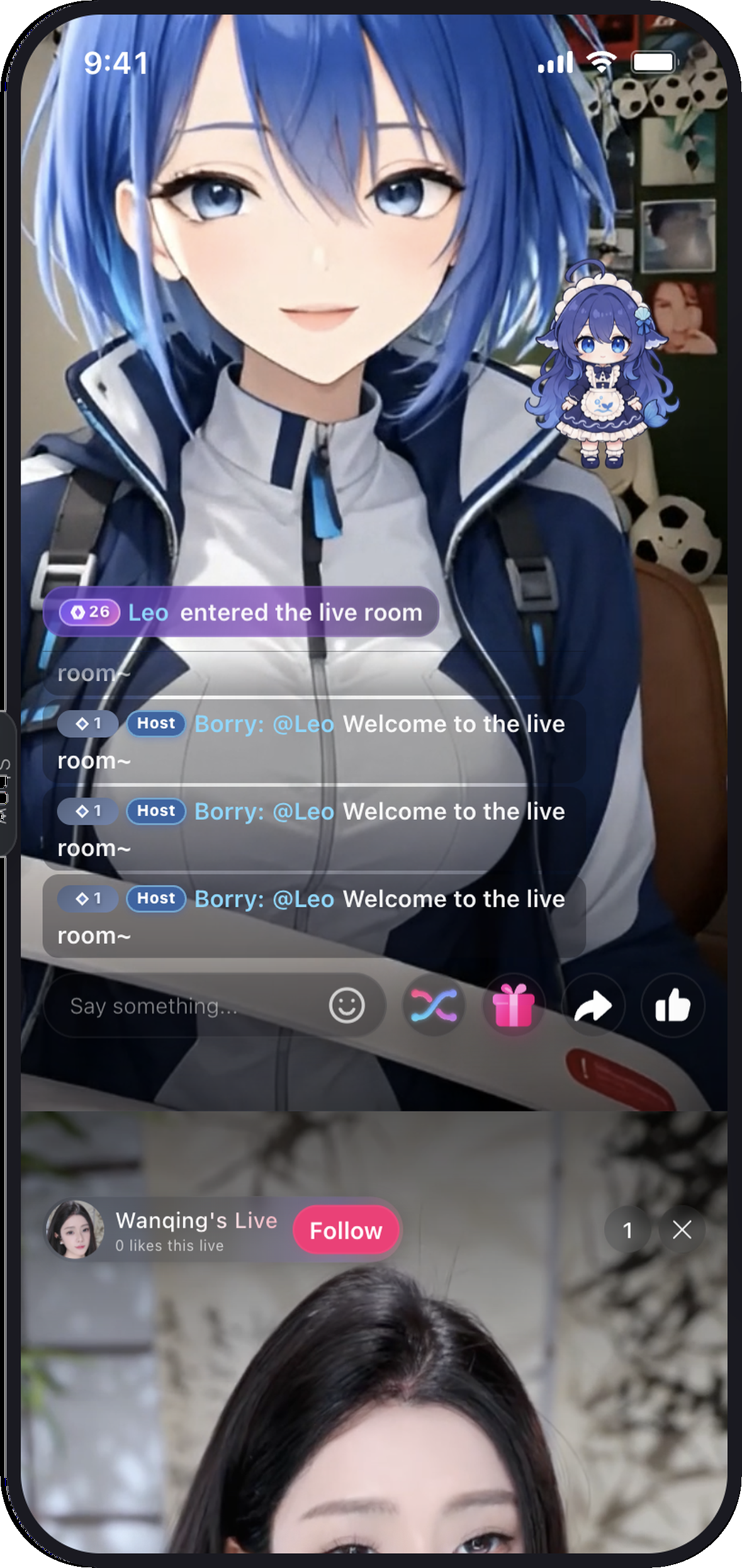
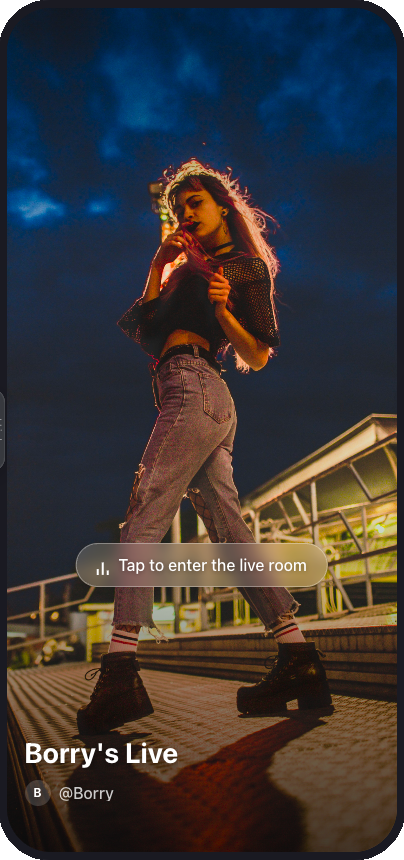
Live Room Feed: Shows multiple live rooms in a vertically paginated container. Each page provides a complete viewing interface.
Swipe Up/Down to Switch: Audiences can swipe up or down to move to the previous or next live room. Playback and Enter Room states are automatically handled by the component.
First Screen Pinning: The liveID provided during initialization is pinned to the top of the list. When entering from a shared link or push notification, the target live room appears on the first screen.
Paginated Loading: Before reaching the end of the list, onLoadMore is triggered automatically. Connect to LiveListStore or your backend service to append the next page of data.
Live Room Switching | Live Viewing |
 |
 |
Component Description
LiveListView is a vertically paginated live room feed container, implemented with ViewPager2 and FragmentStateAdapter. Each page is managed by a PlayerView, so playback features for a single live room—including stream pulling, Enter Room, audience co-hosting, live comments, gifts, and likes—are fully consistent with the Audience Viewing documentation.
Note:
LiveListView uses ViewPager2 and FragmentStateAdapter internally. The Activity hosting LiveListView must inherit from FragmentActivity (recommended: AppCompatActivity). Otherwise, a type cast exception will occur during construction.
Quick Integration
Step 1. Activate the Service
Refer to the Activate Service document to get the
TUILiveKit trial version or activate the paid version.Step 2. Integrate the SDK
Step 3. Integrate LiveListView for Swiping Between Live Rooms
Create LiveListView in your Live Stream List viewing Activity and inject the live room list data:
import android.os.Bundleimport android.util.Logimport androidx.appcompat.app.AppCompatActivityimport com.trtc.uikit.livekit.livelist.LiveListViewimport io.trtc.tuikit.atomicxcore.api.CompletionHandlerimport io.trtc.tuikit.atomicxcore.api.live.LiveListStoreclass AudienceLiveListActivity : AppCompatActivity() {companion object {private const val TAG = "AudienceLiveListActivity"private const val FETCH_COUNT = 6const val EXTRA_LIVE_ID = "liveID"}private lateinit var liveListView: LiveListViewprivate var isLoading = falseoverride fun onCreate(savedInstanceState: Bundle?) {super.onCreate(savedInstanceState)val liveID = intent.getStringExtra(EXTRA_LIVE_ID).orEmpty()// 1. Create LiveListView. The liveID passed in the constructor will be the first live room shown.// Override onLoadMore to load more data when the audience swipes near the end of the list.liveListView = object : LiveListView(this, liveID = liveID) {override fun onLoadMore() {loadMore()}}// 2. Add LiveListView to the UIsetContentView(liveListView)// 3. Fetch the initial live room list and set it to LiveListViewrefresh()}private fun refresh() {if (isLoading) returnfetch(isRefresh = true, callback = object : CompletionHandler {override fun onSuccess() {liveListView.setData(LiveListStore.shared().liveState.liveList.value)isLoading = false}override fun onFailure(code: Int, desc: String) {Log.e(TAG, "refresh failed, code:$code, desc:$desc")isLoading = false}})}private fun loadMore() {if (isLoading) returnval cursor = LiveListStore.shared().liveState.liveListCursor.valueif (cursor.isEmpty()) returnval oldSize = LiveListStore.shared().liveState.liveList.value.sizefetch(isRefresh = false, callback = object : CompletionHandler {override fun onSuccess() {val newList = LiveListStore.shared().liveState.liveList.valueif (newList.size > oldSize) {liveListView.appendData(newList.subList(oldSize, newList.size))}isLoading = false}override fun onFailure(code: Int, desc: String) {Log.e(TAG, "loadMore failed, code:$code, desc:$desc")isLoading = false}})}private fun fetch(isRefresh: Boolean, callback: CompletionHandler) {isLoading = trueval cursor = LiveListStore.shared().liveState.liveListCursor.valueval fetchCursor = if (isRefresh || cursor.isEmpty()) "" else cursorLiveListStore.shared().fetchLiveList(fetchCursor, FETCH_COUNT, object : CompletionHandler {override fun onSuccess() {callback.onSuccess()}override fun onFailure(code: Int, desc: String) {callback.onFailure(code, desc)}})}}
Note:
LiveListView is responsible only for rendering. It does not fetch data. The live room list can be sourced from AtomicXCore’s LiveListStore or your backend service, and is injected via setData or appendData.
The liveID provided in the constructor is automatically pinned to the top of the list, ensuring the audience sees the target live room first.
When the audience swipes to within two live rooms from the end of the list, onLoadMore is triggered. Append the next page of data at this point.
When LiveListView is removed from the window, playback stops and the live room is exited automatically. You do not need to manually call stopPlay or leaveChannel.
When the audience is in co-hosting mode, swipe switching is disabled automatically to prevent accidental interruption of co-hosting.
4. Navigate to the Live Stream List Page
To navigate to the Live Stream List viewing page, use the following code example:
// Navigate to the "Swipe to Switch Live Room" viewing pagefun enterLiveListPage(context: Context, liveID: String) {val intent = Intent(context, AudienceLiveListActivity::class.java)intent.putExtra(AudienceLiveListActivity.EXTRA_LIVE_ID, liveID)context.startActivity(intent)}
Component API Description
LiveListView
LiveListView inherits from FrameLayout and provides a vertically paginated live room feed container.
Method / Property | Description |
LiveListView(context, liveID) | Constructor. The liveID will be the first live room (pinned to the top of the list). If not provided, the first item in the list is shown. |
setData(liveList: List) | Sets the live room list data. Duplicates are removed by liveID, and the liveID passed in the constructor is pinned to the top. |
appendData(liveList: List) | Appends live room data to the end of the list for paginated loading. Existing live rooms are updated rather than inserted repeatedly. |
onLoadMore() | Overridable method. When the audience swipes to within two live rooms from the end of the list, this callback is triggered to load the next page of data. |
Live Room List Data
LiveListView does not fetch the list itself. The list is provided by AtomicXCore’s LiveListStore:
Capability | API |
Fetch List | LiveListStore.shared().fetchLiveList(cursor, count, CompletionHandler) |
List Data | LiveListStore.shared().liveState.liveList.value |
Pagination Cursor | LiveListStore.shared().liveState.liveListCursor.value (empty means no more data) |
Next Steps
You have successfully integrated audience viewing. Next, you can implement host streaming, audience viewing, and other features. See the table below:
Feature | Description | Integration Guide |
Audience Viewing | Use PlayerView to watch a single live room, including stream pulling, Enter Room, and interactive features. | |
Host Streaming | Full host streaming workflow, including pre-stream preparation and post-stream interactions. | |
Gift System | Implement custom gift asset configuration, billing system integration, PK scenario interaction, and more. |
FAQs
Crash when creating LiveListView with ClassCastException?
LiveListView uses ViewPager2 and FragmentStateAdapter internally and requires a FragmentActivity environment. Change the Activity hosting LiveListView to inherit from AppCompatActivity (or FragmentActivity).
List remains empty after calling setData?
Please confirm:
You have called setData() to inject data, and the liveID in the list is not empty.
AtomicXCore login is complete, and the fetchLiveList callback is onSuccess.
If the list data comes from your backend service, it has been converted to LiveInfo objects.
LiveListView does not fetch the list itself.
Can the audience swipe up/down to switch live rooms while co-hosting?
No. When the audience enters CO_GUEST status, swipe switching is disabled automatically to prevent accidental interruption of co-hosting. Swiping is re-enabled after co-hosting ends.
피드백