AI Workbench
다운로드
포커스 모드
폰트 크기
Overview
The AI Workbench is an intelligent assistant module in the WAF console. It uses WAF access logs, protection rules, API assets, and other data to assist with BOT threat analysis, policy recommendations, effectiveness verification, and API security analysis through conversational interactions.
Scenarios
BOT Management
Item | Description |
Threat Analysis | Analyze BOT threats based on access logs and output threat discovery reports. |
Effect Verification | Perform retrospective verification on existing or newly created policies to estimate blocking effectiveness and false positive rates. |
Policy Recommendation | Recommend protection policies based on threat analysis results or specified scenarios. |
API Security
Item | Description |
Risk Overview | Analyze the overall risk status of current API security. |
Sensitive Data Leakage Handling | Provide handling suggestions for sensitive data exposure alarms. |
Configuration | View API security rule configurations and provide adjustment suggestions. |
Asset Security Analysis | Perform security analysis on the specified API. |
Prerequisites
The Access Log feature has been enabled.
The corresponding feature modules have been enabled: To use BOT management capabilities, BOT Traffic Management must be enabled. To use API security capabilities, API Security must be enabled.
The AI Workbench is currently in the grayscale phase and is available only to allowlisted customers. To request access, contact your account manager through Pre-Sales Consultation or submit a ticket via Submit Ticket to apply for activation.
Operation Step
Viewing Conversation Quotas
The AI Workbench manages usage based on the number of conversations.
1. After you obtain grayscale access, the system grants a one-time conversation quota of 100 conversations.
2. Log in to the WAF console and click AI Workbench in the left sidebar.
3. In the upper-right corner of the AI Workbench page, you can view the remaining conversation quota for the current account.
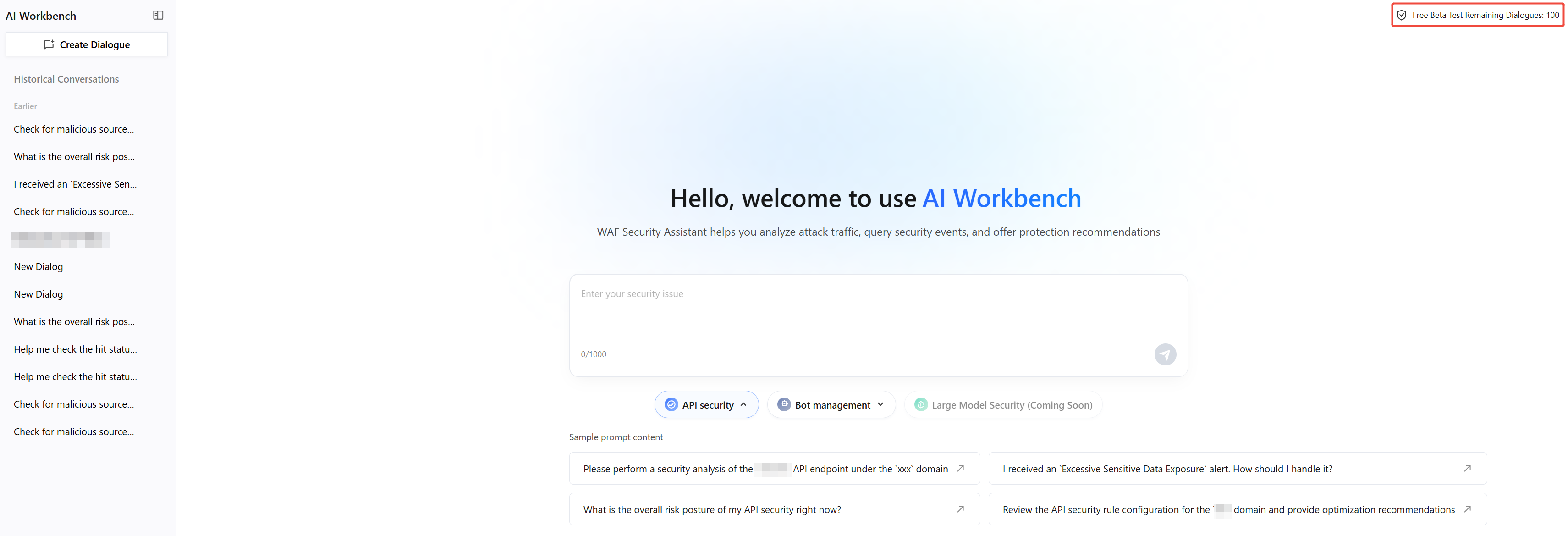
4. Each conversation consumes 1 quota, and each round in a multi-round conversation consumes 1 quota.
5. After the conversation quota is exhausted, you will be unable to start new conversations. To request a quota increase, contact your account manager through Contact Us or submit a ticket via Submit Ticket.
Starting a Conversation
1. Log in to the WAF console and click AI Workbench in the left sidebar.
2. Start a conversation in one of the following ways:
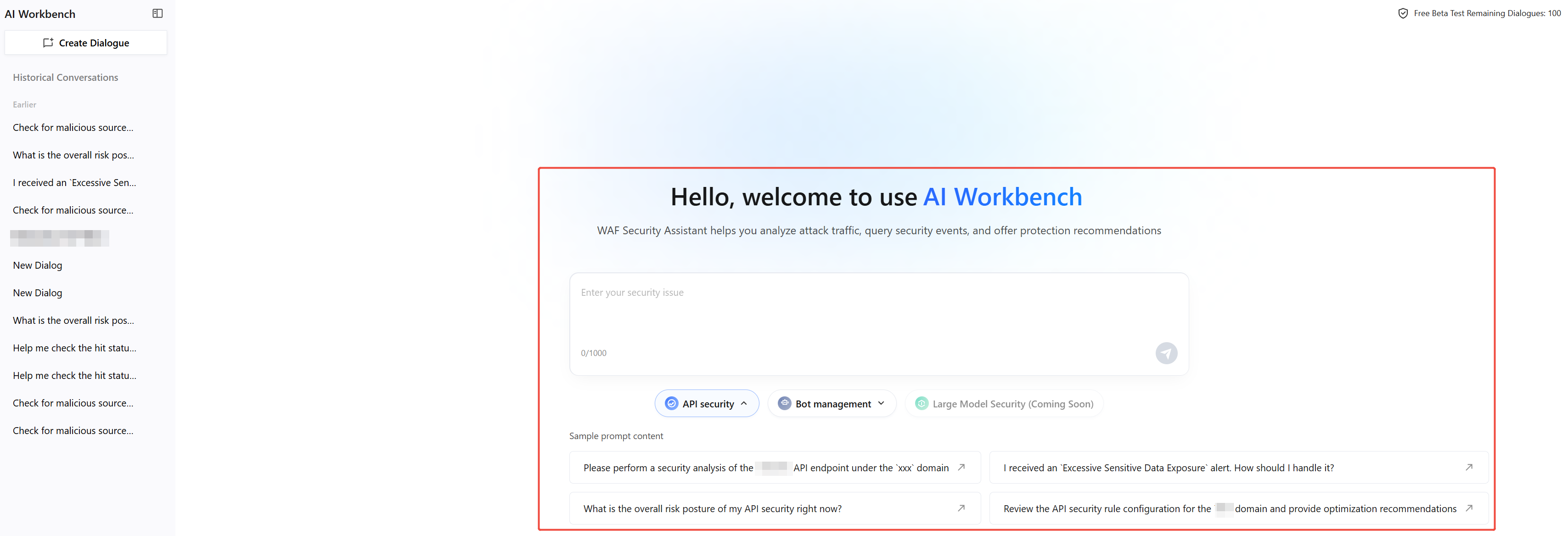
Sample prompt content: Click the BOT Management or API Security scenario below the dialog box, and the Sample prompt content area will display 4 guided question cards. Click a card to enter its content into the dialog box, then click Send or press
Enter to submit. Click Change the batch to switch to other guided questions.Free Input: Enter your question in the dialog box, then click Send or press
Enter to submit.3. The AI Workbench outputs answers incrementally in streaming mode. You can ask follow-up questions based on the answers, or perform subsequent operations such as log queries, rule adjustments, or asset inspections based on the answers.
Note:
The AI Workbench answers are based on existing WAF data and product documentation. The conclusions and suggestions are for reference only. For formal actions, make decisions based on the alarm details in the console and manual analysis.
4. Multiple rounds of questions within the same session retain context. Click Create Dialogue in the upper-left corner of the conversation area to start a new session without context.
Conversation History Management
1. On the AI Workbench page, click Historical Conversations in the upper-left corner to view previous conversation records.
2. Historical sessions are displayed in reverse chronological order. Click a target session to view the complete multi-round conversation content (view-only, and continuing the conversation is not supported).
3. Click Create Dialogue to proactively start a new session.
피드백