将 Clawpro 智能体接入 Slack
下载
聚焦模式
字号
概述
本文介绍如何将 Clawpro 智能体接入 Slack。配置完成后,Slack 工作区内的成员可通过私信、@提及或 /openclaw 斜杠命令与智能体对话。
该集成基于 Slack Socket Mode,需要准备以下两个令牌(Token):
令牌 | 前缀 | 获取位置 |
App-Level Token(应用级令牌) | xapp- | Slack 应用设置 > Basic Information > App-Level Tokens |
Bot User OAuth Token(机器人用户 OAuth 令牌) | xoxb- | Slack 应用设置 > Install App(安装完成后生成) |
前提条件
已开通 Clawpro 账号,并已创建至少一个智能体。
拥有在 Slack 工作区中创建和安装应用的权限。
已获取 示例应用清单(Manifest)并根据智能体完成修改。
操作步骤
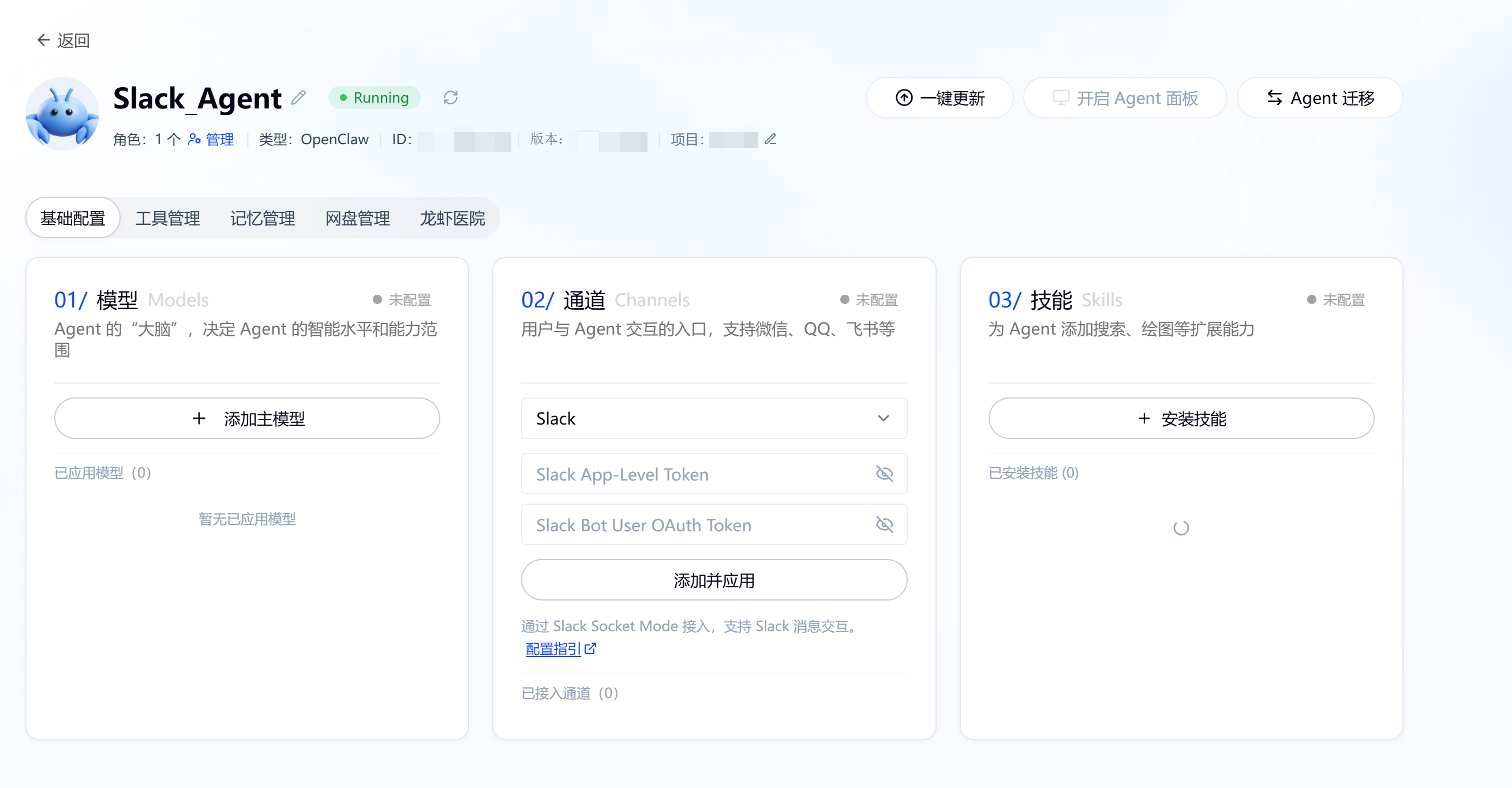
在 Clawpro 中选择 Slack 通道
登录 Clawpro 平台,选择需要接入的智能体。在通道区域的下拉列表中选择 Slack。请保持该页面打开,后续需在此处填入两个令牌。
创建 Slack 应用
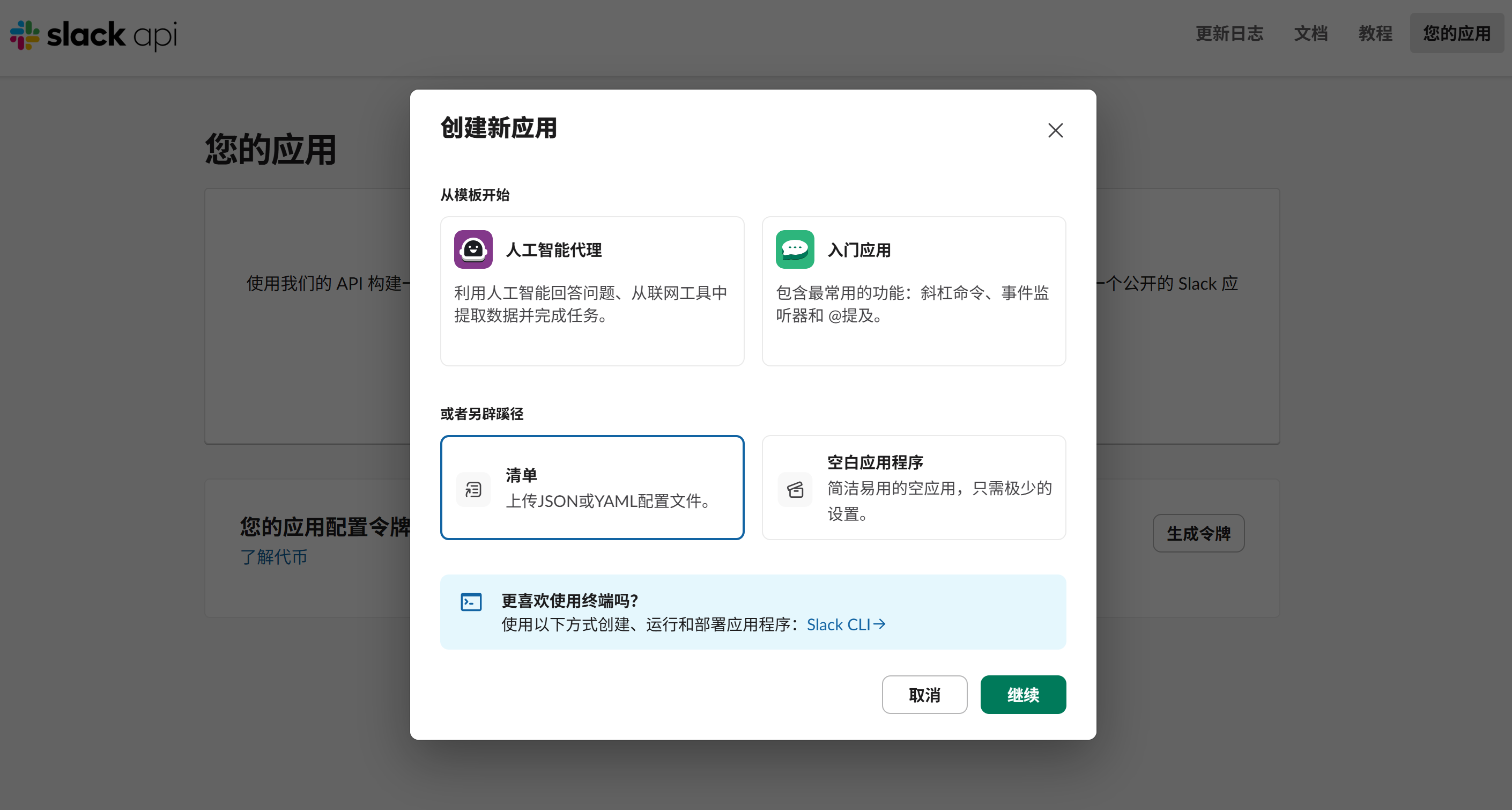
1. 访问 Slack API,单击创建应用。在创建新应用对话框中选择清单,单击继续。
说明:
使用清单(Manifest)可一次性完成 Slack 集成所需的全部权限范围(Scope)、事件订阅和功能配置,避免因遗漏配置导致集成静默失效。
2. 在从清单创建对话框中,切换到 JSON 页签,将默认内容替换为附录中的示例应用清单。在工作区下拉菜单中选择目标工作区,单击下一步。
说明:
应用创建后无法更改所属工作区。
您可将示例应用清单中的
name 修改为与智能体相符的名称。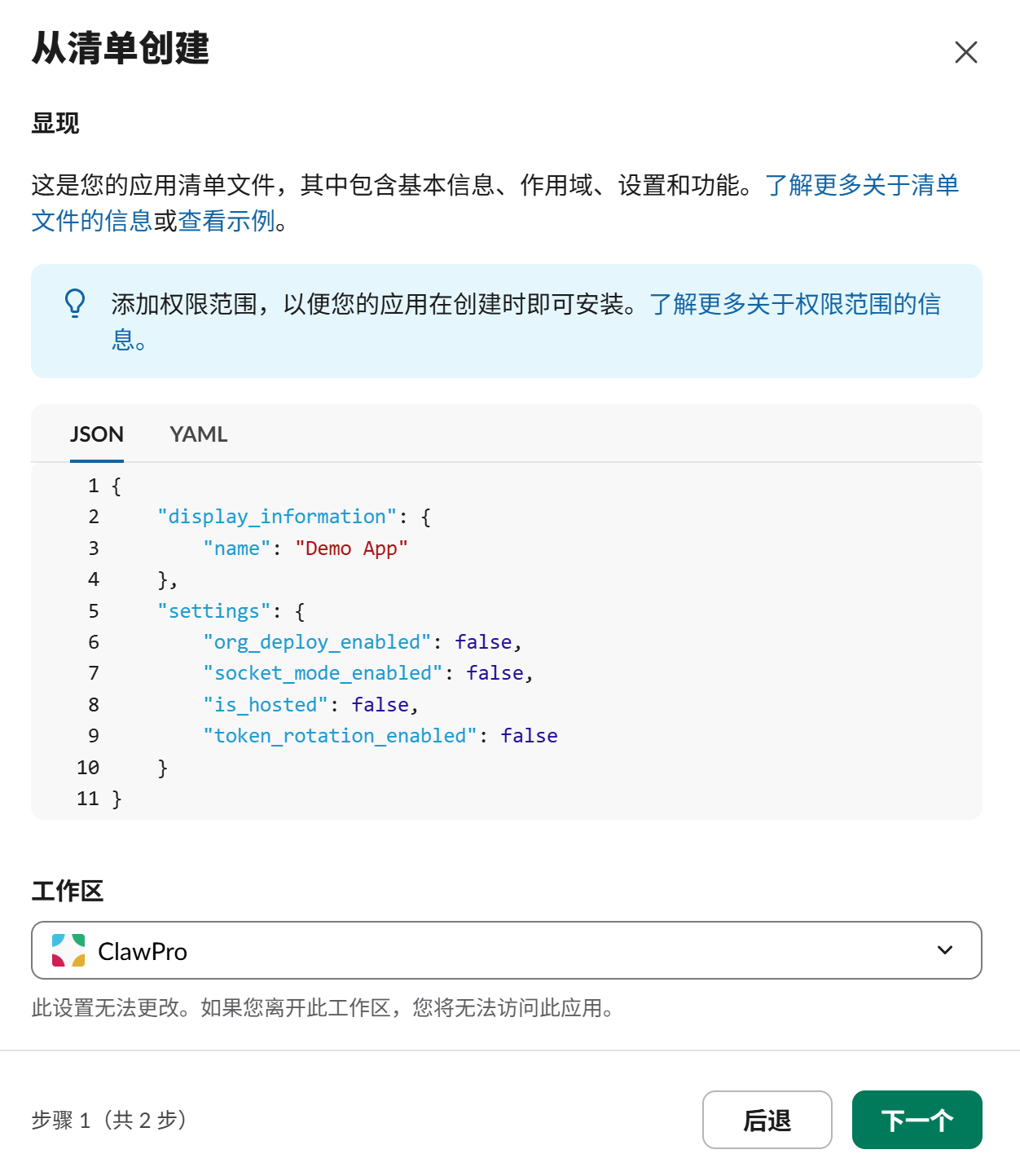
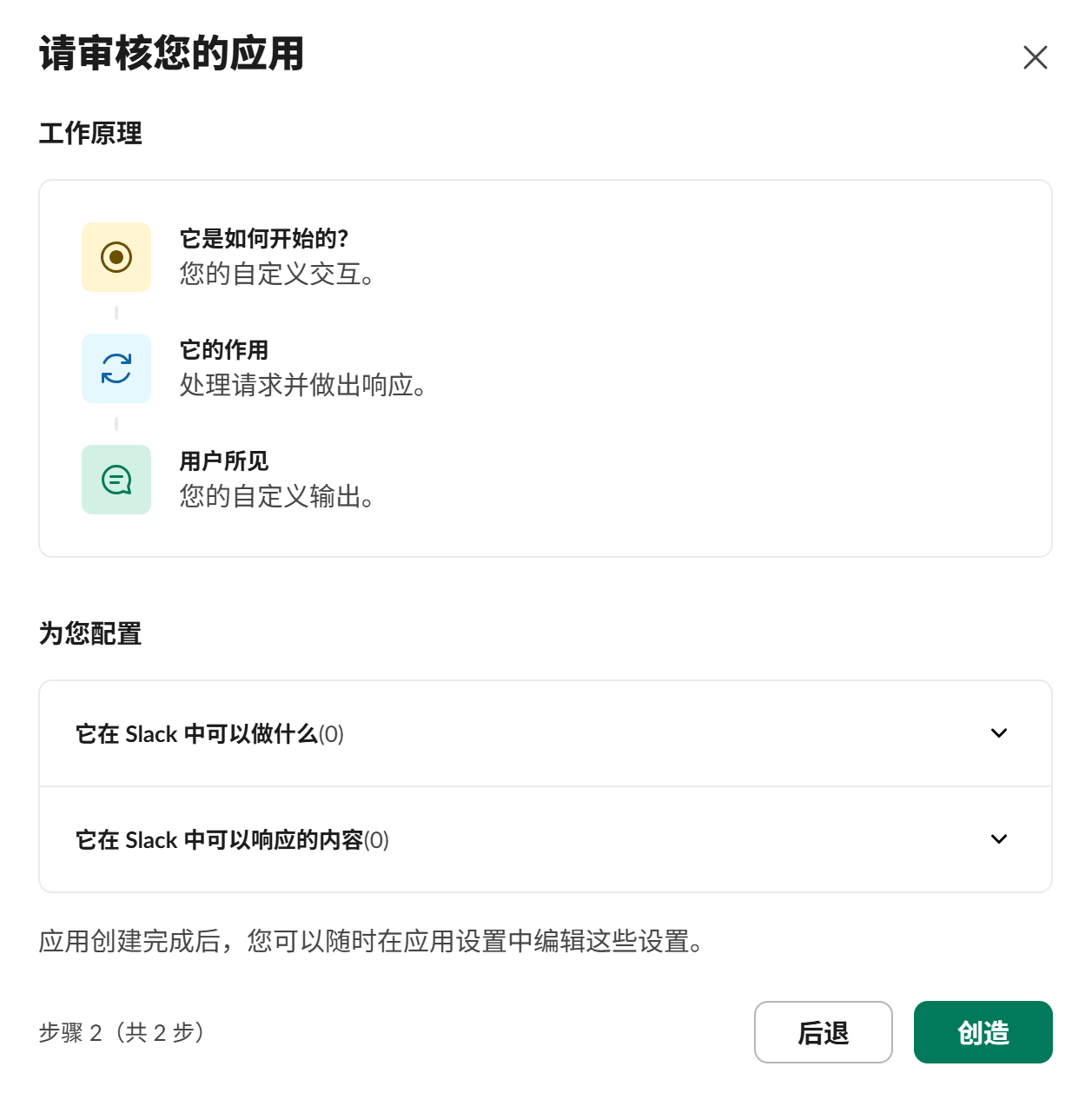
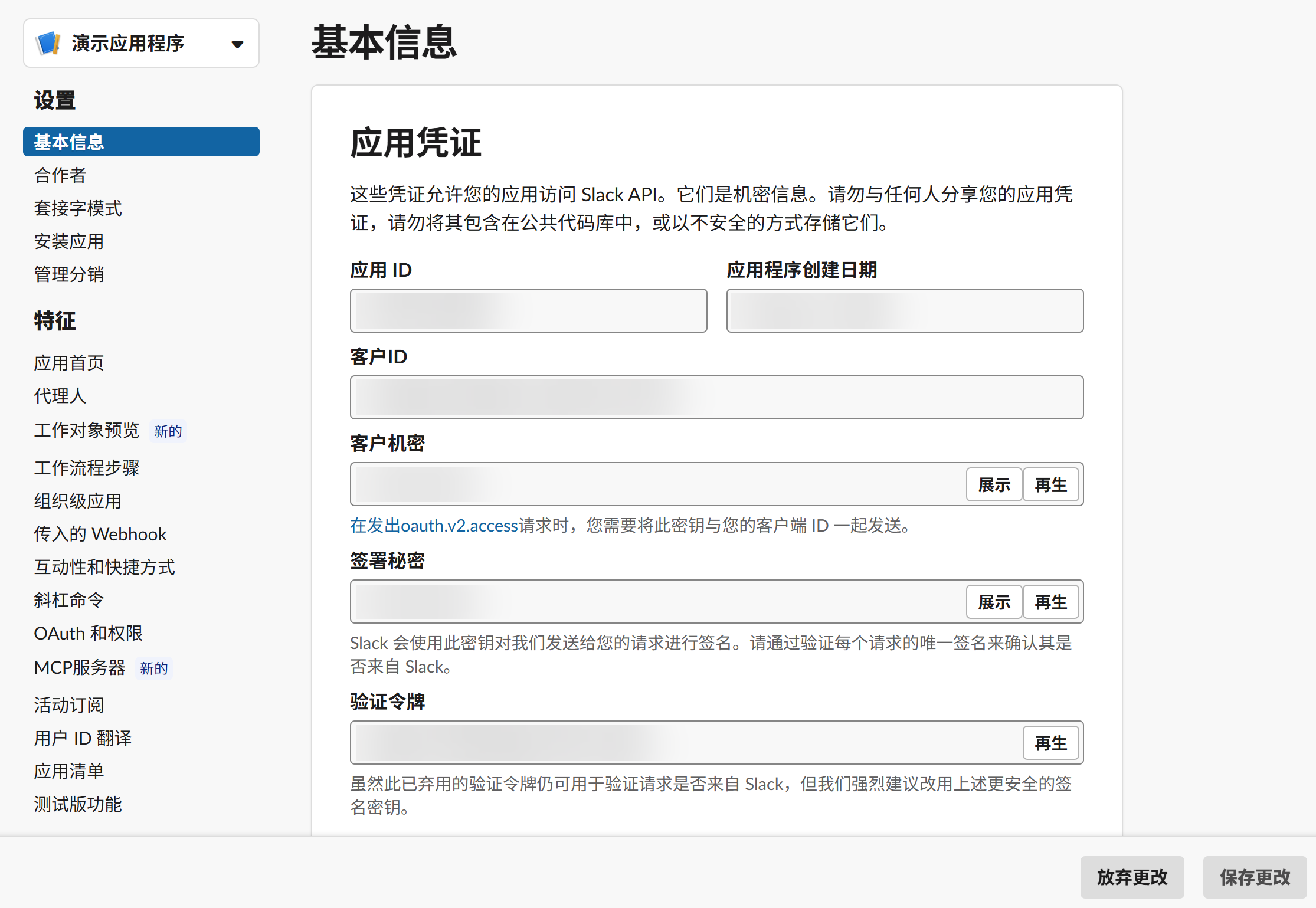
3. 确认对话框提示应用已创建,但尚未安装。单击前往应用设置,进入应用的基本信息页面。
生成 App-Level Token
1. 在基本信息页面向下滚动至应用级令牌,单击生成令牌和作用域。
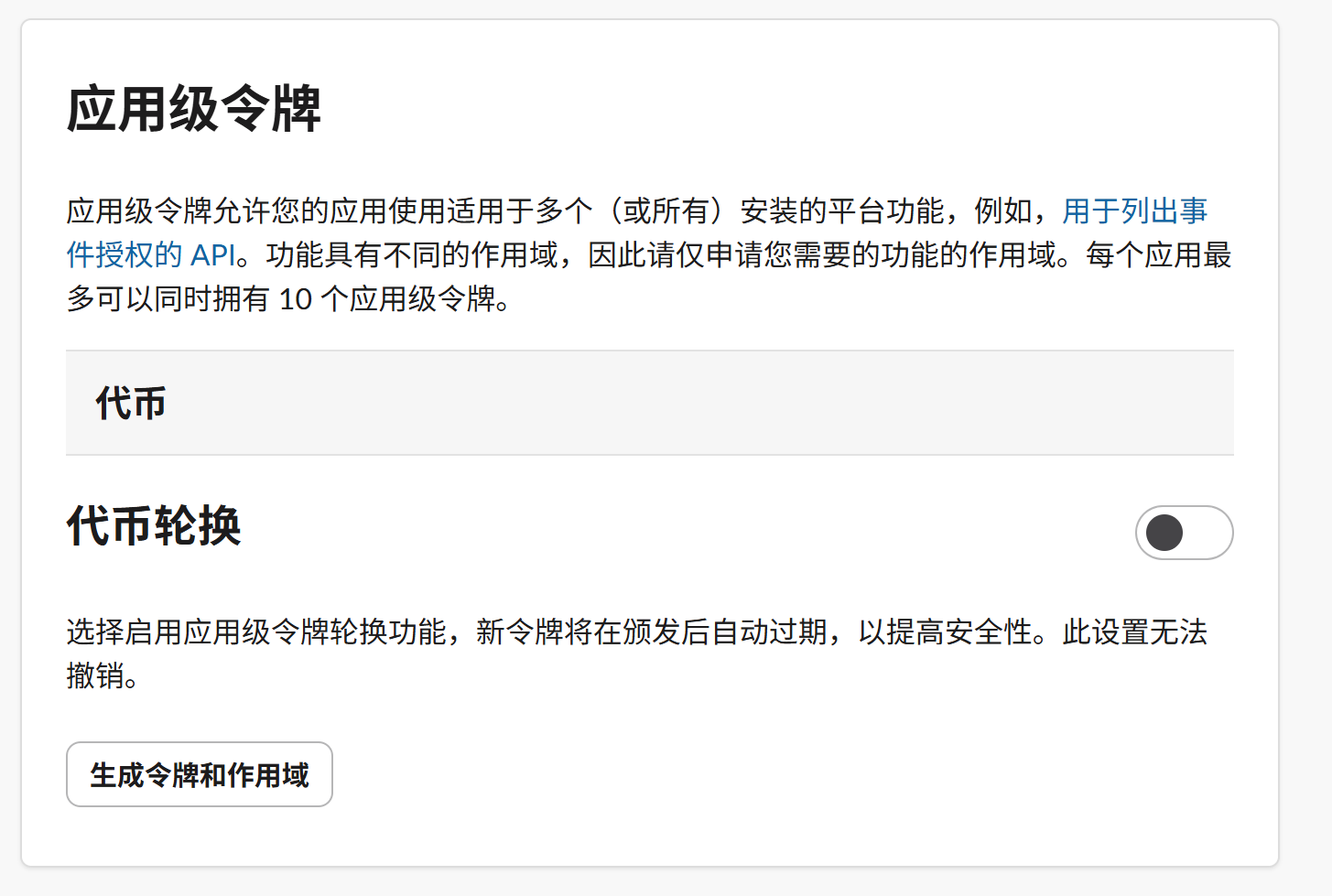
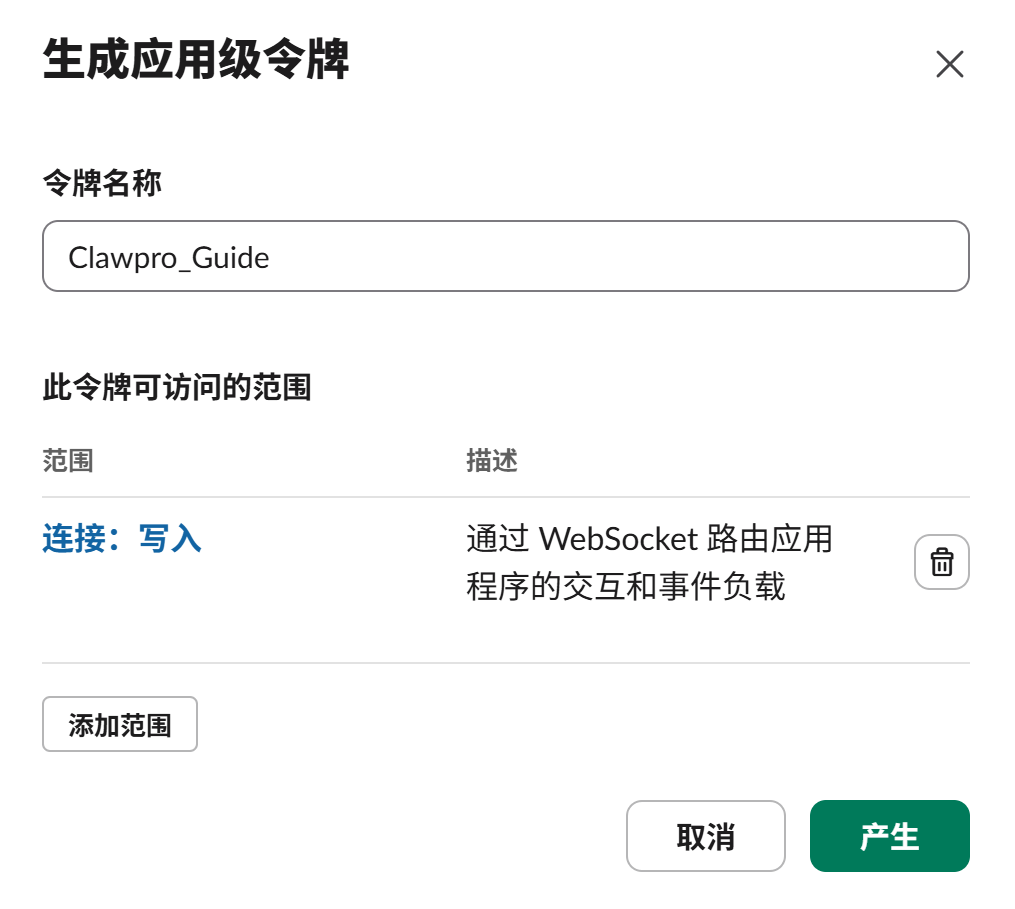
2. 在生成应用级令牌对话框中:
填写令牌名称,例如 Clawpro_Guide。
在此令牌可访问的范围中,单击添加范围,选择连接:写入(Socket Mode 必需)。
单击产生。
3. 复制生成的令牌(以
xapp- 开头),粘贴至 Clawpro 通道区域的 Slack App-Level Token 输入框。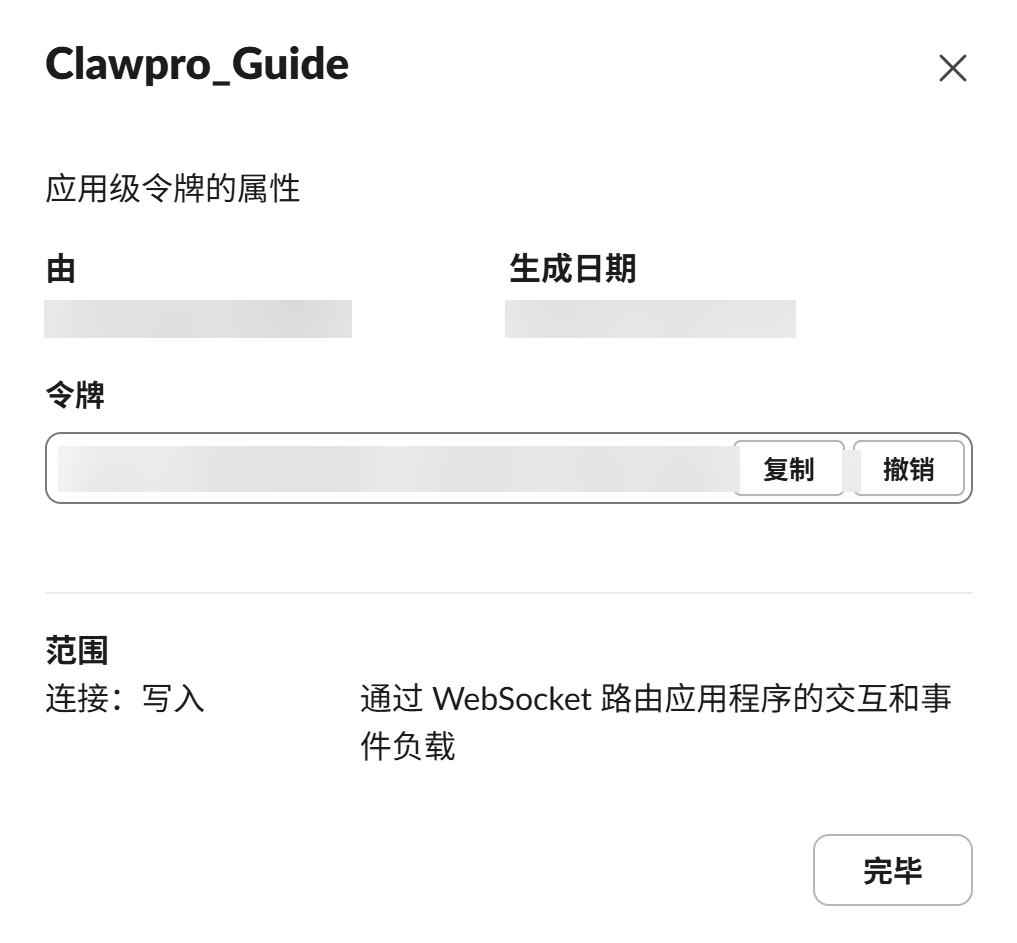
核对清单并安装应用
1. 在左侧菜单中打开应用清单,确认所需的权限范围(
oauth_config.scopes.bot)和事件(settings.event_subscriptions.bot_events)与 附录中的示例应用清单 一致。如有修改,请单击保存更改。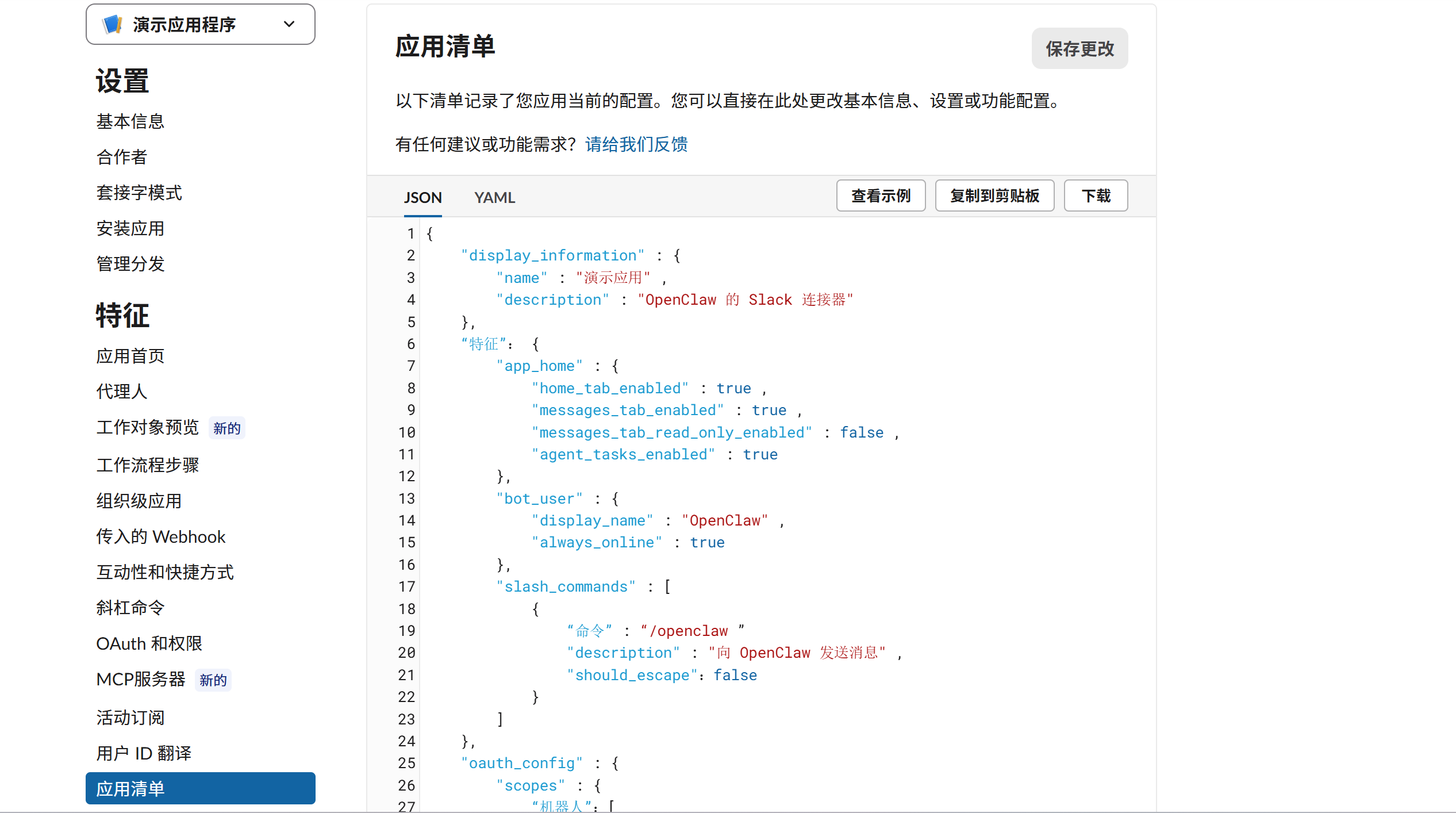
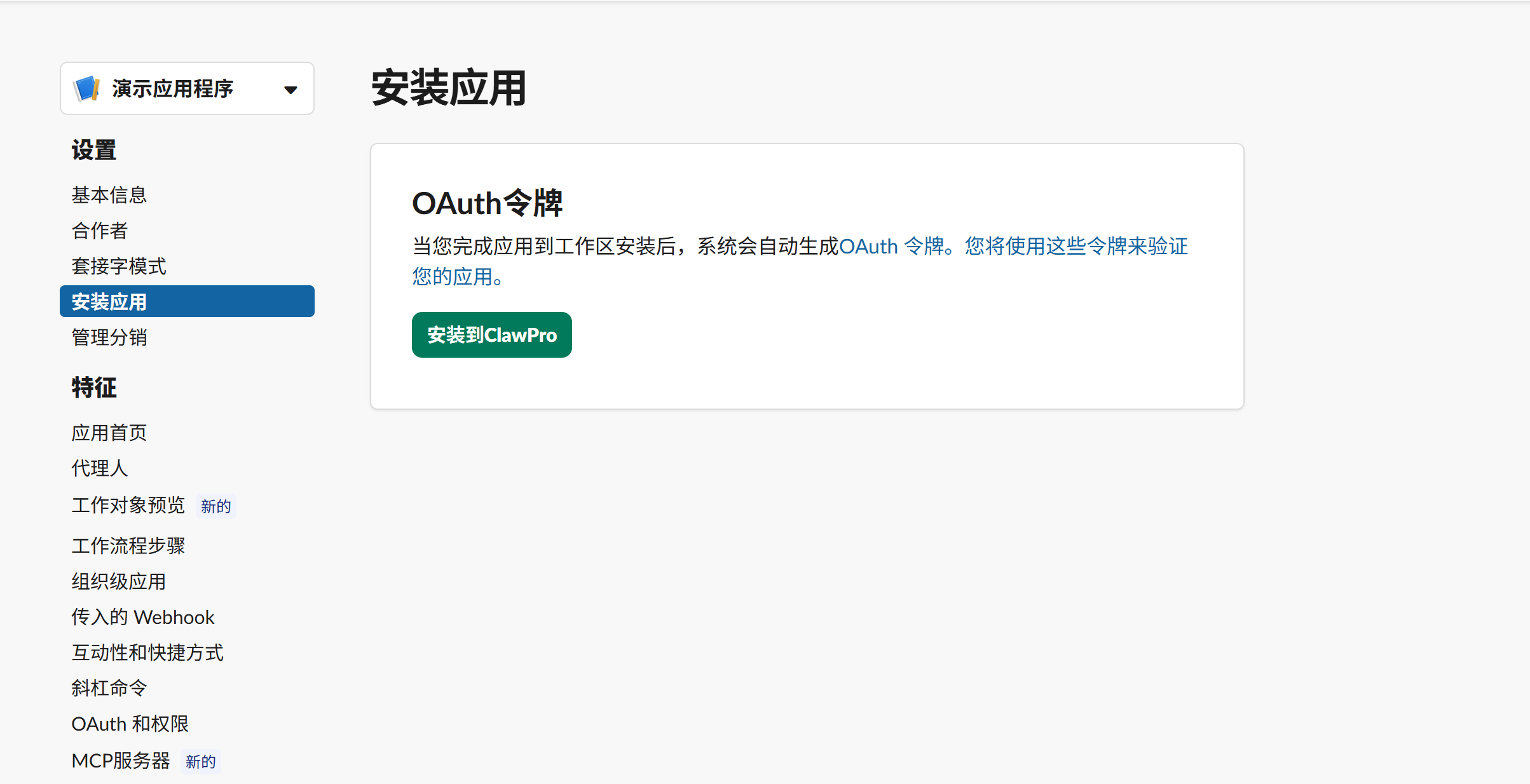
2. 在左侧菜单中单击安装应用, 然后单击安装到<工作区名称>。
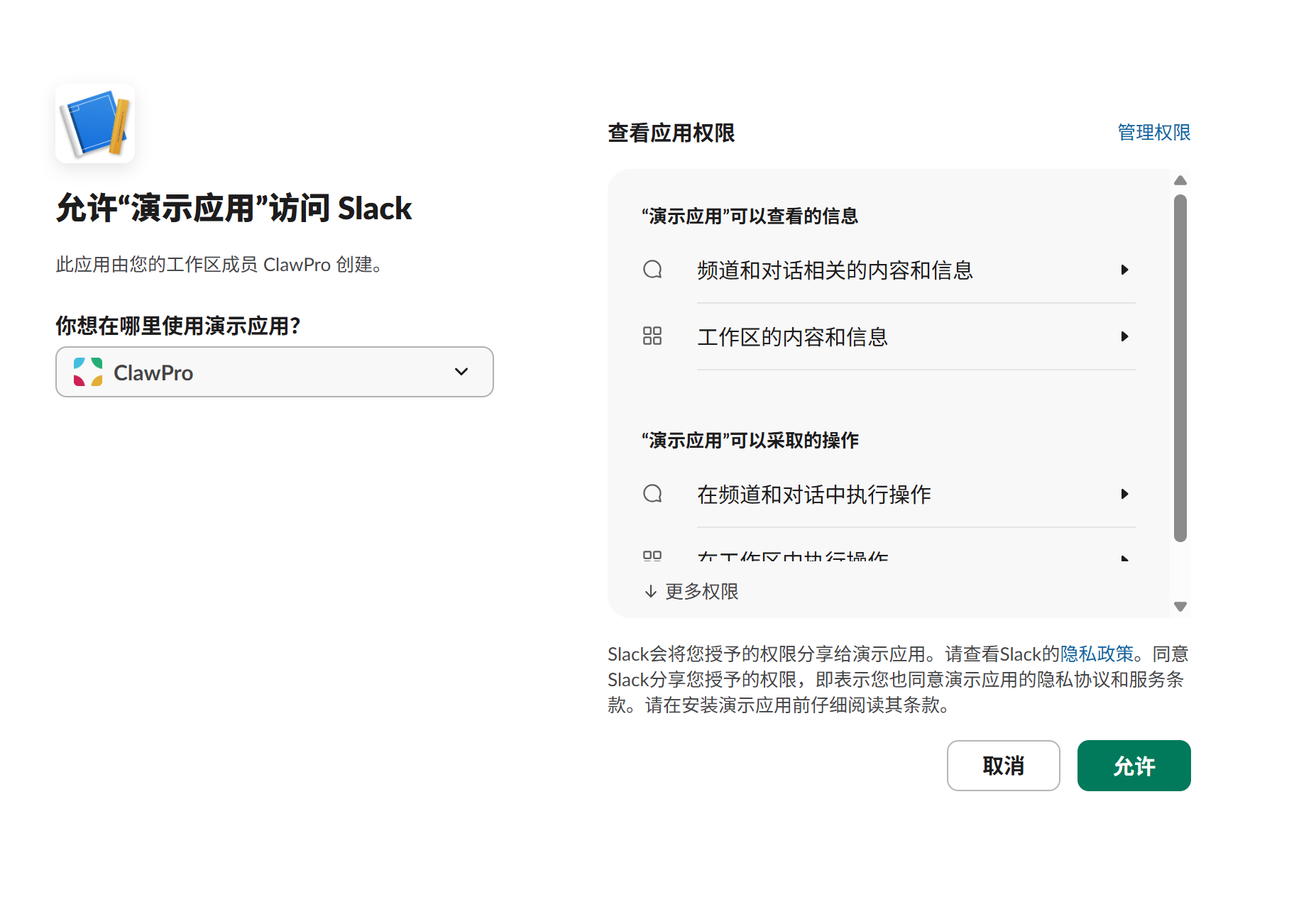
3. 在授权页面确认所选工作区正确,并核对应用申请的权限,然后单击允许。
4. Slack 将生成机器人用户 OAuth 令牌(以
xoxb- 开头)。单击 Copy(复制),并粘贴至 Clawpro 的 Slack Bot User OAuth Token 输入框。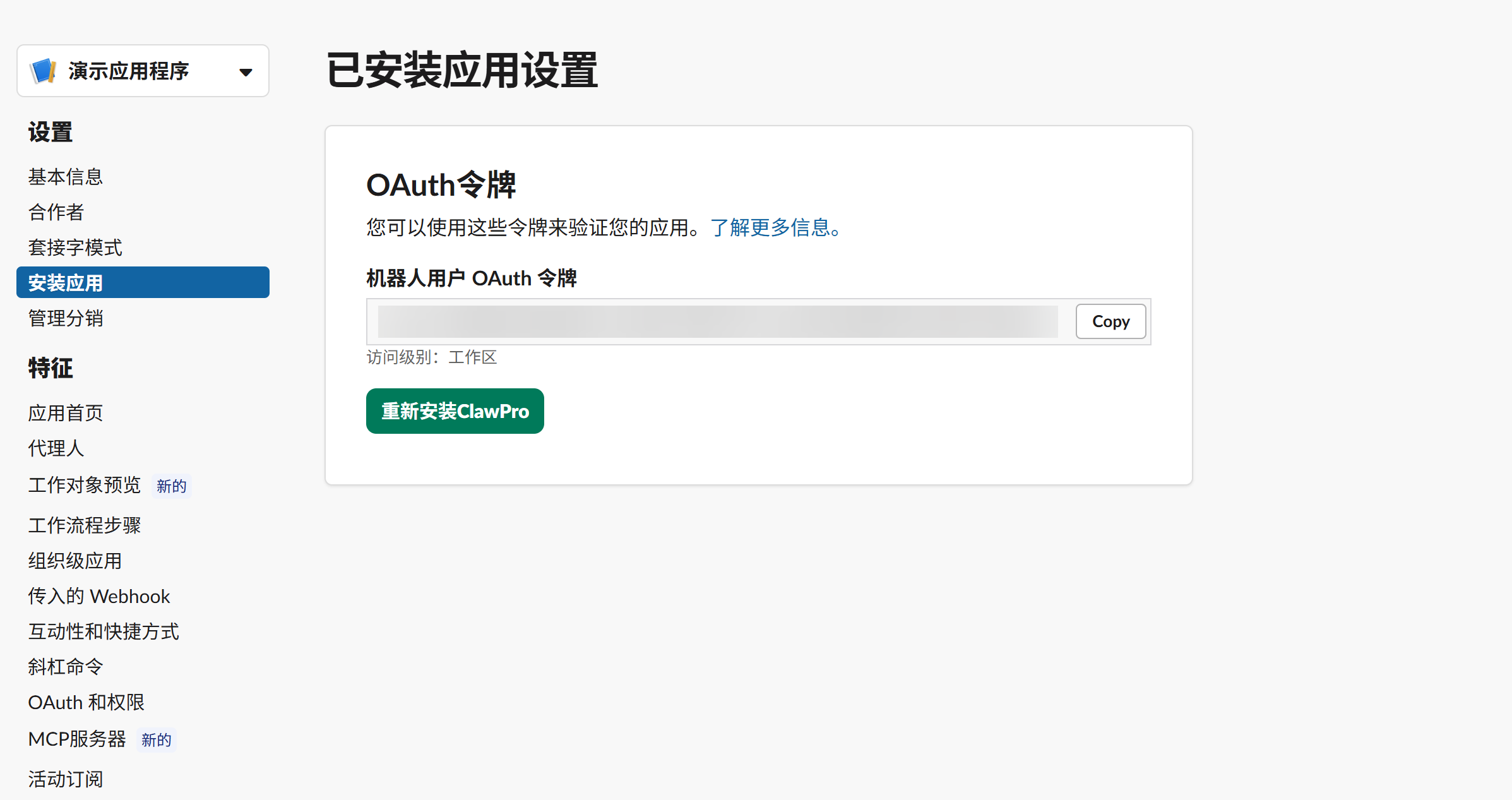
完成连接并测试
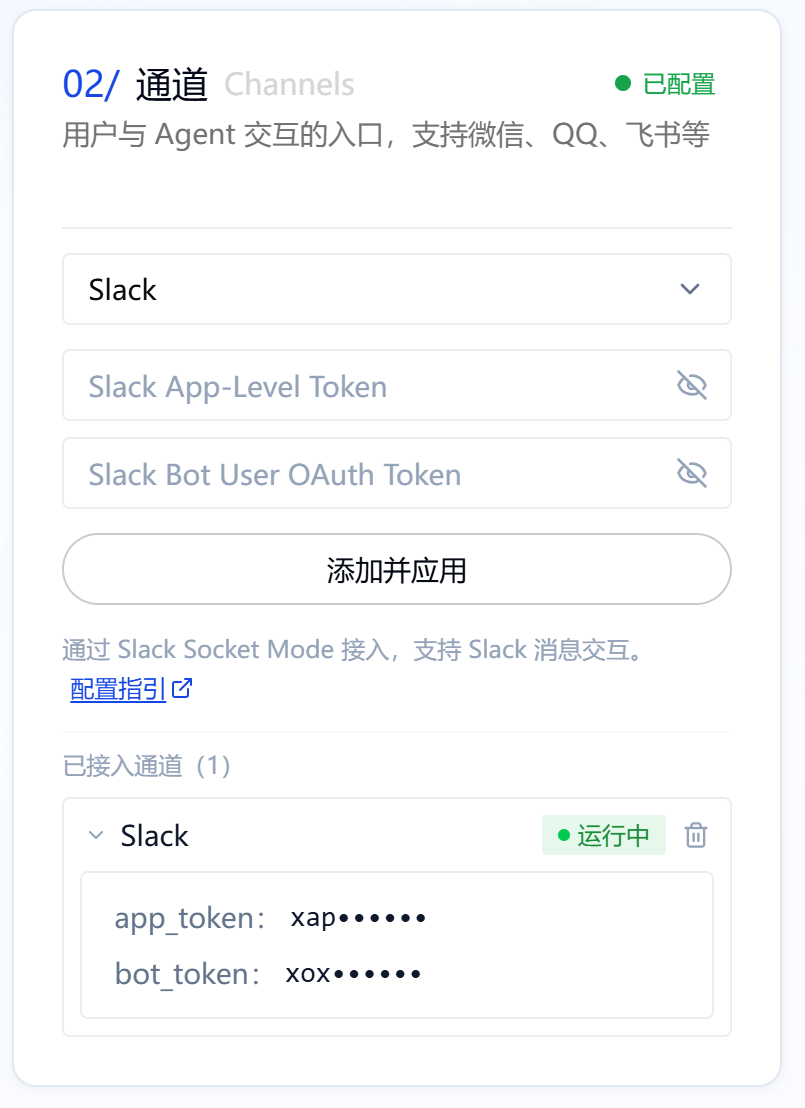
1. 在 Clawpro 中确认两个令牌均已填写,单击添加并应用。已连接渠道下将显示 Slack 渠道,状态为运行中。
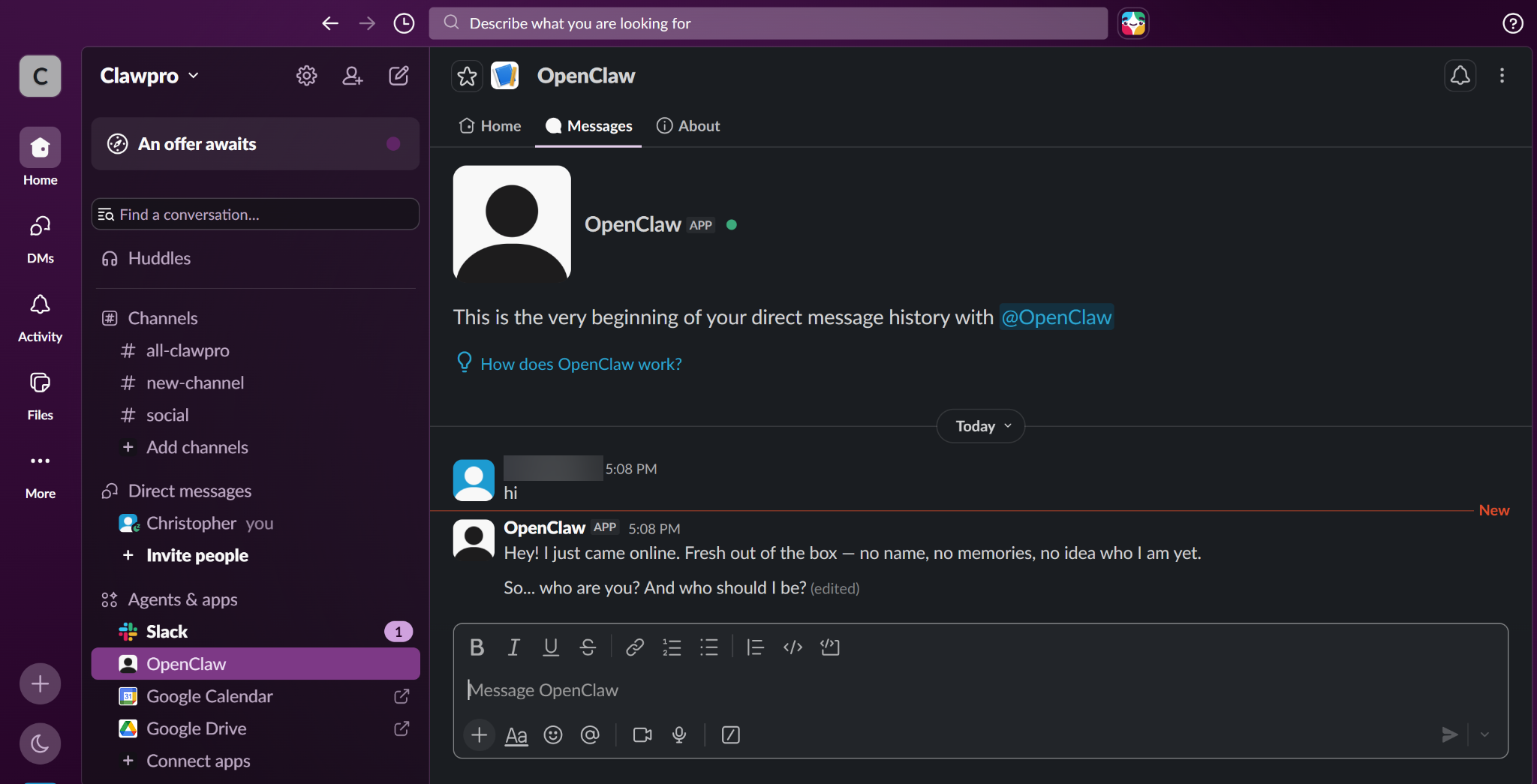
2. 打开 Slack,在应用下选择智能体并发送消息,验证连接是否正常。
常见问题排查
问题 | 排查方法 |
Clawpro 中渠道状态未显示 running | 确认令牌已填入对应输入框:以 xapp- 开头的令牌填入 App-Level Token,以 xoxb- 开头的令牌填入 Bot User OAuth Token。 |
智能体在 Slack 中无响应 | 确认 App-Level Token 已添加连接:写入 (connections:write) 权限范围,且应用清单中已启用 Socket Mode。 |
智能体无法读取频道消息或响应@提及 | 将应用清单中的权限范围和事件与附录进行比对。修改权限范围后,需在 Install App 中重新安装应用;如令牌发生变化,请同步更新 Clawpro 中的 Bot User OAuth Token。 |
附录:示例应用清单(JSON)
{"display_information": {"name": "Demo App","description": "Slack connector for OpenClaw"},"features": {"bot_user": { "display_name": "OpenClaw", "always_online": true },"app_home": {"home_tab_enabled": true,"messages_tab_enabled": true,"messages_tab_read_only_enabled": false},"slash_commands": [{"command": "/openclaw","description": "Send a message to OpenClaw","should_escape": false}]},"oauth_config": {"scopes": {"bot": ["app_mentions:read","assistant:write","channels:history","channels:read","chat:write","commands","emoji:read","files:read","files:write","groups:history","groups:read","im:history","im:read","im:write","mpim:history","mpim:read","mpim:write","pins:read","pins:write","reactions:read","reactions:write","usergroups:read","users:read"]}},"settings": {"socket_mode_enabled": true,"event_subscriptions": {"bot_events": ["app_home_opened","app_mention","assistant_thread_context_changed","assistant_thread_started","channel_rename","member_joined_channel","member_left_channel","message.channels","message.groups","message.im","message.mpim","pin_added","pin_removed","reaction_added","reaction_removed"]}}}
文档反馈